

- expertise:
- CFD Trading, Forex, Derivatives, Risk Management
- credentials:
- Chartered ACII (2018) · Trading since 2012
- tested:
- 40+ forex & CFD platforms with live accounts

- expertise:
- Platform Testing, Cryptocurrency, Retail Investing
- credentials:
- Active investor since 2013 · 11+ years experience
- tested:
- 50+ platforms · 200+ guides authored
How We Test
Real accounts. Real money. Real trades. No demo accounts or press releases.
What we measure:
- Spreads vs advertised rates
- Execution speed and slippage
- Hidden fees (overnight, withdrawal, conversion)
- Actual withdrawal times
Scoring:
Fees (25%) · Platform (20%) · Assets (15%) · Mobile (15%) · Tools (10%) · Support (10%) · Regulation (5%)
Regulatory checks:
FCA Register verification · FSCS protection
Testing team:
Adam Woodhead (investing since 2013), Thomas Drury (Chartered ACII, 2018), Dom Farnell (investing since 2013) — 50+ platforms with funded accounts
Quarterly reviews · Corrections: in**@*******************co.uk
Disclaimer
Not financial advice. Educational content only. We're not FCA authorised. Consult a qualified advisor before investing.
Capital at risk. Investments can fall. Past performance doesn't guarantee future results.
CFD warning. 67-84% of retail accounts lose money trading CFDs. High risk due to leverage.
Contact: in**@*******************co.uk
What does Pepperstone's demo give you, and how long does it last?
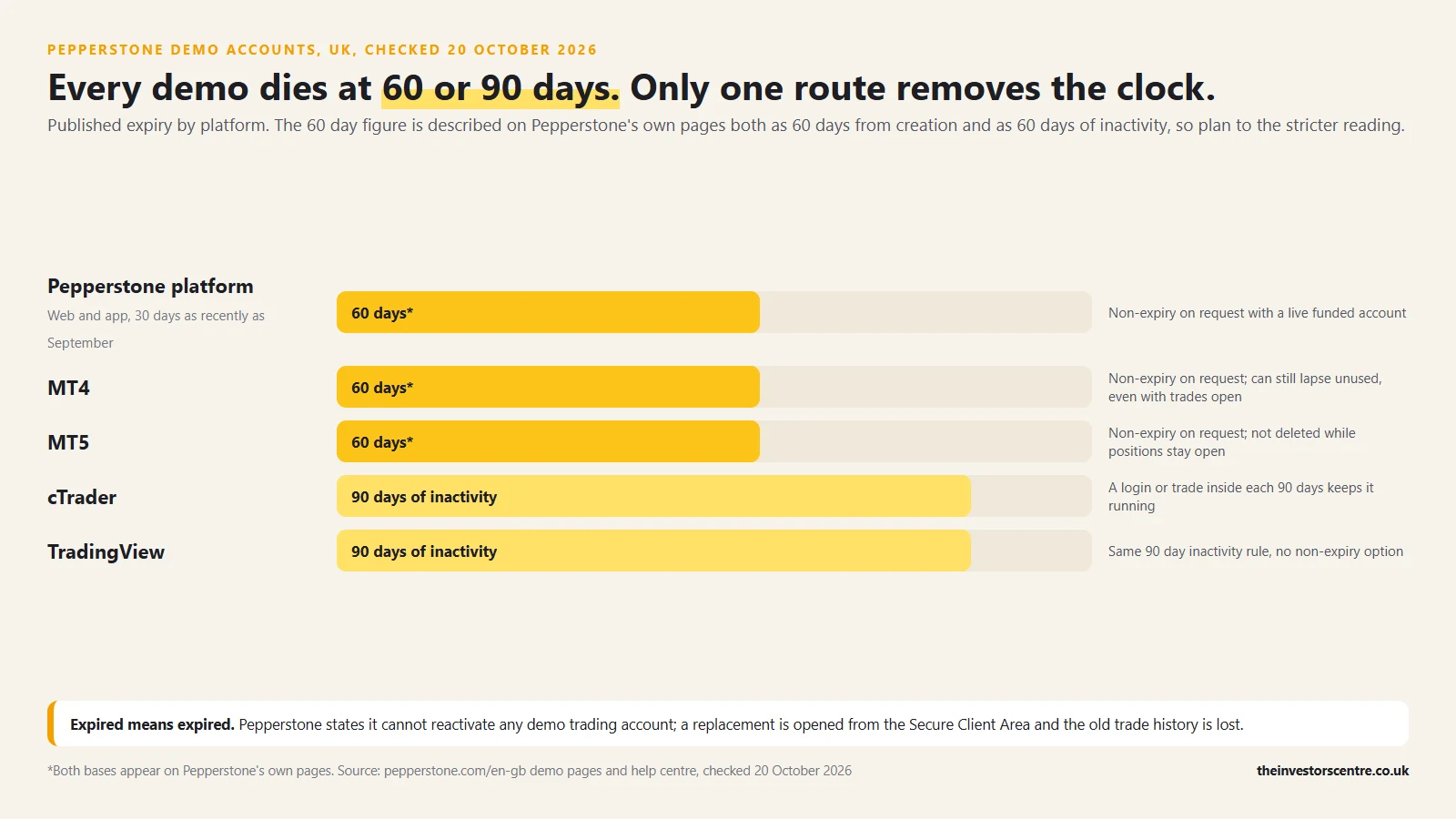
Pepperstone's free demo lasts 60 days on MT4, MT5 and the Pepperstone platform, and until 90 days of inactivity on cTrader and TradingView. Every version runs an unlimited virtual balance on live prices, and you can hold five demos without a live account, ten with one. The edges need reading. An expired demo is replaced rather than revived, and Pepperstone quotes the 60 days two ways, from creation and of inactivity, so plan on the stricter one. Pepperstone sets the balance as unlimited rather than printing a starting figure; you choose an account currency and add funds at creation. A practice account that never dies takes a live account funded from £10, then a request to switch an MT4, MT5 or Pepperstone platform demo to non-expiry. The broker behind all this is covered in our full Pepperstone review. This page measures the practice account.

73.6% of retail investor accounts lose money when trading spread bets and CFDs with this provider.
How long does each platform's demo last?
Pepperstone, MT4 and MT5 demos last 60 days, while cTrader and TradingView demos run until they go 90 days without a login or a trade. That split is most of what people come to this page for, so here it is as a table before anything else.
| Platform | Published expiry | Can it be made non-expiring? |
|---|---|---|
| Pepperstone platform (web and app) | 60 days (see wording note below) | Yes, on request with a live funded account |
| MT4 | 60 days (wording note below) | Yes, on request with a live funded account |
| MT5 | 60 days (wording note below) | Yes, on request with a live funded account |
| cTrader | Expires after 90 days of inactivity | No; a login or trade inside each 90 days keeps it running |
| TradingView | Expires after 90 days of inactivity | No; same 90-day inactivity rule |
The 60 days on the Pepperstone platform is new. As recently as September 2026 that demo got 30 days, so any review quoting 30 is working from a stale site. Read it practically: a MetaTrader or Pepperstone platform demo is a two-month project, two months at most if the creation-date reading is the live one, and a cTrader or TradingView demo can run for years if you keep showing up.
The 60-day basis, quoted two ways
Pepperstone publishes two bases for the 60-day expiry: inactivity on its UK demo page, creation date in its help centre, both read on 20 October 2026. The UK demo page says these demos "expire after 60 days of inactivity", with activity defined as trading or logging in. The help centre says MT4 and MT5 demos "remain active for 60 days from the date of creation", and the Australian demo page sides with the help centre.
Which is right? Both are Pepperstone's own wording, so plan for 60 days from creation and log in regularly anyway. If the inactivity reading turns out to be the live behaviour, everything past day 60 is a bonus.
Expired means expired
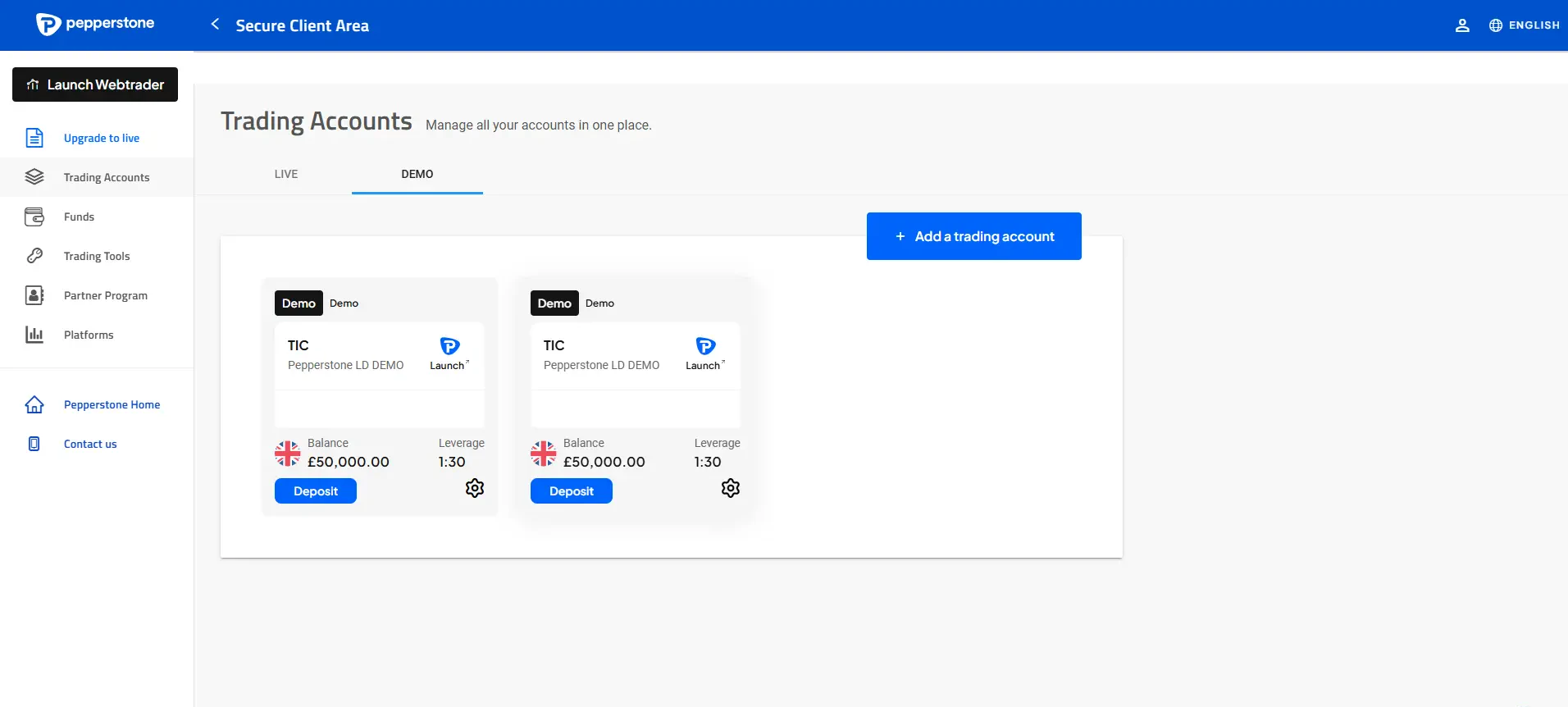
Pepperstone states it cannot reactivate any demo trading account, so when the 60 or 90 days run out, that account is gone for good. A replacement takes a couple of minutes in the demo tab of the Secure Client Area, but the dead account's trade history does not come with you. Screenshot or journal anything worth keeping while the account is still open.
The non-expiry route
A live, funded Pepperstone account lets you request non-expiry status for MT4, MT5 and Pepperstone platform demos, while cTrader and TradingView are excluded. The account still has to be used at least once every 90 days, and the two MetaTrader versions differ at the margins: a non-expiry MT4 demo can still lapse through inactivity even with trades open, while an MT5 demo is not deleted while positions remain. Almost nobody reads far enough into Pepperstone's documentation to find that.
What is inside the demo once it opens?
A Pepperstone demo carries an unlimited virtual balance, live prices, and up to 10 demo accounts per client, or 5 without a live account. Unlimited is Pepperstone's own word, and its small print tempers it: trades may still be rejected for insufficient virtual funds or for exceeding volume limits, so read the balance as very large rather than infinite. The starting amount is set when you add funds at creation rather than printed on the UK pages.
Top-ups and currencies
Two of the five platforms take self-serve balance top-ups, cTrader and TradingView, and the other three need an email to support. You pick an account currency at demo creation and add funds; later top-ups go by whichever of those routes applies. The email route waits on a support reply rather than a click, so top up before a session rather than during one.
Is it the real platform?
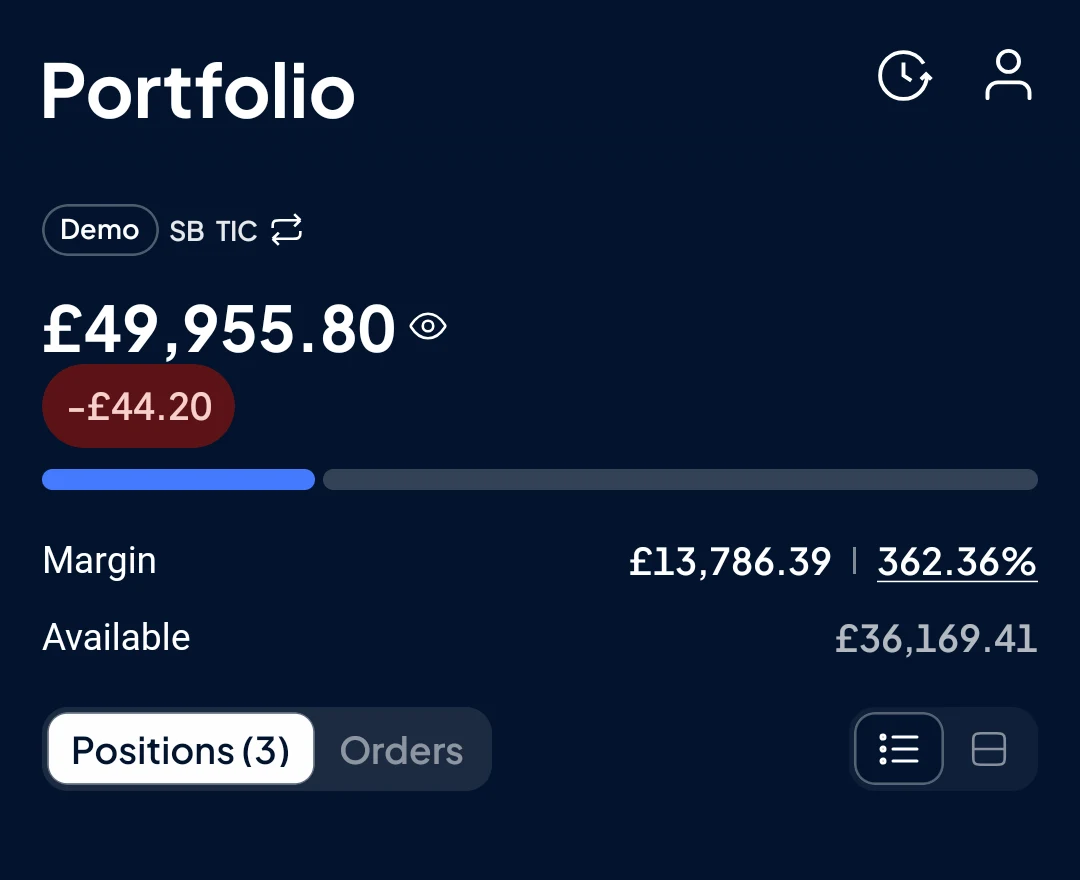
It is the real platform on all five options, fed with real prices rather than a practice simulation. The spread betting demo we keep open runs on the Pepperstone web platform, and most of the demo screenshots on this site, an order ticket mid-bet included, come from that workspace rather than from a marketing library.
Where does the demo differ from live trading?
Pepperstone's demo streams live prices on all five platforms, but it charges no overnight swap and pays no dividend adjustments. It shows no out-of-hours price movement either, and there is no swap-free version of the demo to mimic that account type. Pepperstone's own footnote puts the limits plainly: "Demo accounts are for testing execution and may not reflect live trading conditions."
A strategy that holds positions overnight will look cheaper on demo than it is on a funded account, because the financing line never appears. Our funded-account testing across this site is where those overnight costs get measured for real.
What carries over faithfully
Two things transfer exactly: the margin close-out mechanism and the platform mechanics. Demo trades can be closed out by margin just as live ones are, so you can rehearse what a close-out looks like without donating real money to the lesson. The order tickets are identical, and so are the charts and watchlists. Copy trading is the exception, since cTrader Copy and Pelican on MT4 and MT5 are restricted in demo mode.
How do you get from demo to live?
Pepperstone's live signup runs the same four steps as the demo, Register, Answer, Verify, Fund, with a £10 minimum deposit for most methods. There is no convert button because there is nothing to convert. You registered a profile once and your demos live in that dashboard's demo tab; the live application runs through the same profile.
Step 2 is the appropriateness test, where Pepperstone assesses whether its products are appropriate for you based on your financial position and trading experience. You can keep trading the demo while the live application is pending, a sensible touch, and bank transfers carry no minimum at all if £10 by card feels too committal. Funding is also what qualifies you for the non-expiry request described above.
Which platform's demo should you open?
cTrader or TradingView gives you the longest-lived Pepperstone demo, running until 90 days of inactivity instead of on a 60-day clock. Take the cTrader demo. A login or a trade inside each 90 days keeps it alive for as long as you want it, and the balance tops up without emailing anyone. For a slow, occasional practice habit that is the pick.
Testing expert advisors leaves nothing to weigh: MT4 or MT5, accepting the 60 days, with the non-expiry request once you fund a live account. If the point is to learn what placing a trade feels like, I would start on the Pepperstone platform in the browser, nothing to install and the same workspace our own demo runs in. Trying several costs nothing, because five slots are free before you ever open a live account.
I rank Pepperstone's practice offer against the rest in our round-up of the best trading demo accounts. Pepperstone was founded in Melbourne in 2010, and its UK clients sit with Pepperstone Limited, authorised and regulated by the FCA under reference 684312.
FAQs
References
- Pepperstone: demo accounts, platform expiry and non-expiry conditions (checked 20 October 2026)
- Pepperstone: demo account features, balance and account limits (checked 20 October 2026)
- Pepperstone help centre: how long do demo accounts last (checked 20 October 2026)
- Pepperstone: getting started, signup steps and appropriateness assessment (checked 20 October 2026)
- Pepperstone: trading accounts and £10 minimum funding (checked 20 October 2026)
- The Investors Centre: how we test brokers
73.6% of retail investor accounts lose money when trading spread bets and CFDs with this provider.