

- expertise:
- CFD Trading, Forex, Derivatives, Risk Management
- credentials:
- Chartered ACII (2018) · Trading since 2012
- tested:
- 40+ forex & CFD platforms with live accounts

- expertise:
- Broker Comparison, ISA Strategy, Portfolio Management
- credentials:
- Active investor since 2013 · 11+ years experience
- tested:
- 40+ brokers with funded accounts
How We Test
Real accounts. Real money. Real trades. No demo accounts or press releases.
What we measure:
- Spreads vs advertised rates
- Execution speed and slippage
- Hidden fees (overnight, withdrawal, conversion)
- Actual withdrawal times
Scoring:
Fees (25%) · Platform (20%) · Assets (15%) · Mobile (15%) · Tools (10%) · Support (10%) · Regulation (5%)
Regulatory checks:
FCA Register verification · FSCS protection
Testing team:
Adam Woodhead (investing since 2013), Thomas Drury (Chartered ACII, 2018), Dom Farnell (investing since 2013) — 50+ platforms with funded accounts
Quarterly reviews · Corrections: info@theinvestorscentre.co.uk
Disclaimer
Not financial advice. Educational content only. We're not FCA authorised. Consult a qualified advisor before investing.
Capital at risk. Investments can fall. Past performance doesn't guarantee future results.
CFD warning. 67-84% of retail accounts lose money trading CFDs. High risk due to leverage.
Contact: info@theinvestorscentre.co.uk
Quick Answer – Which UK Brokers Offer ProRealTime?
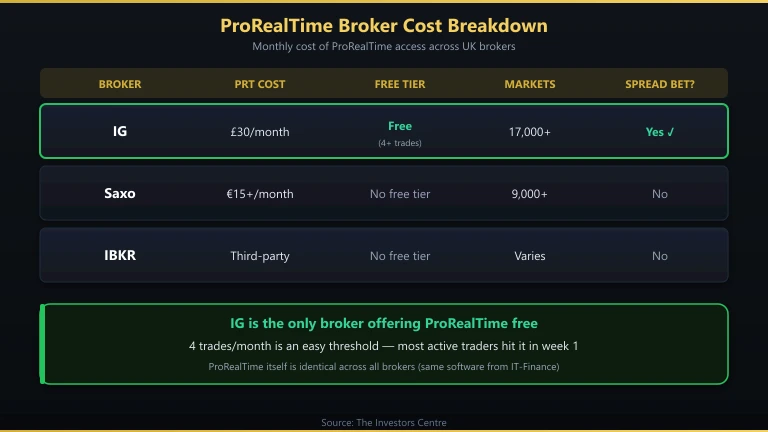
Three FCA-regulated brokers provide ProRealTime access in the UK: IG (free with 4+ trades per month), Saxo (paid add-on via SaxoTraderPRO), and Interactive Brokers (third-party connection). IG is the clear winner for most traders — it’s the only broker where ProRealTime costs nothing if you trade regularly, and the integration with spread betting makes it tax-efficient.
- IG — Free ProRealTime with 4+ monthly trades, 17,000+ markets, spread betting
- Saxo — ProRealTime as paid add-on, DMA equities, multi-asset platform
- Interactive Brokers — Third-party ProRealTime connection, lowest commissions

68% of retail CFD accounts lose money.

64% of retail CFD accounts lose money.

62.5% of Retail CFD Accounts Lose Money
How Did We Test ProRealTime Brokers?
I used ProRealTime through each broker for a minimum of two weeks in Q1 2026, running the same ProBuilder indicator (a custom volume-weighted RSI) and backtesting the same moving average crossover strategy on Gold, GBP/USD, and UK 100. This let me compare data quality, execution speed from ProRealTime to fill, and the cost of accessing the platform.
The ProRealTime software itself is identical across all three brokers — it’s the same application from IT-Finance. What differs is pricing, data quality, the range of instruments you can trade, and how tightly the platform integrates with order execution.
How Do ProRealTime Brokers Compare?
| Broker | PRT Cost | Free Condition | Markets via PRT | Spread Betting? | Automated Trading (ProOrder)? | FCA FRN |
|---|---|---|---|---|---|---|
| IG | £30/month | Free with 4+ trades/month | 17,000+ | Yes | Yes | 195355 |
| Saxo | From €15/month | No free tier | 9,000+ | No | Yes | 551422 |
| Interactive Brokers | Third-party subscription | No free tier | Varies by data feed | No | Limited | 208159 |
IG — Best ProRealTime Broker Overall
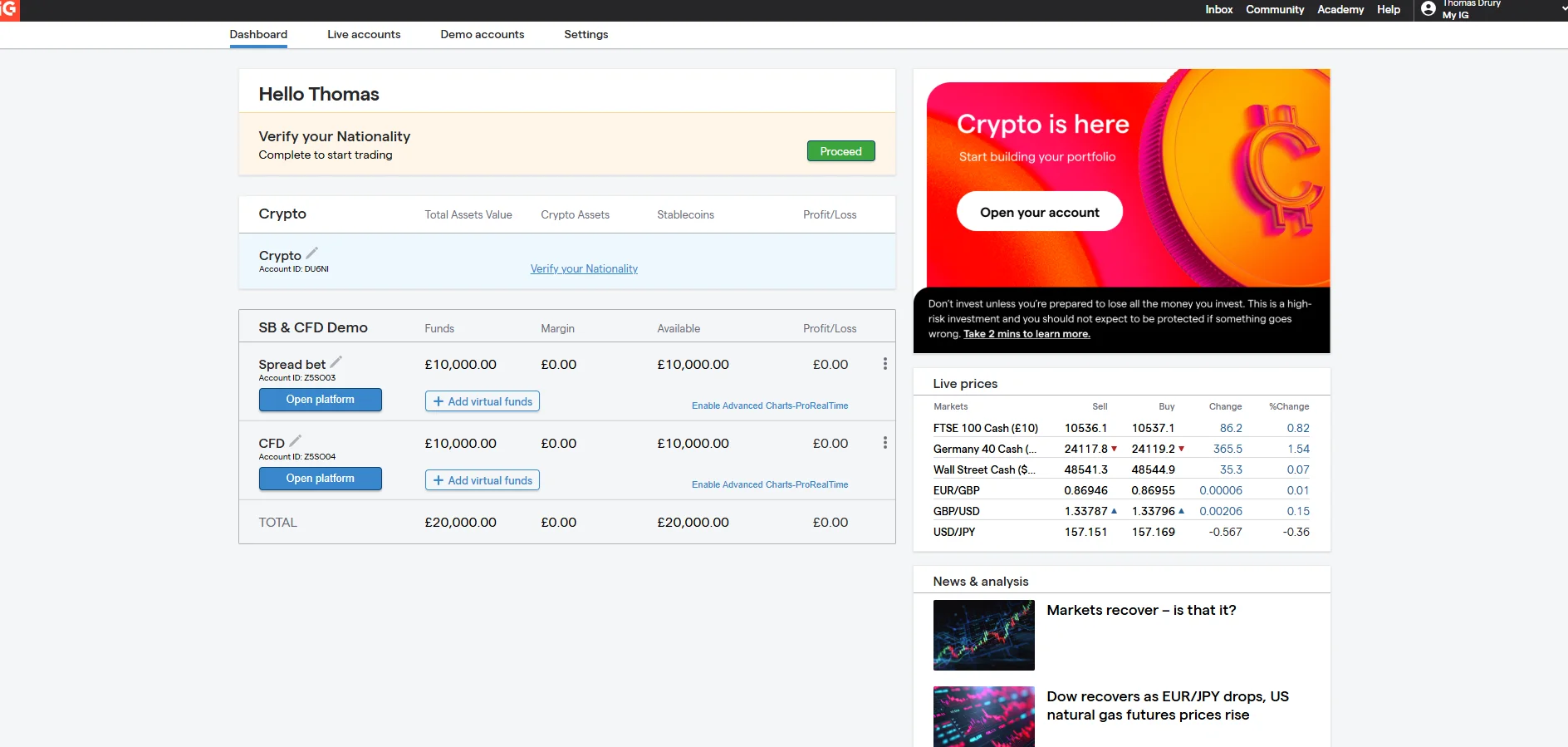
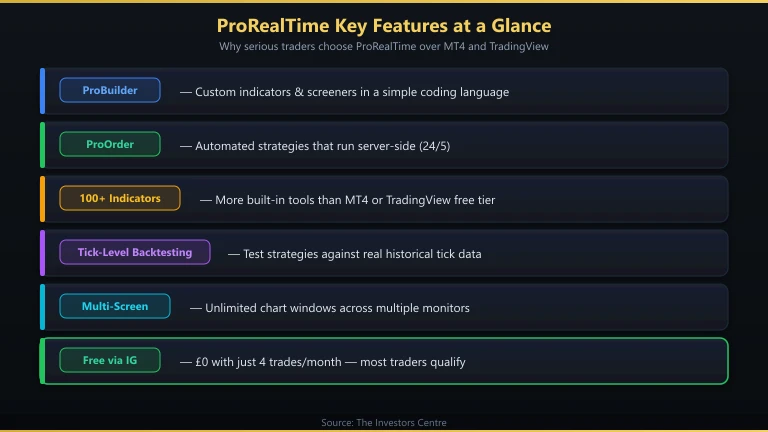
IG is the only UK broker where ProRealTime is free if you make four or more trades per month. Four trades is a low threshold — most active traders hit it within the first week. The integration is tight: orders placed in ProRealTime execute through IG’s systems at roughly the same speed as their web platform (~45 ms), and you can trade 17,000+ markets including spread bets directly from the ProRealTime charts.
Pros
- Free ProRealTime with just 4 trades per month
- Full ProOrder automated trading support
- 17,000+ markets tradeable from PRT charts
- Spread betting available (tax-free profits)
- FCA regulated (FRN 195355), £0 minimum deposit
Cons
- £30/month if you don’t make 4 trades
- ProRealTime is desktop-only — no mobile version
What Does IG + ProRealTime Cost?
ProRealTime itself is free with 4+ trades per month, or £30/month without. IG’s trading costs are spread-based for spread bets (EUR/USD from 0.6 pips) and commission-based for share CFDs (£10 round-turn). ProOrder automated strategies execute at the same costs as manual trades — no additional fees for automation.
What’s Trading Like?
ProRealTime on IG feels like a professional-grade terminal. The charting is superior to IG’s web platform — more indicators, more drawing tools, more timeframes, and proper multi-screen support. ProOrder lets you deploy automated strategies that run server-side, so your computer doesn’t need to stay on. I ran a simple breakout strategy on UK 100 for two weeks and execution was reliable.
Who Should Use IG for ProRealTime?
Any UK trader who wants ProRealTime without paying for it. The 4-trade minimum is easy to hit, and the combination of ProRealTime charting with IG’s market range and spread betting is unmatched. See our full IG review for broader platform details.
Saxo — Best for ProRealTime with DMA Equities
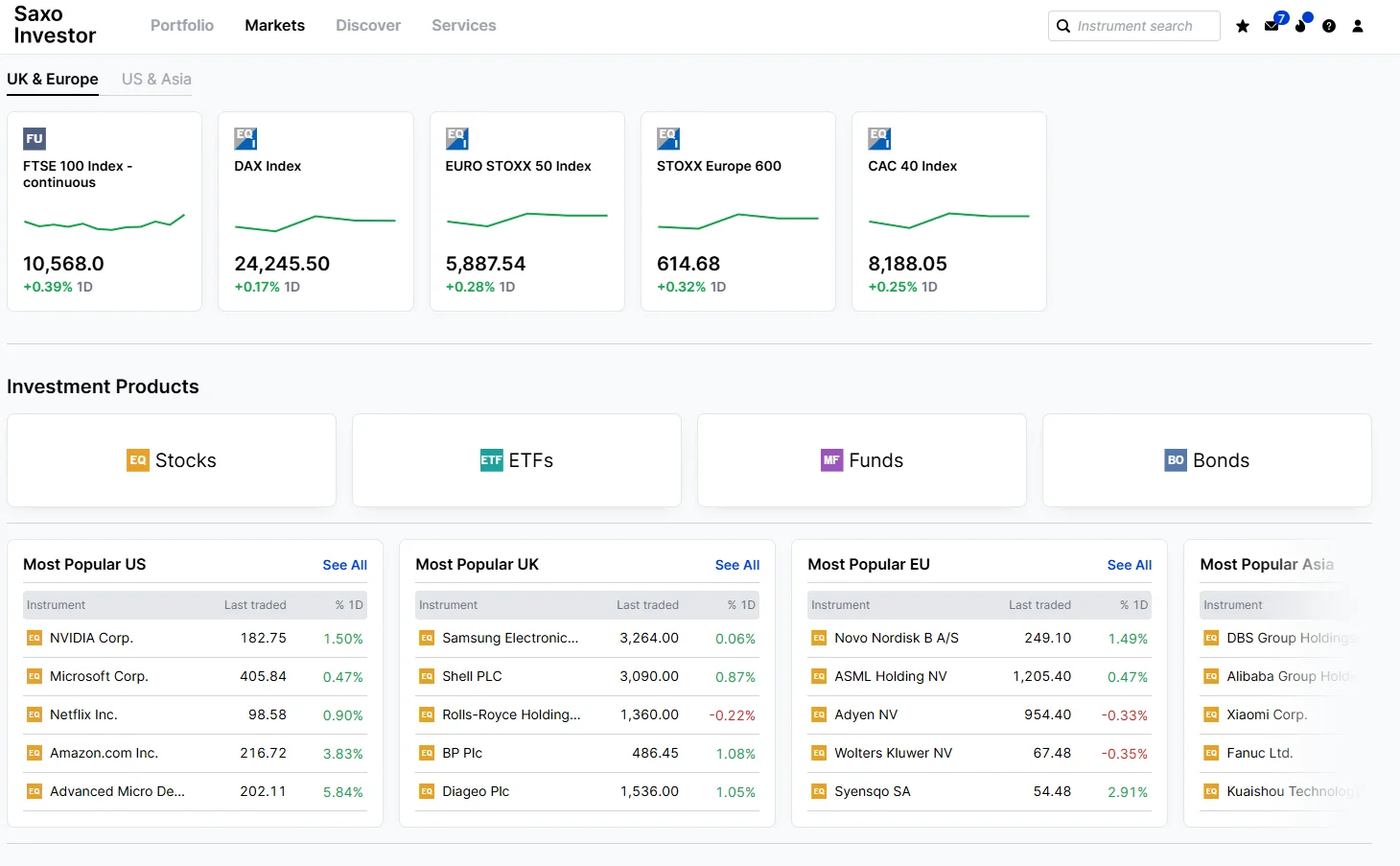
Saxo offers ProRealTime as a paid add-on starting from €15/month. There is no free tier regardless of trading activity. The advantage over IG is that Saxo provides DMA equity access through the same account, so you can use ProRealTime’s charting to analyse stocks and then execute with direct market access via SaxoTraderPRO.
Pros
- ProRealTime combined with DMA equity trading
- Access to 40+ global exchanges
- ProOrder automated trading supported
- FCA regulated (FRN 551422)
Cons
- No free tier — €15+/month regardless of activity
- £500 minimum deposit
- No spread betting
What Does Saxo + ProRealTime Cost?
ProRealTime subscriptions start at €15/month for end-of-day data. Real-time data packages add €10–30/month depending on the exchanges you need. Trading commissions are separate: UK shares from £3, forex spreads from 0.6 pips. The total monthly cost is higher than IG for most retail traders.
What’s Trading Like?
The ProRealTime experience is identical to IG — same software, same ProBuilder language, same charting. The difference is in execution: Saxo routes DMA equity orders through SaxoTraderPRO rather than ProRealTime itself, so you may switch between platforms for charting vs. execution on equities. For CFDs and forex, you can execute directly from ProRealTime charts.
Who Should Use Saxo for ProRealTime?
Equity-focused traders who want ProRealTime’s charting combined with genuine DMA access to international stock exchanges. If you mainly trade CFDs, indices, or forex, IG offers the same ProRealTime experience at lower cost.
Interactive Brokers — Best for ProRealTime with Lowest Commissions
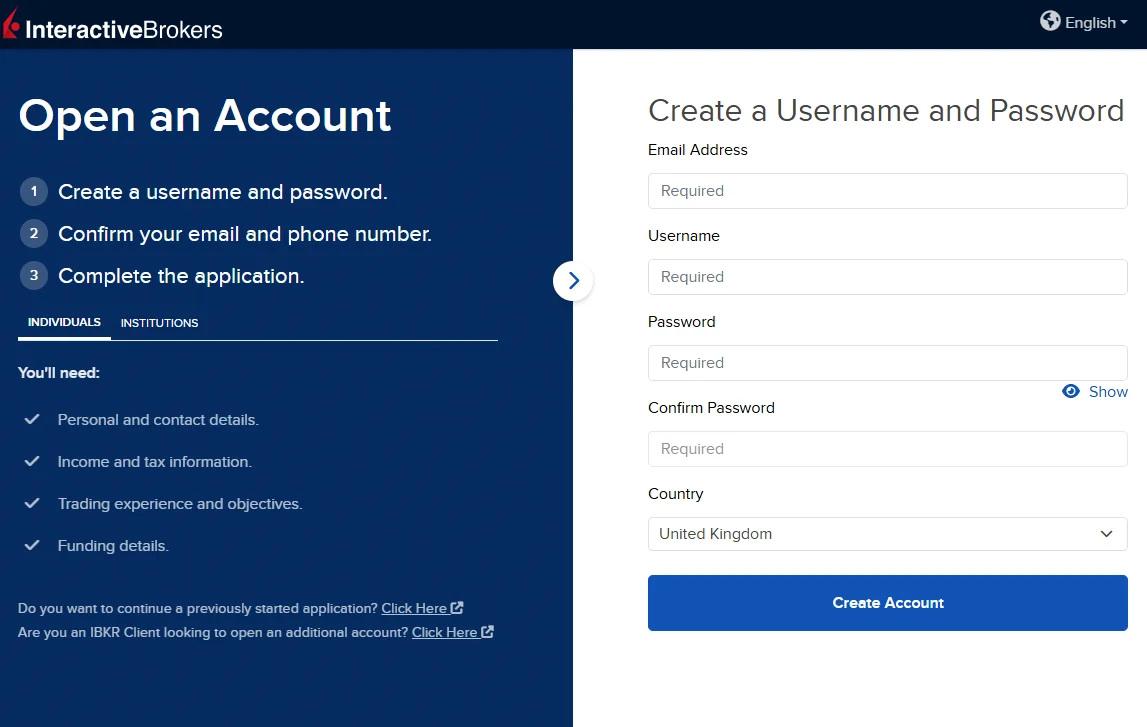
IBKR supports ProRealTime as a third-party charting connection. You subscribe to ProRealTime directly from IT-Finance and connect it to your IBKR data feed. The setup is more involved than IG or Saxo, but once connected, you get ProRealTime’s full charting suite with IBKR’s industry-leading low commissions and DMA routing.
Pros
- Lowest trading commissions of any ProRealTime broker
- True DMA with Smart Order Routing
- Access to 150+ global exchanges
- FCA regulated (FRN 208159)
Cons
- Third-party connection — setup is more complex
- ProOrder automated trading has limited IBKR integration
- No spread betting
- Separate market data subscription costs
What Does IBKR + ProRealTime Cost?
ProRealTime subscription is paid directly to IT-Finance (from €15/month for end-of-day, more for real-time). IBKR market data is separate (LSE Level 2 roughly £10/month). Trading commissions start from 0.05% with a £1 minimum. The total platform cost is the highest, but per-trade costs are the lowest for active traders.
What’s Trading Like?
The charting experience in ProRealTime is identical to IG and Saxo. The execution route is different — orders from ProRealTime go through IBKR’s Smart Order Router, which checks multiple venues for the best price. ProOrder automated trading integration with IBKR is more limited than with IG or Saxo; for full automation, you’d likely use IBKR’s own API instead.
Who Should Use IBKR for ProRealTime?
High-frequency traders who want ProRealTime’s charting but need IBKR’s low commissions and DMA routing. If you place 50+ trades per month, the commission savings over IG and Saxo can be substantial. For everyone else, IG’s free ProRealTime access is better value.
What Is ProRealTime?
ProRealTime is a desktop charting and trading platform developed by IT-Finance, a French software company. Unlike MT4 or TradingView, which are owned by brokers or tech companies, ProRealTime is an independent platform that connects to multiple brokers. It’s used by roughly 1 million traders globally.
The platform stands out for three reasons: charting quality (100+ indicators, multi-timeframe analysis, unlimited chart windows), its proprietary coding language ProBuilder (for custom indicators and screeners), and ProOrder (for automated trading strategies that run server-side). It is desktop-only — there is no mobile version or web app.
For a detailed comparison with MetaTrader, see our MT4 vs ProRealTime guide. For day trading suitability, read Is ProRealTime Good for Day Trading?.
What Can You Do with ProBuilder?
ProBuilder is ProRealTime’s programming language for custom indicators and screeners. It’s simpler than MQL4 (MetaTrader’s language) and significantly easier to learn than Python. If you can write basic formulas in Excel, you can write ProBuilder code.
Practical uses I’ve built with ProBuilder:
- Custom RSI with volume weighting — Standard RSI ignores volume. A volume-weighted version gives stronger signals on high-volume moves and filters out low-volume noise.
- Multi-timeframe moving average dashboard — Displays the 20, 50, and 200 EMA status across daily, 4-hour, and 1-hour charts in a single panel.
- Market scanner — Screens all FTSE 100 stocks in real-time for breakouts above the 20-day high with above-average volume.
- Session-time highlighter — Colour-codes chart backgrounds by London, New York, and Asian session times to identify when volatility typically increases.
ProBuilder code runs directly within ProRealTime — no external compiler, no terminal window, no dependencies. You type the code in the built-in editor, click “Apply,” and the indicator appears on your chart. IT-Finance also has a community library with thousands of shared indicators.
How Does ProRealTime Compare to TradingView?
This is the question I get asked most. The short answer: ProRealTime is better for automated trading and backtesting; TradingView is better for accessibility and social features.
| Feature | ProRealTime | TradingView |
|---|---|---|
| Platform type | Desktop application | Web-based (+ desktop app) |
| Mobile access | No | Yes (full mobile app) |
| Coding language | ProBuilder | Pine Script |
| Automated trading | ProOrder (server-side) | Via webhooks (needs third-party) |
| Backtesting | Built-in, detailed reports | Built-in, basic reports |
| Social features | Community library only | Full social network, idea sharing |
| Free tier | Via IG (4+ trades) | Yes (limited indicators) |
| Multi-screen | Excellent | Good (requires paid plan) |
If you want to build and deploy automated strategies without external tools, ProRealTime is the stronger choice. If you primarily chart on mobile or value community-shared scripts, TradingView is better. Read our full ProRealTime vs TradingView comparison for more detail.
Frequently Asked Questions
References
- FCA Financial Services Register – register.fca.org.uk
- ProRealTime (IT-Finance) – prorealtime.com
- IG – ProRealTime Charting – ig.com/uk/trading-platforms/prorealtime
- Saxo – ProRealTime Integration – home.saxo/platforms/prorealtime
68% of retail investor accounts lose money when trading spread bets and CFDs with this provider.