

- expertise:
- CFD Trading, Forex, Derivatives, Risk Management
- credentials:
- Chartered ACII (2018) · Trading since 2012
- tested:
- 40+ forex & CFD platforms with live accounts

- expertise:
- Platform Testing, Cryptocurrency, Retail Investing
- credentials:
- Active investor since 2013 · 11+ years experience
- tested:
- 50+ platforms · 200+ guides authored
How We Test
Real accounts. Real money. Real trades. No demo accounts or press releases.
What we measure:
- Spreads vs advertised rates
- Execution speed and slippage
- Hidden fees (overnight, withdrawal, conversion)
- Actual withdrawal times
Scoring:
Fees (25%) · Platform (20%) · Assets (15%) · Mobile (15%) · Tools (10%) · Support (10%) · Regulation (5%)
Regulatory checks:
FCA Register verification · FSCS protection
Testing team:
Adam Woodhead (investing since 2013), Thomas Drury (Chartered ACII, 2018), Dom Farnell (investing since 2013) — 50+ platforms with funded accounts
Quarterly reviews · Corrections: in**@*******************co.uk
Disclaimer
Not financial advice. Educational content only. We're not FCA authorised. Consult a qualified advisor before investing.
Capital at risk. Investments can fall. Past performance doesn't guarantee future results.
CFD warning. 67-84% of retail accounts lose money trading CFDs. High risk due to leverage.
Contact: in**@*******************co.uk
Quick Answer
Buying crypto on Bitpanda takes around five minutes once your account is verified. Create a free account, complete identity verification (typically 15–30 minutes), pass the FCA appropriateness test (8 questions, around 5 minutes — UK requirement), wait out the 24-hour cooling-off period, then fund your account and search for your chosen coin. Enter an amount from as little as £1, review the fee built into the quoted price, and confirm. Your crypto appears in your portfolio immediately.

Don’t invest unless you’re prepared to lose all the money you invest. This is a high-risk investment and you should not expect to be protected if something goes wrong. Take 2 mins to learn more. This marketing communication does not constitute investment advice, a solicitation, or an offer to buy or sell any cryptoassets. In no way are performance or results guaranteed. You should keep yourself informed and understand the risks involved in buying and holding cryptoassets.
Introduction
I tested the full Bitpanda purchase flow in March 2026 — from account creation through to a live ETH margin position. This guide covers every step exactly as I experienced it, including the parts most tutorials skip: the FCA appropriateness test, the 24-hour cooling-off period, and which UK banks will block your deposit. If you are considering Bitpanda as a beginner to crypto, this is the practical starting point.
Step 1 — How Do I Create a Bitpanda Account?
Go to bitpanda.com and click Sign Up. You will need an email address and a password. Confirm your email via the verification link sent to your inbox. The entire signup form is a single page — under two minutes to complete.
No payment details are required at this stage. You will not be asked to fund anything until after verification is complete.
Step 2 — How Do I Verify My Identity on Bitpanda?
Bitpanda requires identity verification before you can buy. The process asks for:
- A government-issued photo ID — passport or driving licence
- A facial scan or a short video verification
The automated system is generally fast. Have a clear, undamaged ID ready — worn documents or poor lighting are the most common causes of delays.
In my March 2026 testing, verification was approved in approximately 30 minutes. The platform states it can take up to 48 hours during peak periods.
You cannot buy crypto until Level 2 verification is complete.
Step 3 — What Is the FCA Appropriateness Test?
Before placing your first trade, UK users must pass an FCA-required appropriateness test. This is not unique to Bitpanda — it is a legal requirement across all UK FCA-registered crypto platforms.
The test covers 8 multiple-choice questions on topics including:
- Crypto market volatility
- FSCS non-protection for crypto
- The unregulated nature of cryptoassets in the UK
- Leverage and financial risk
It takes around 5 minutes. I found it straightforward. If you fail, there is a short waiting period before you can retake — there is no permanent bar on attempting it again.
You cannot trade until you pass. This is investor protection infrastructure, not a barrier to entry.
Step 4 — What Is the 24-Hour Cooling-Off Period?
After passing the appropriateness test, UK regulations require a 24-hour wait before you can execute your first trade. This applies to all UK FCA-registered crypto platforms — it is not a Bitpanda-specific policy.
During the 24 hours you can:
- Browse all 600+ assets
- Set up price alerts
- Add and verify a payment method
- Review fee structures for assets you are considering
My suggestion: use the time to research your first purchase properly. Decide on an amount. Understand what the spread will cost on the specific asset you want to buy. Impulsive first purchases are the most common beginner mistake — the cooling-off period is a structural opportunity to avoid it.
Step 5 — How Do I Fund My Bitpanda Account?
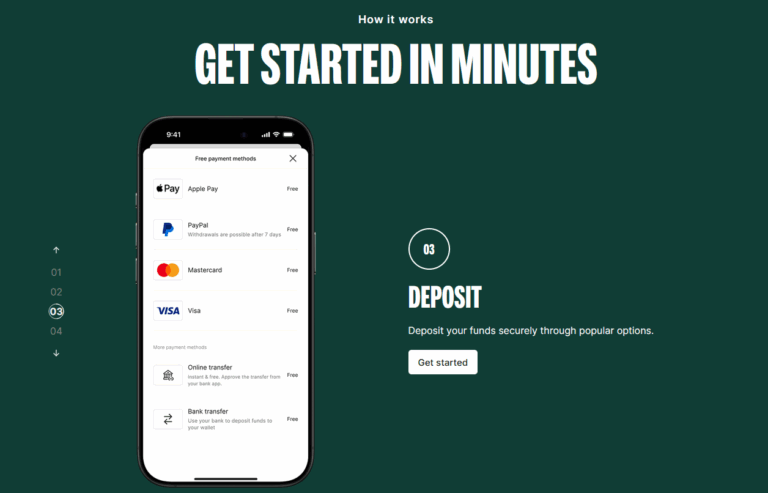
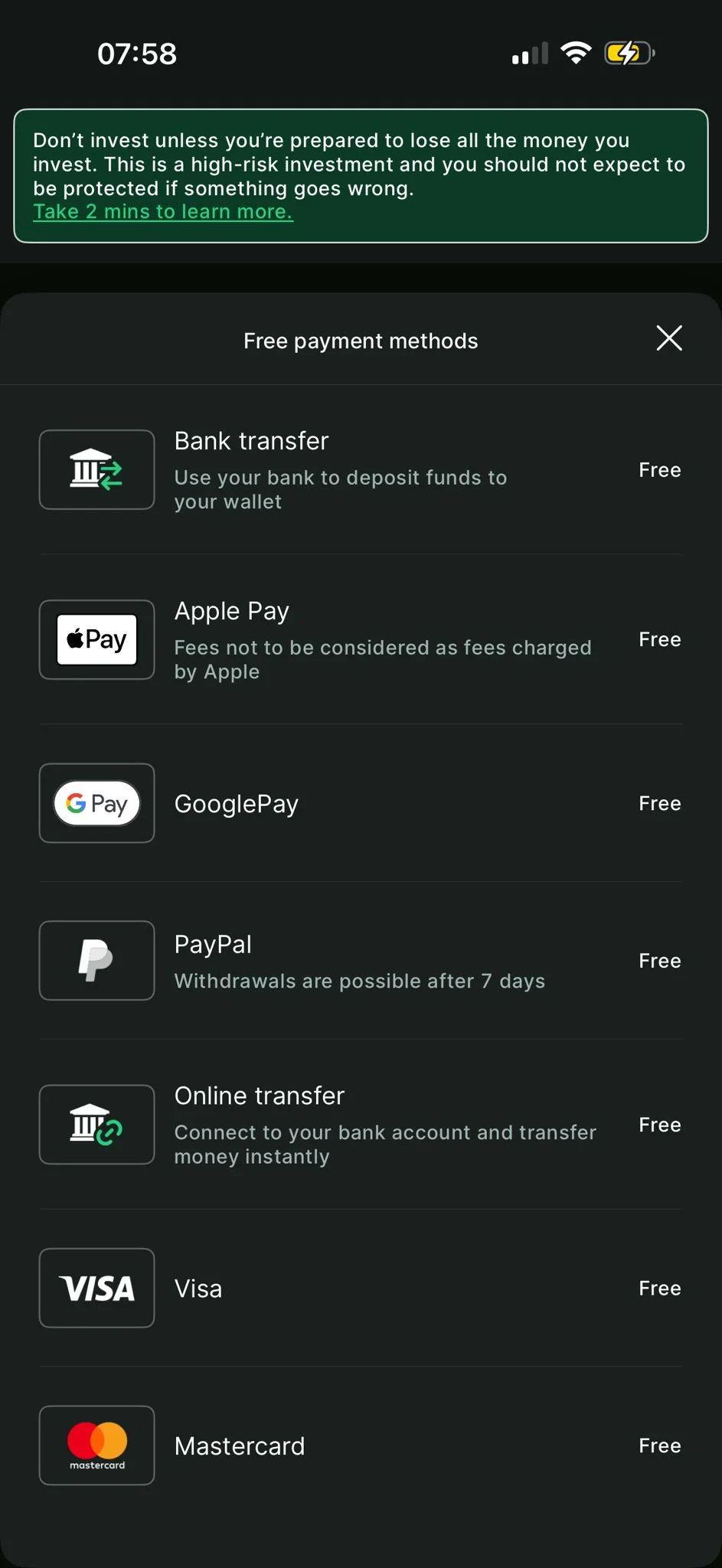
All deposit methods on Bitpanda are fee-free. Here is what is available to UK users and how each performed in my March 2026 testing:
| Method | Speed | Fee |
|---|---|---|
| Bank Transfer (Faster Payments) | Under 1 minute in our testing | Free |
| Debit / Credit Card | Instant | Free |
| Apple Pay | Instant | Free |
| Google Pay | Instant | Free |
| PayPal | Instant | Free |
Will My Bank Block the Transfer?
This is the practical question most guides do not answer. In my March 2026 testing:
- Barclays — blocked the transfer outright. No option to override in-app.
- Revolut — flagged the transfer initially; live chat approval resolved it within minutes.
- Monzo — no issues.
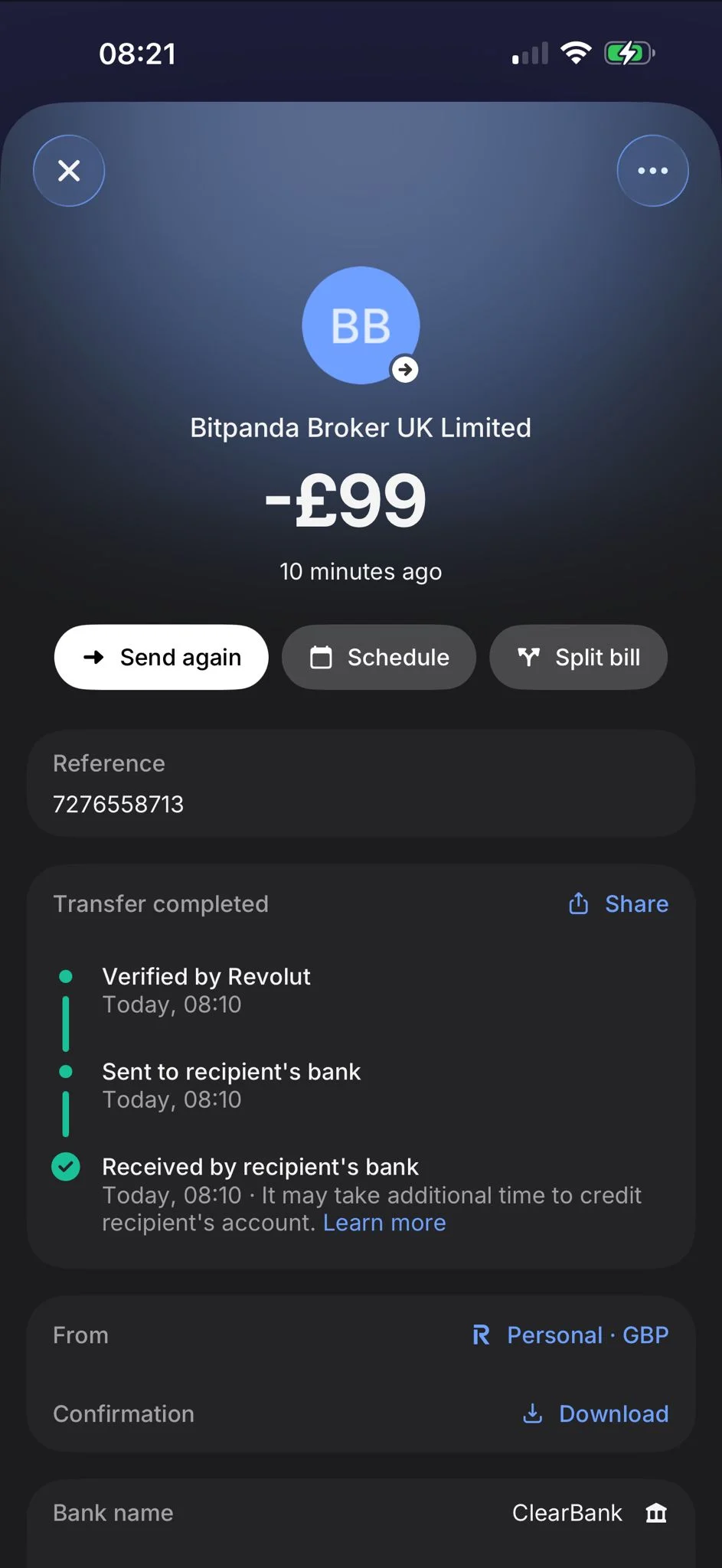
If your bank blocks the deposit, Revolut or Monzo are reliable alternatives. It is worth having one set up before your first attempt.
Step 6 — How Do I Choose Which Crypto to Buy on Bitpanda?
Use the search bar or browse by category to find your chosen asset. Bitpanda offers 600+ cryptocurrencies — the largest selection on any UK platform.
For your first purchase, Bitcoin or Ethereum are the most practical starting points. Both carry the lowest fee tier (0.99%) and the tightest spreads. Altcoins and smaller-cap assets carry higher fees (1.49–2.49%) and slightly wider spreads.
For a deeper look at the full asset range and how to evaluate which coins suit different goals, see our guide on whether Bitpanda is good for crypto.
Step 7 — How Do I Review Fees and Confirm My Purchase?
Enter the amount you want to spend in GBP — minimum £1. The platform will show you the estimated crypto you will receive at the current quoted price.
The fee is built into the quoted price — not added at checkout. The difference between the quoted price and the live market price is the fee. It is visible before you confirm; it is just presented as part of the price rather than as a separate line item.
Bitpanda's fee structure, confirmed from the official Cost Transparency document (v3.0.0, February 2026):
| Asset Tier | Assets | Fee |
|---|---|---|
| Tier 1 | Stablecoins | 0.99% |
| Tier 2 | Bitcoin, VSN | 0.99% |
| Tier 3 | Most other crypto assets | 1.49% |
| Tier 4 | Small-cap / Spotlight assets | 2.49% |
Worked Example — £100 Bitcoin Purchase
- Amount spent: £100
- Fee (0.99%): £0.99
- Bitcoin received: equivalent to £99.01 at quoted price
There are no deposit surcharges, no card fees, and no hidden charges. What you see on the confirmation screen is what you pay.
Once you are satisfied with the price and amount, click Confirm. A confirmation email is sent immediately. Your crypto appears in your portfolio wallet straight away.
Step 8 — Where Does My Crypto Go After I Buy?
Your crypto is held in your Bitpanda portfolio wallet — a custodial wallet, meaning Bitpanda holds the assets on your behalf.
From the Portfolio section you can:
- View real-time P&L per asset
- Sell back to GBP
- Stake supported tokens
- Withdraw to an external wallet address (your own hardware wallet or software wallet)
For long-term holdings, withdrawing to a self-custody hardware wallet (Ledger, Trezor) provides the strongest security. Bitpanda supports withdrawals to external addresses — blockchain network fees apply and vary by asset. These fees are paid to the blockchain network, not retained by Bitpanda.
How Long Does Bitpanda Verification Take?
Identity verification (Level 2 KYC) typically takes 15–30 minutes. During peak periods — particularly when market volatility drives a surge in new signups — it can take up to 48 hours.
In my March 2026 testing, verification was approved in approximately 30 minutes.
If your verification is taking longer than expected: check your email first — Bitpanda will contact you if additional documentation is needed. Ensure your ID photo is clear and well-lit. If the automated system cannot read your document, re-upload with better lighting or try a different document type.
You must complete verification before you can buy. The FCA appropriateness test and 24-hour cooling-off period begin only after verification is approved.
Can You Buy Crypto on the Bitpanda App?
Yes. Bitpanda is available on iOS (4.7/5 on the App Store) and Android (3.4/5 on Google Play — notably lower, worth knowing for Android users).
The app mirrors full desktop functionality: you can buy, sell, stake, set price alerts, and manage your portfolio. I completed my March 2026 ETH margin position on the iOS app after the desktop margin modal failed to load — the mobile experience was smooth throughout.
For most users, the app is the most convenient way to use Bitpanda once your account is set up.
What Are the Most Common Purchase Issues on Bitpanda?
| Issue | Likely Cause | Fix |
|---|---|---|
| Bank transfer blocked | Bank-side crypto restriction (Barclays common) | Try Revolut or Monzo; or call bank to authorise crypto transfers |
| Revolut transfer declined | Revolut flagging crypto platform | Contact Revolut live chat; explain purpose; approval usually fast |
| Verification stuck | Document quality issue or peak demand | Re-upload with better lighting; try passport if driving licence failed |
| Purchase button greyed out | KYC or appropriateness test not complete | Complete both steps; 24-hour cooling-off must also have elapsed |
| Coins not appearing after purchase | Brief processing delay | Wait 2–3 minutes; refresh portfolio. Crypto should appear immediately |
| Desktop margin modal not loading | Known UI bug (observed March 2026) | Switch to mobile app — full functionality available |
Final Thoughts
Buying crypto on Bitpanda is one of the more straightforward experiences I have tested in the UK market in 2026. The fee structure is transparent — the cost is visible in the quoted price before you commit, and there are no hidden surcharges. The deposit process is fast when using Revolut or Monzo, though Barclays users will need an alternative.
The two things to know before you start: the FCA appropriateness test is unavoidable and takes around 5 minutes, and the 24-hour cooling-off period means you cannot buy on the day you sign up. Both are UK regulatory requirements, not Bitpanda policies.
For a full assessment of the platform — including our scoring, security testing, and the full feature breakdown — see our full Bitpanda review.
Don't invest unless you're prepared to lose all the money you invest. This is a high-risk investment and you should not expect to be protected if something goes wrong. Take 2 mins to learn more. This marketing communication does not constitute investment advice, a solicitation, or an offer to buy or sell any cryptoassets. In no way are performance or results guaranteed. You should keep yourself informed and understand the risks involved in buying and holding cryptoassets.
Discuss Buying Crypto on Bitpanda
Bought crypto on Bitpanda? Share how your purchase went, ask about fees or deposits, or help other UK buyers get started. Our community earns Equity for quality contributions.
Discussion 0 comments
Be the first to start discussing this topic! Log in or create an account to share your thoughts.
Log In Create AccountFAQs
References
Don’t invest unless you’re prepared to lose all the money you invest. This is a high-risk investment and you should not expect to be protected if something goes wrong. Take 2 mins to learn more
No comments yet. Be the first to start discussing this topic!