

- expertise:
- Platform Testing, Cryptocurrency, Retail Investing
- credentials:
- Active investor since 2013 · 11+ years experience
- tested:
- 50+ platforms · 200+ guides authored

- expertise:
- Broker Comparison, ISA Strategy, Portfolio Management
- credentials:
- Active investor since 2013 · 11+ years experience
- tested:
- 40+ brokers with funded accounts
How We Test
Real accounts. Real money. Real trades. No demo accounts or press releases.
What we measure:
- Spreads vs advertised rates
- Execution speed and slippage
- Hidden fees (overnight, withdrawal, conversion)
- Actual withdrawal times
Scoring:
Fees (25%) · Platform (20%) · Assets (15%) · Mobile (15%) · Tools (10%) · Support (10%) · Regulation (5%)
Regulatory checks:
FCA Register verification · FSCS protection
Testing team:
Adam Woodhead (investing since 2013), Thomas Drury (Chartered ACII, 2018), Dom Farnell (investing since 2013) — 50+ platforms with funded accounts
Quarterly reviews · Corrections: info@theinvestorscentre.co.uk
Disclaimer
Not financial advice. Educational content only. We're not FCA authorised. Consult a qualified advisor before investing.
Capital at risk. Investments can fall. Past performance doesn't guarantee future results.
CFD warning. 67-84% of retail accounts lose money trading CFDs. High risk due to leverage.
Contact: info@theinvestorscentre.co.uk
Tested with live money on mobile over eight months — these are the forex apps that actually work on a 6-inch screen. Three worth downloading, one to skip, and what I learned trading on my iPhone.
The Best Forex Apps at a Glance
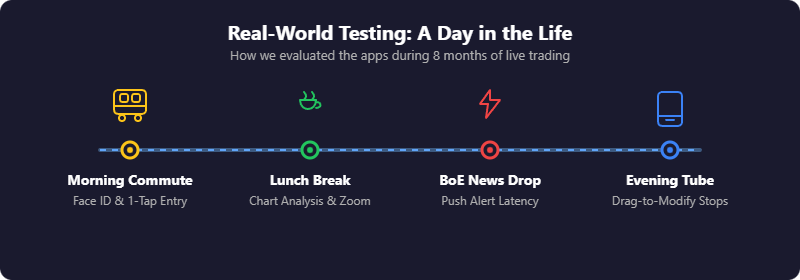
Most "best forex app" lists rehash broker reviews with a mobile spin. I've tested these apps with live money on my iPhone over the past eight months — placing trades on the train, checking positions during lunch, closing out before BoE announcements. What works on a 6-inch screen is different from what works on desktop.
Three apps worth downloading, one to skip, and what I learned testing them. For a full breakdown of UK forex brokers (not just mobile), see our best forex brokers guide.
| App | Best For | Min. Deposit |
|---|---|---|
| Capital.com | Mobile-first traders | £20 |
| Pepperstone | Platform choice + tight spreads | £0 |
| IG | Experienced mobile traders | £0 |

62% of Retail CFD Accounts Lose Money

72% of retail CFD accounts lose money.

68% of retail CFD accounts lose money.
Forex App Comparison
What I Actually Tested on Mobile
Most broker comparisons test desktop platforms and assume mobile works the same. It doesn't.
Mobile Testing Results
| Criteria | Capital.com | Pepperstone (cTrader) | IG |
|---|---|---|---|
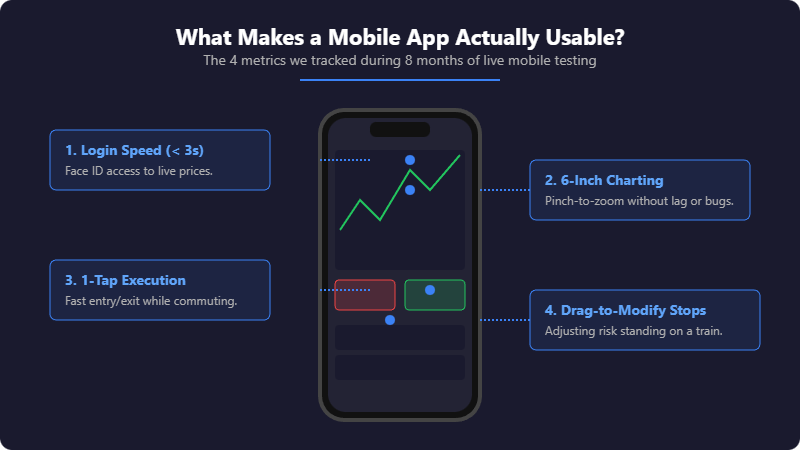
| Login Speed | Under 3 seconds (Face ID) | 4–5 seconds (cTID login step) | Under 3 seconds (Face ID) |
| Charting Quality | Best (TradingView integration) | Good (cTrader native) | Close second (28 indicators) |
| Push Alerts | Within seconds | Reliable, slightly slower | Within seconds |
| Order Execution | One-tap from chart | QuickTrade mode (setup required) | One-tap from chart |
| Position Management | Drag-to-modify (smoothest) | Standard (functional) | Standard (functional) |
Our Top Forex App Picks
1. Capital.com — Best Forex App for Mobile-First Traders
2. Pepperstone — Best for Platform Choice and Tight Spreads
3. IG — Best Forex App for Experienced Traders
Capital.com — Best Forex App for Mobile-First Traders
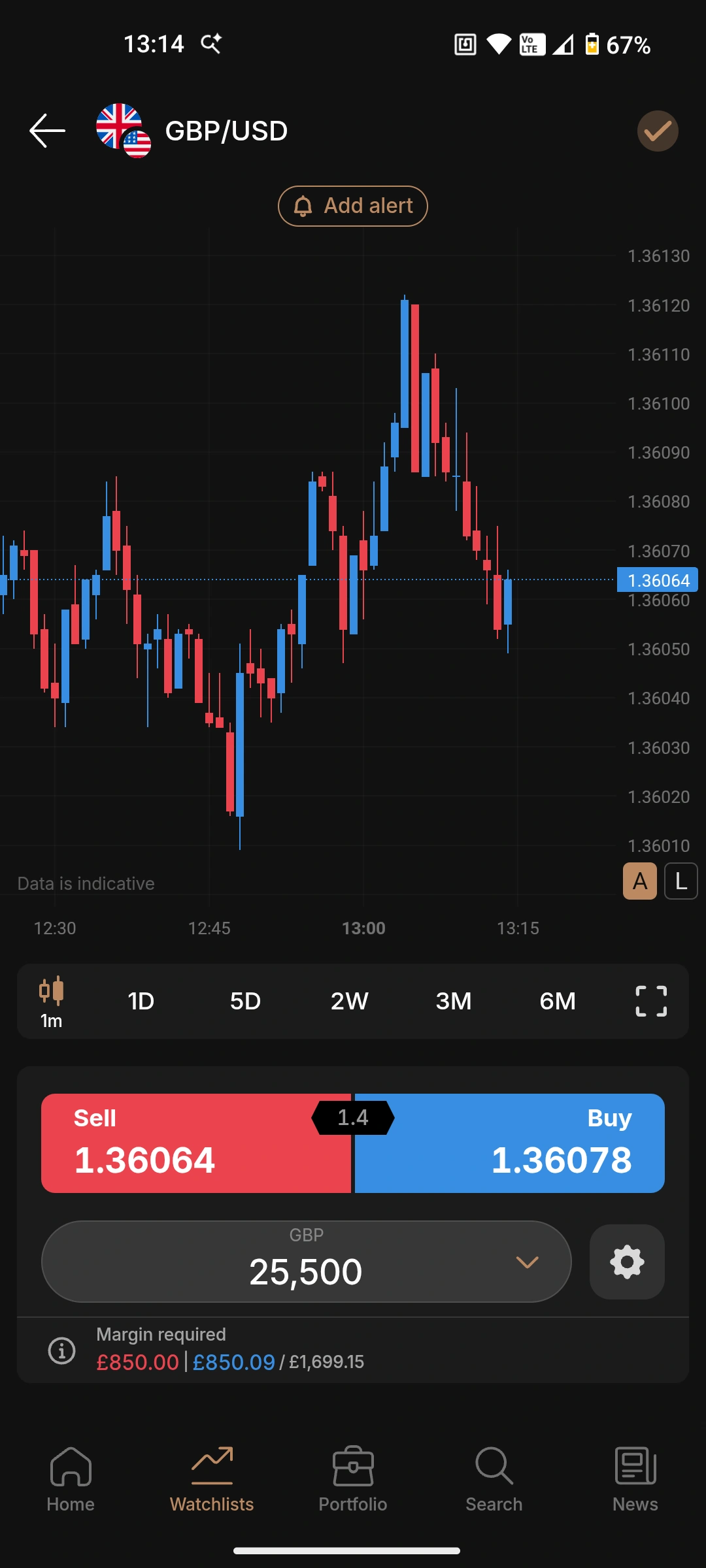
Capital.com is the app I use most. It wasn't adapted from a desktop platform — it was built for mobile from the start, and you can tell. The charts run on TradingView, which means proper technical analysis without squinting at tiny candlesticks.
Pros
- TradingView-powered charts work properly on small screens
- AI insights flag trading patterns you might miss
- Face ID login — live prices in under 3 seconds
- £20 minimum gets you started quickly
Cons
- No MT4 or MT5 built in — no Expert Advisors on mobile
- CFDs only, no spread betting
- MT4 available but requires separate app download
Why is Capital.com my top pick for mobile?
Capital.com is the app I use most. It wasn't adapted from a desktop platform — it was built for mobile from the start, and you can tell. The charts run on TradingView, which means proper technical analysis without squinting at tiny candlesticks. I can draw trendlines, add indicators, and switch timeframes without the app fighting me. Most broker apps make charting on a phone feel like a compromise. This one doesn't.
What about the AI trading insights?
After a few weeks of trading, the app flagged that I was overtrading during high-volatility news events. I hadn't consciously noticed the pattern. It won't make you profitable on its own, but having something track your behaviour adds a layer of self-awareness most traders lack. The practical stuff works too. Push alerts arrive when they should — not five minutes after the move. And at £20 minimum deposit, you can test with real money without risking much.
What's the catch?
The Capital.com app itself doesn't have MT4 built in — you'd need to download MT4 separately and link your account. If you want everything in one place and rely heavily on Expert Advisors, Pepperstone's approach might suit you better. But for manual trading on mobile, this is the cleanest experience I've found.
| Metric | Value |
|---|---|
| Best for | Beginners, mobile-only traders, clean interface |
| Minimum deposit | £20 |
| EUR/USD spread | From 0.6 pips |
| Platforms | Capital.com app, MT4, TradingView integration |
| FCA FRN | 793714 |
| iOS rating | 4.6/5 (high volume reviews) |
Pepperstone — Best for Platform Choice and Tight Spreads
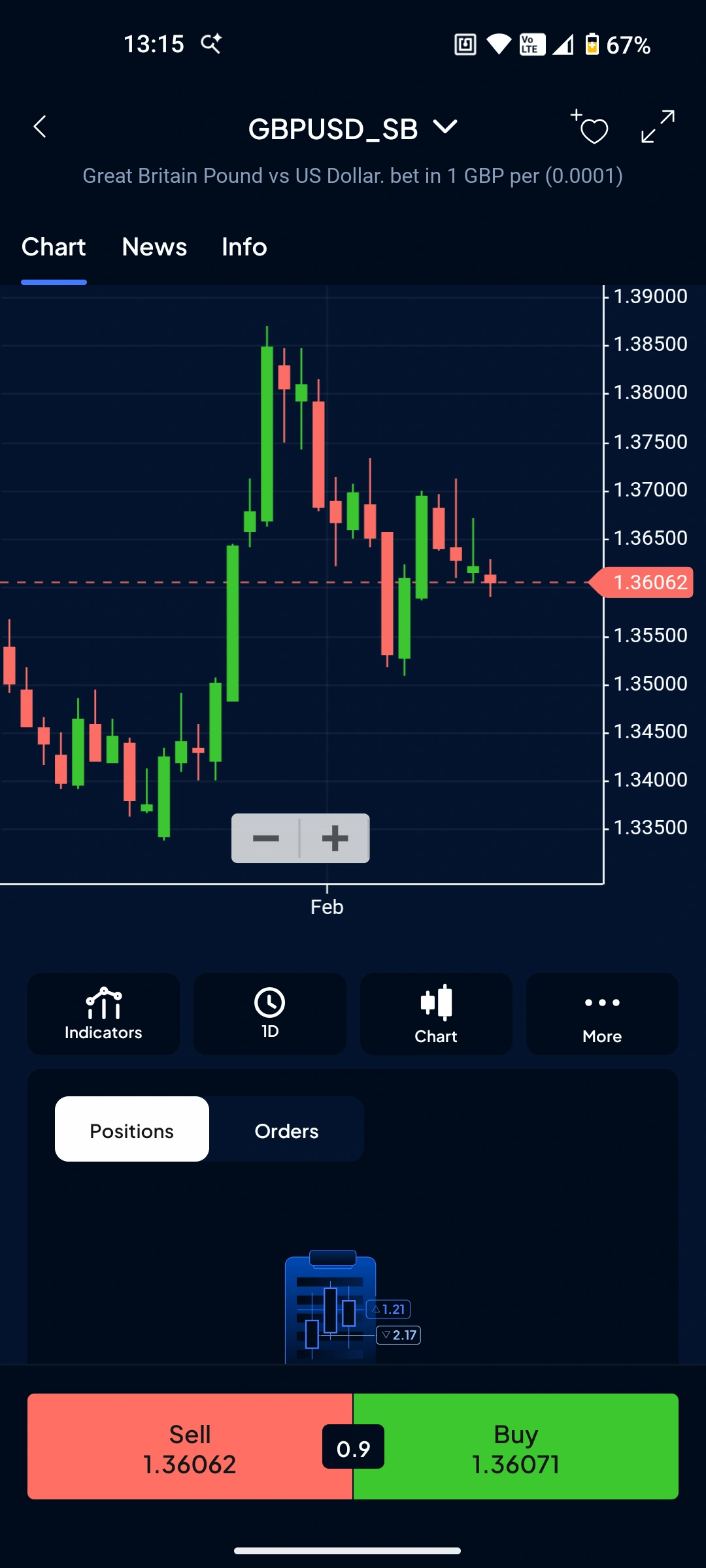
Pepperstone takes a different approach. Instead of building one app, they give you options — MT4, MT5, cTrader, TradingView, or their own proprietary app. All connect to the same account. For forex, cTrader mobile is the standout — clean, fast, and built for currency traders.
Pros
- Trade via MT4, MT5, cTrader, or TradingView mobile — your choice
- Razor account spreads from 0.0 pips
- cTrader mobile is clean and forex-focused
- One-tap "close all positions" on proprietary app
Cons
- Proprietary app still maturing (launched 2024)
- Best experience comes from third-party apps, not their own
Why choose Pepperstone for mobile forex?
Pepperstone takes a different approach. Instead of building one app, they give you options — MT4, MT5, cTrader, TradingView, or their own proprietary app. All connect to the same account. For forex, I prefer cTrader mobile. It's clean, fast, and built for currency traders rather than bolted onto a multi-asset platform. The sentiment indicator showing how other traders are positioned is useful for contrarian setups.
How do the spreads compare?
On the Razor account, spreads start from 0.0 pips with a £2.25 commission per side per lot (£4.50 round turn on MT4/MT5). Run the numbers and it works out cheaper than most "commission-free" brokers with their wider spreads — especially if you're day trading or scalping.
What about their own app?
Pepperstone launched their proprietary app in 2024. It's decent — the one-tap "close all positions" button is handy when you need to flatten quickly. But it's still maturing. The third-party apps (cTrader especially) deliver a more polished experience for now. If you already know MT4 or cTrader, that's fine. If you're a beginner wanting a single, simple app, Capital.com is probably easier to start with.
| Metric | Value |
|---|---|
| Best for | Active traders wanting platform flexibility and lowest spreads |
| Minimum deposit | £0 |
| EUR/USD spread | From 0.0 pips (Razor) / 0.6 pips (Standard) |
| Platforms | Pepperstone app, MT4, MT5, cTrader, TradingView |
| FCA FRN | 684312 |
| Trustpilot | 4.2/5 (3,200+ reviews) |
IG — Best Forex App for Experienced Traders
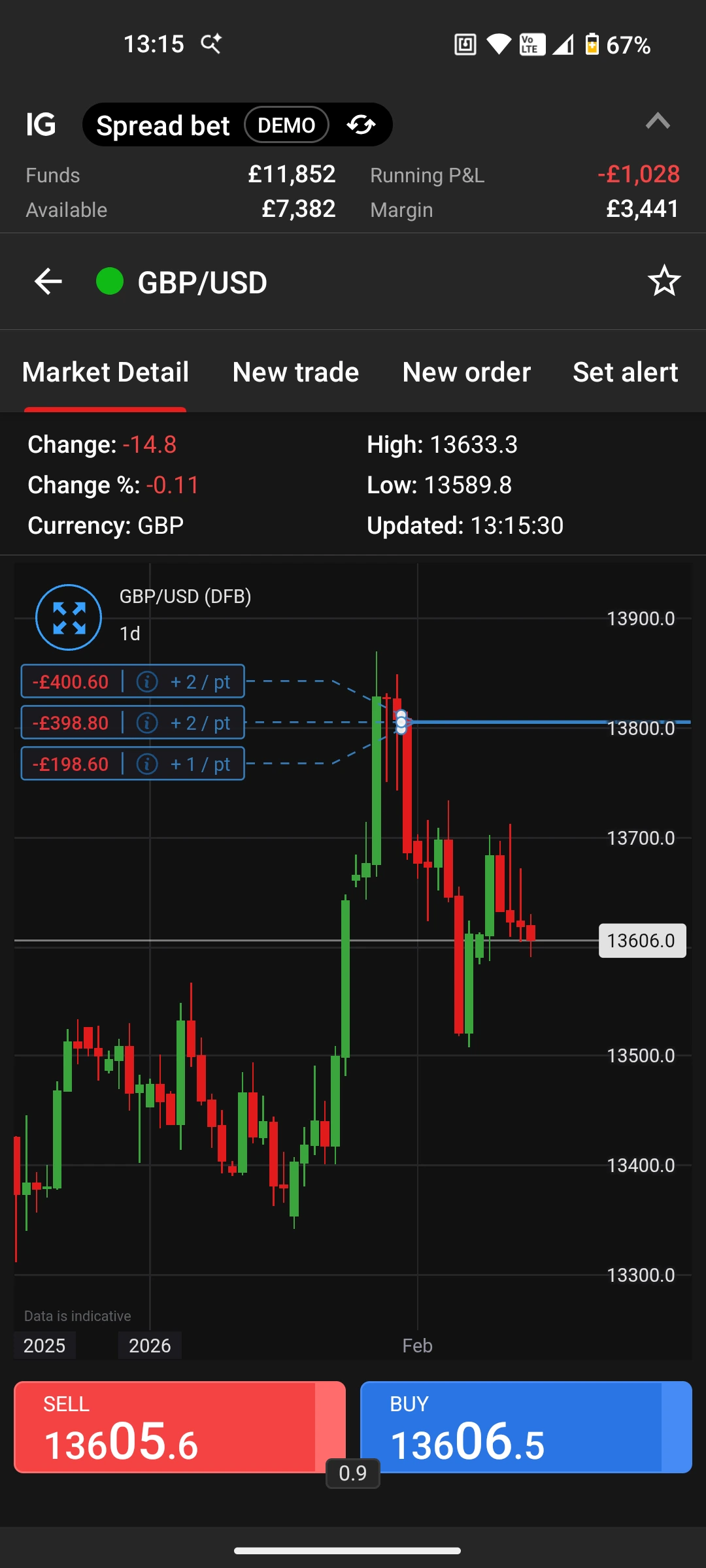
IG has been around since 1974, and their app reflects that experience. The IG Trading app won TIC's #1 Mobile App award for 2026, and after testing it, the charting is the best I've used on a phone — 28 technical indicators, five chart types, and drawing tools that actually work on a touchscreen.
Pros
- Won TIC #1 Mobile App 2026
- 28 technical indicators on mobile, including Fibonacci and Bollinger Bands
- 90+ forex pairs, 17,000+ markets total
- Face ID, Touch ID, and two-factor authentication
Cons
- More features means busier interface
- Steeper learning curve than Capital.com
- £12/month inactivity fee kicks in after 24 months
What makes IG's app stand out?
IG has been around since 1974, and their app reflects that experience. The IG Trading app won TICs #1 Mobile App award for 2026, and after testing it, I can see why. The charting is the best I've used on a phone. 28 technical indicators, five chart types, and drawing tools that actually work on a touchscreen. I can set up a chart with Fibonacci retracements on the train without wanting to throw my phone out the window. That's rare.
Is it overkill for casual traders?
Probably. The interface packs a lot in — sentiment readings, trading signals, Reuters news, alerts. If you know what you're looking for, it's powerful. If you're new to forex, it can feel overwhelming. IG suits traders who've moved past the basics and want depth on mobile. If you're still learning, Capital.com's cleaner interface will serve you better. IG also offers spread betting alongside CFDs — profits from spread betting are currently tax-free in the UK.
What about the fees?
Spreads start from 0.6 pips on EUR/USD, which is competitive but not market-leading. Pepperstone's Razor account beats it on pure cost. The bigger issue for some traders is the inactivity fee — £12/month after 24 months without a trade. If you're trading regularly, this won't matter. If you're the type to take long breaks, keep it in mind. IG is listed on the London Stock Exchange (FTSE 250), which adds transparency. Their FCA registration (FRN 195355) and FSCS protection up to £85,000 tick the safety boxes.
| Metric | Value |
|---|---|
| Best for | Experienced traders wanting professional-grade mobile charting |
| Minimum deposit | £0 (£250 recommended) |
| EUR/USD spread | From 0.6 pips |
| Platforms | IG Trading app, MT4, TradingView |
| FCA FRN | 195355 |
| iOS rating | 4.6/5 (32,000+ reviews) |
How to Choose the Right Forex App
Pick based on where you are, not where you want to be:
Just starting out?
Capital.com. Clean interface, low minimum, charts that work on a phone. You can always switch later.
Already trading and want tighter spreads?
Pepperstone with cTrader. The 0.0 pip Razor spreads add up if you're trading regularly.
Experienced and want everything on mobile?
IG. More tools, more markets, more depth — but only useful if you'll actually use them.
Managing a complex portfolio across global markets?
Interactive Brokers on desktop, but not for mobile forex.
One to Avoid for Mobile Forex: Interactive Brokers
I'm including this because most "best forex app" lists won't tell you what not to download. They should.
Interactive Brokers is a brilliant broker. I use them for other things. But for mobile forex trading? Skip it. The IBKR Mobile app is built for professional traders managing complex multi-asset portfolios. The interface is dense, the learning curve is steep, and simple tasks take more taps than they should. Trustpilot reviews repeat the same complaints: "complicated", "overwhelming", "too many features".
Their newer GlobalTrader app is simpler, but it's still clunkier than Capital.com or IG for quick forex trades. If you want to check EUR/USD on your commute and maybe open a position, IBKR makes that harder than it needs to be.
If you're trading options, futures, or managing a multi-currency portfolio across 150+ global markets, IBKR is hard to beat. The desktop platform (TWS) is powerful once you learn it. But for mobile forex — quick trades, clean charts, simple execution — there are better options. That's not a knock on IBKR. It's just not what the app is built for.
The Bottom Line
For most people reading this, Capital.com is the right starting point. The app works the way you'd expect a modern trading app to work — which sounds obvious until you've tried MT4 mobile or IBKR's interface.
If you're already past the beginner stage and spreads matter more than simplicity, Pepperstone is worth the slightly steeper setup.
And if you want professional-grade tools on your phone and don't mind a busier interface, IG delivers.
All three are FCA-regulated, offer FSCS protection, and won't disappear overnight. The differences come down to what you need right now.