

- expertise:
- Platform Testing, Cryptocurrency, Retail Investing
- credentials:
- Active investor since 2013 · 11+ years experience
- tested:
- 50+ platforms · 200+ guides authored

- expertise:
- Broker Comparison, ISA Strategy, Portfolio Management
- credentials:
- Active investor since 2013 · 11+ years experience
- tested:
- 40+ brokers with funded accounts
How We Test
Real accounts. Real money. Real trades. No demo accounts or press releases.
What we measure:
- Spreads vs advertised rates
- Execution speed and slippage
- Hidden fees (overnight, withdrawal, conversion)
- Actual withdrawal times
Scoring:
Fees (25%) · Platform (20%) · Assets (15%) · Mobile (15%) · Tools (10%) · Support (10%) · Regulation (5%)
Regulatory checks:
FCA Register verification · FSCS protection
Testing team:
Adam Woodhead (investing since 2013), Thomas Drury (Chartered ACII, 2018), Dom Farnell (investing since 2013) — 50+ platforms with funded accounts
Quarterly reviews · Corrections: in**@*******************co.uk
Disclaimer
Not financial advice. Educational content only. We're not FCA authorised. Consult a qualified advisor before investing.
Capital at risk. Investments can fall. Past performance doesn't guarantee future results.
CFD warning. 67-84% of retail accounts lose money trading CFDs. High risk due to leverage.
Contact: in**@*******************co.uk
Compared for real-world mobile use, these are the forex apps that work on a 6-inch screen. Four worth downloading, one to skip, and what matters when trading from a phone.
The Best Forex Apps at a Glance
Most "best forex app" lists rehash broker reviews with a mobile spin. Our original mobile comparison used live-money testing; Trade Nation was added in August 2026 using its published app and fixed-spread information. What works on a 6-inch screen is different from what works on desktop.
Four apps worth downloading, one to skip. For a full breakdown of UK forex brokers, see our best forex brokers guide.
| App | Best For | Min. Deposit |
|---|---|---|
| Capital.com | Mobile-first traders | £20 |
| Pepperstone | Platform choice + tight spreads | £0 |
| XTB | Full account management | £0 |
| Trade Nation | Fixed-spread forex on mobile | £0.01–£5 by method |
Best UK Forex Apps Brokers 2026: Ranked & Tested

Capital.com
- Best For
- Best Forex App for Mobile-First Traders
- TIC Rating
- 4.6 / 5
- Community Rating
- 4.2 (339 ratings) Have Your Say →
65% of Retail CFD Accounts Lose Money

Pepperstone
- Best For
- Best for Platform Choice and Tight Spreads
- TIC Rating
- 4.4 / 5
- Community Rating
- 4.3 (453 ratings) Have Your Say →
73.6% of retail CFD accounts lose money.

XTB
- Best For
- Best Forex App for Full Account Management
- TIC Rating
- 4.5 / 5
- Community Rating
- 4.2 (103 ratings) Have Your Say →
74% of Retail CFD Accounts Lose Money

Trade Nation
- Best For
- Fixed-spread forex from the mobile app
- TIC Rating
- 4.3 / 5
- Community Rating
- 4.1 (88 ratings) Have Your Say →
73.7% of retail CFD accounts lose money.
Forex App Comparison
| # | App | Best For | Min. Deposit | EUR/USD Spread | iOS Rating | Get Started |
|---|---|---|---|---|---|---|
| 1 | Capital.com | Mobile-first traders | £20 | From 0.6 pips | 4.6/5 | Visit |
| 2 | Pepperstone | Tight spreads + platform choice | £0 | From 0.0 pips | 4.2/5 | Visit |
| 3 | XTB | Full account management | £0 | 0.9 pips (sampled) | 4.7/5 | Visit |
| 5 | Trade Nation | Fixed-spread forex on mobile | £0.01–£5 by method | Fixed 0.5 pips, main session* | Check current store listing | Visit |
*Trade Nation’s 0.5-pip EUR/USD figure is its published main-session fixed spread, checked in August 2026.
What I Actually Tested on Mobile
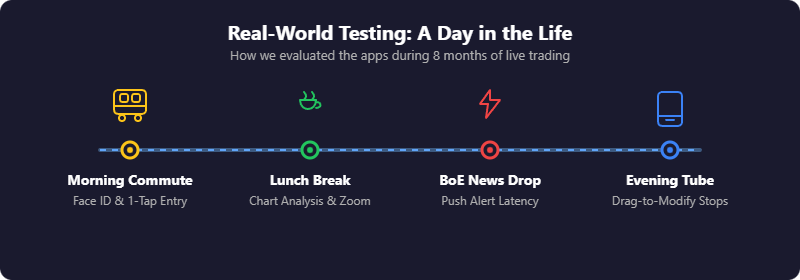
Most broker comparisons test desktop platforms and assume mobile works the same. It doesn't.
Mobile Testing Results
| Criteria | Capital.com | Pepperstone (cTrader) | XTB (xStation mobile) | Trade Nation |
|---|---|---|---|---|
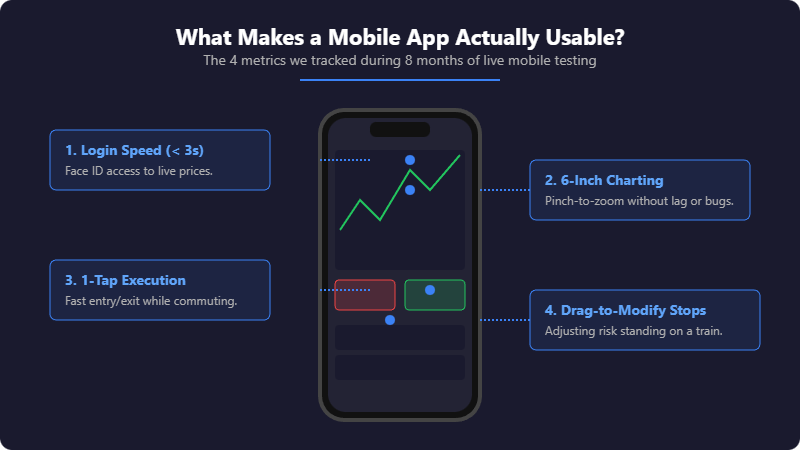
| Login Speed | Under 3 seconds (Face ID) | 4–5 seconds (cTID login step) | Secured by 2FA | Secure app login |
| Charting Quality | Best (TradingView integration) | Good (cTrader native) | xStation mobile charting | Mobile charts and order ticket |
| Push Alerts | Within seconds | Reliable, slightly slower | Price alerts on xStation mobile | Trading alerts available |
| Order Execution | One-tap from chart | QuickTrade mode (setup required) | One-tap order ticket | Mobile order ticket |
| Position Management | Drag-to-modify (smoothest) | Standard (functional) | Full account management in-app | Spread bet and CFD access |
Our Top Forex App Picks
1. Capital.com — Best Forex App for Mobile-First Traders
2. Pepperstone — Best for Platform Choice and Tight Spreads
3. XTB: Best Forex App for Full Account Management
5. Trade Nation: Best for Fixed-Spread Forex From the Mobile App
Capital.com — Best Forex App for Mobile-First Traders
- Fees & Spreads
- 4.4
- Platform & Tools
- 4.4
- Customer Service
- 4.5
- Ease of Use
- 4.8
- Mobile App
- 4.9
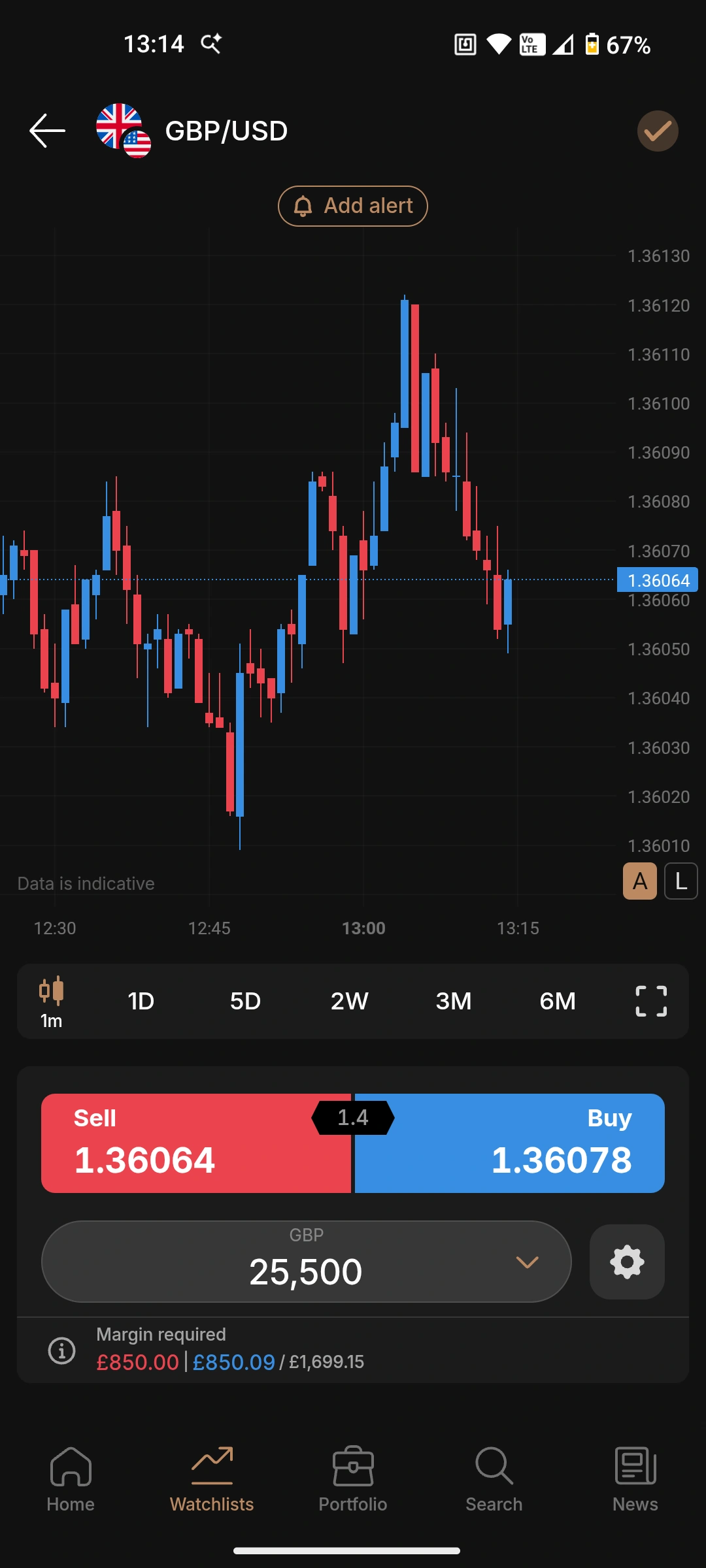
Capital.com is the app I use most. It wasn't adapted from a desktop platform — it was built for mobile from the start, and you can tell. The charts run on TradingView, which means proper technical analysis without squinting at tiny candlesticks.
Pros
- TradingView-powered charts work properly on small screens
- AI insights flag trading patterns you might miss
- Face ID login — live prices in under 3 seconds
- £20 minimum gets you started quickly
Cons
- No MT4 or MT5 built in — no Expert Advisors on mobile
- CFDs only, no spread betting
- MT4 available but requires separate app download
Why is Capital.com my top pick for mobile?
Capital.com is the app I use most. It wasn't adapted from a desktop platform — it was built for mobile from the start, and you can tell. The charts run on TradingView, which means proper technical analysis without squinting at tiny candlesticks. I can draw trendlines, add indicators, and switch timeframes without the app fighting me. Most broker apps make charting on a phone feel like a compromise. This one doesn't.
What about the AI trading insights?
After a few weeks of trading, the app flagged that I was overtrading during high-volatility news events. I hadn't consciously noticed the pattern. It won't make you profitable on its own, but having something track your behaviour adds a layer of self-awareness most traders lack. The practical stuff works too. Push alerts arrive when they should — not five minutes after the move. And at £20 minimum deposit, you can test with real money without risking much.
What's the catch?
The Capital.com app itself doesn't have MT4 built in — you'd need to download MT4 separately and link your account. If you want everything in one place and rely heavily on Expert Advisors, Pepperstone's approach might suit you better. But for manual trading on mobile, this is the cleanest experience I've found.
| Metric | Value |
|---|---|
| Best for | Beginners, mobile-only traders, clean interface |
| Minimum deposit | £20 |
| EUR/USD spread | From 0.6 pips |
| Platforms | Capital.com app, MT4, TradingView integration |
| FCA FRN | 793714 |
| iOS rating | 4.6/5 (high volume reviews) |
Pepperstone — Best for Platform Choice and Tight Spreads
- Fees & Spreads
- 4.1
- Platform & Tools
- 4.4
- Customer Service
- 4.2
- Ease of Use
- 3.9
- Mobile App
- 4.3
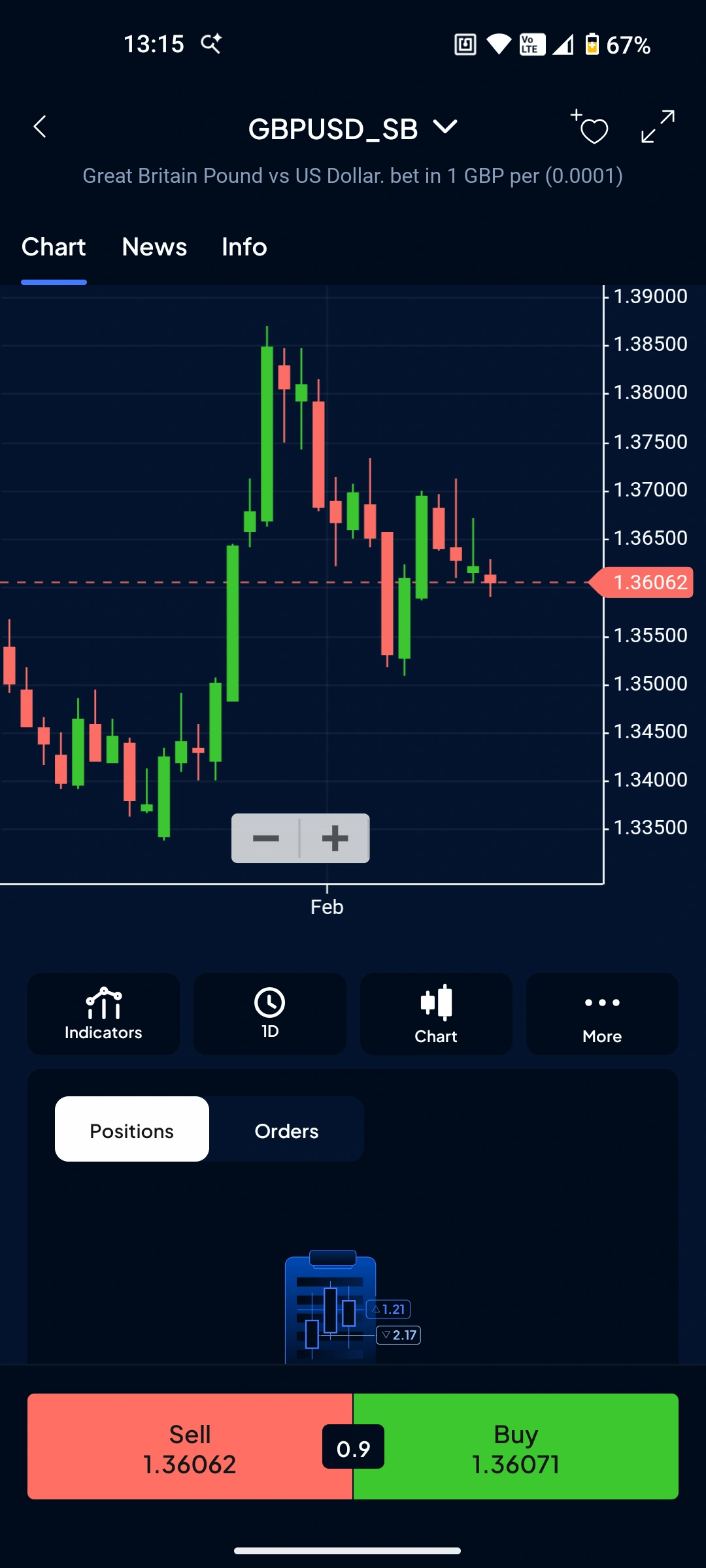
Pepperstone takes a different approach. Instead of building one app, they give you options — MT4, MT5, cTrader, TradingView, or their own proprietary app. All connect to the same account. For forex, cTrader mobile is the standout — clean, fast, and built for currency traders.
Pros
- Trade via MT4, MT5, cTrader, or TradingView mobile — your choice
- Razor account spreads from 0.0 pips
- cTrader mobile is clean and forex-focused
- One-tap "close all positions" on proprietary app
Cons
- Proprietary app still maturing (launched 2024)
- Best experience comes from third-party apps, not their own
Why choose Pepperstone for mobile forex?
Pepperstone takes a different approach. Instead of building one app, they give you options — MT4, MT5, cTrader, TradingView, or their own proprietary app. All connect to the same account. For forex, I prefer cTrader mobile. It's clean, fast, and built for currency traders rather than bolted onto a multi-asset platform. The sentiment indicator showing how other traders are positioned is useful for contrarian setups.
How do the spreads compare?
On the Razor account, spreads start from 0.0 pips with a £2.25 commission per side per lot (£4.50 round turn on MT4/MT5). Run the numbers and it works out cheaper than most "commission-free" brokers with their wider spreads — especially if you're day trading or scalping.
What about their own app?
Pepperstone launched their proprietary app in 2024. It's decent — the one-tap "close all positions" button is handy when you need to flatten quickly. But it's still maturing. The third-party apps (cTrader especially) deliver a more polished experience for now. If you already know MT4 or cTrader, that's fine. If you're a beginner wanting a single, simple app, Capital.com is probably easier to start with.
| Metric | Value |
|---|---|
| Best for | Active traders wanting platform flexibility and lowest spreads |
| Minimum deposit | £0 |
| EUR/USD spread | From 0.0 pips (Razor) / 0.6 pips (Standard) |
| Platforms | Pepperstone app, MT4, MT5, cTrader, TradingView |
| FCA FRN | 684312 |
| Trustpilot | 4.2/5 (3,200+ reviews) |
XTB: Best Forex App for Full Account Management
- Fees & Spreads
- 4.6
- Platform & Tools
- 4
- Customer Service
- 4.8
- Ease of Use
- 4.6
- Mobile App
- 4.3
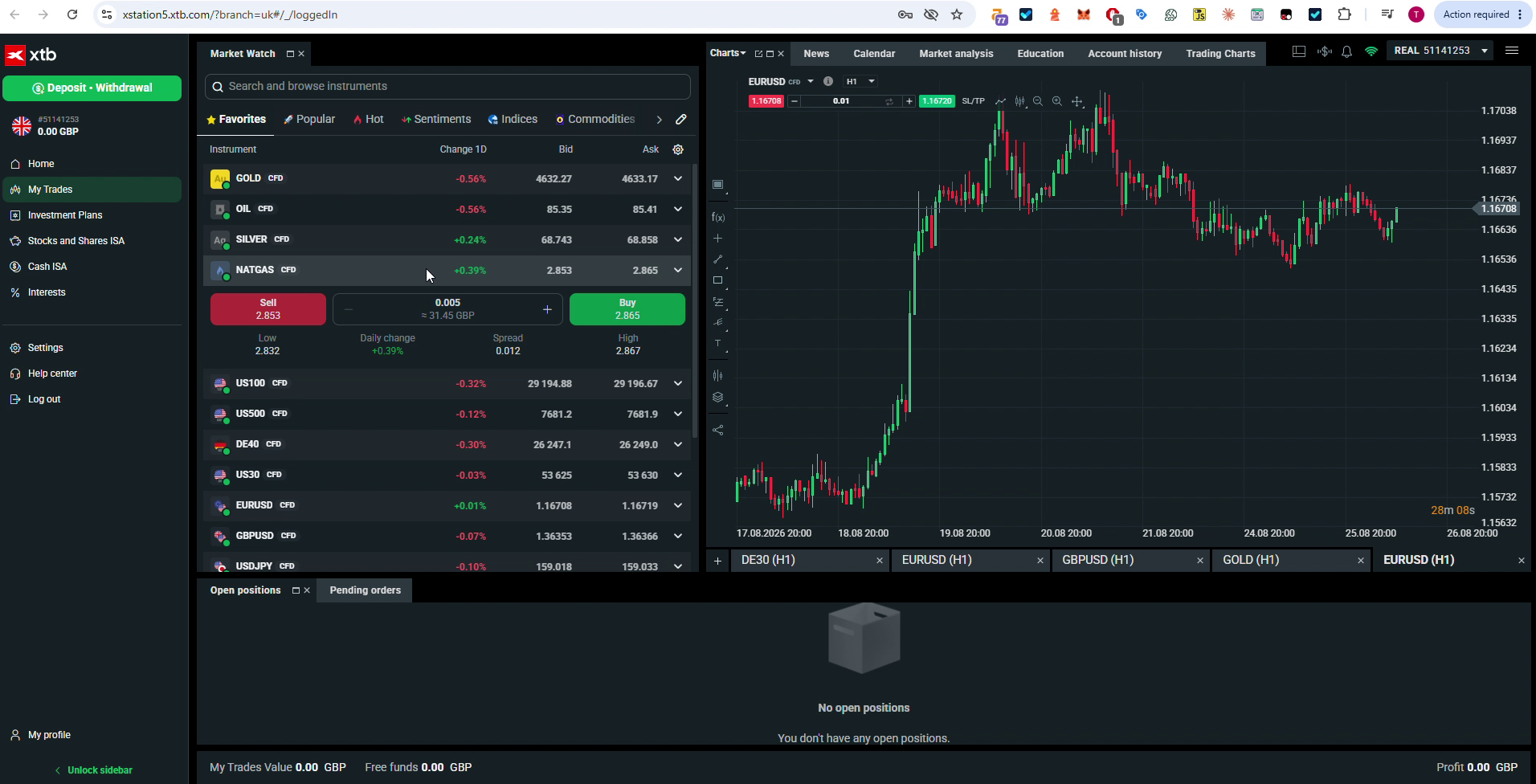
XTB is an FCA-regulated broker (X-Trade Brokers UK branch, FRN 522157) with 2.9 million+ clients worldwide and over 5 million app downloads. The app runs on xStation mobile, the same platform that powers the desktop and web versions, so you get full account management on your phone, not a cut-down companion app.
Pros
- 4.7 App Store and 4.5 Google Play ratings
- Full trading and account management on the phone
- Price alerts and mobile charting on xStation mobile
- Account opened from the app in 8 minutes
Cons
- No spread betting in the app
- xStation only
- 0.5% FX conversion on non-GBP instruments
- Demo limited to 30 days
Why is XTB worth downloading for forex?
XTB is an FCA-regulated broker (FRN 522157) with 2.9 million+ clients worldwide and over 5 million app downloads. I opened an XTB account directly from the app in August 2026, and signup to a live account took 8 minutes. The app carries a 4.7 rating on the App Store and 4.5 on Google Play, and it runs on the same xStation platform as the desktop version, so there is no stripped-down mobile experience to work around.
What can I actually do in the app?
More than place trades. XTB's app handles full account management, deposits, withdrawals and price alerts, plus charting on xStation mobile with a one-tap order ticket from the chart. If you'd rather manage your whole account from your phone than switch to a browser for anything beyond trading, that is the app's main selling point.
What's the catch?
XTB runs on xStation only, with no separate MT4, MT5 or TradingView option, and there is no spread betting in the app. A 0.5% currency conversion cost applies on non-GBP instruments, and the free demo account is limited to 30 days (extendable on request). None of that is a dealbreaker if you're happy trading CFDs on one platform, but if you specifically want spread betting or a choice of third-party platforms, look elsewhere on this page.
| Metric | Value |
|---|---|
| Best for | Full account management from a single mobile app |
| Minimum deposit | £0 |
| EUR/USD spread | 0.9 pips sampled (published from 0.8) |
| Platforms | xStation mobile (app), xStation 5 (web and desktop) |
| FCA FRN | 522157 |
| App ratings | 4.7/5 (App Store), 4.5/5 (Google Play) |
Trade Nation: Fixed-Spread Forex From the Mobile App
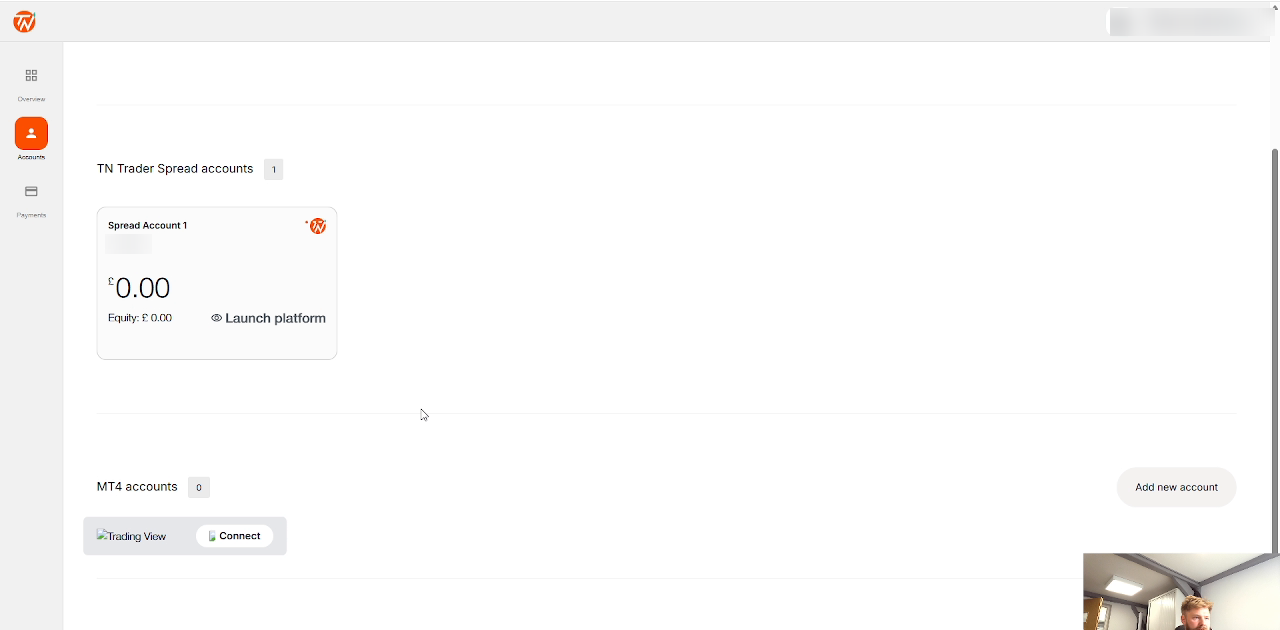
Trade Nation is FCA-authorised under FRN 525164. Its mobile setup gives you access to forex through the same account login used for spread betting and CFDs, with EUR/USD fixed at a published 0.5 pips during the main session.
Pros
- Published fixed FX spreads carry across supported mobile trading
- EUR/USD fixed at 0.5 pips in the main session
- Apple Pay and Google Pay deposits supported
- Spread bet or trade CFDs from the same account login
Cons
- Simpler app experience than the largest multi-platform brokers
- No MT5
- No share dealing or ISA
Why choose Trade Nation on mobile?
The main attraction is cost predictability. Its published fixed spread bands make the price easier to understand before you open the ticket, while mobile deposits and one account login reduce the need to switch between separate account-management screens.
What should you check before trading?
The 0.5-pip EUR/USD band applies during the published main session and can widen outside it. Trade Nation was added after the original live-money app round, so this assessment uses its August 2026 published product information rather than presenting new timings as measured results.
How to Choose the Right Forex App
Pick based on where you are, not where you want to be:
Just starting out?
Capital.com. Clean interface, low minimum, charts that work on a phone. You can always switch later.
Already trading and want tighter spreads?
Pepperstone with cTrader. The 0.0 pip Razor spreads add up if you're trading regularly.
Want to manage your whole account from your phone?
XTB. Full account management, not just trade execution, plus price alerts and mobile charting on xStation mobile.
Want a published fixed EUR/USD spread on mobile?
Trade Nation. Its main-session EUR/USD spread is fixed at a published 0.5 pips, with spread betting and CFDs available from the same account login.
Managing a complex portfolio across global markets?
Interactive Brokers on desktop, but not for mobile forex.
One to Avoid for Mobile Forex: Interactive Brokers
I'm including this because most "best forex app" lists won't tell you what not to download. They should.
Interactive Brokers is a brilliant broker. I use them for other things. But for mobile forex trading? Skip it. The IBKR Mobile app is built for professional traders managing complex multi-asset portfolios. The interface is dense, the learning curve is steep, and simple tasks take more taps than they should. Trustpilot reviews repeat the same complaints: "complicated", "overwhelming", "too many features".
Their newer GlobalTrader app is simpler, but it's still clunkier than Capital.com or XTB for quick forex trades. If you want to check EUR/USD on your commute and maybe open a position, IBKR makes that harder than it needs to be.
If you're trading options, futures, or managing a multi-currency portfolio across 150+ global markets, IBKR is hard to beat. The desktop platform (TWS) is powerful once you learn it. But for mobile forex — quick trades, clean charts, simple execution — there are better options. That's not a knock on IBKR. It's just not what the app is built for.
The Bottom Line
For most people reading this, Capital.com is the right starting point. The app works the way you'd expect a modern trading app to work — which sounds obvious until you've tried MT4 mobile or IBKR's interface.
If you're already past the beginner stage and spreads matter more than simplicity, Pepperstone is worth the slightly steeper setup.
If you want to manage your whole account from your phone, XTB is worth a look. If predictable main-session FX pricing matters more, Trade Nation adds a published fixed 0.5-pip EUR/USD spread.
All four recommended brokers are FCA-regulated. The differences come down to the mobile workflow and pricing model you prefer.
Discuss UK Forex Trading Apps
Trading FX from your phone? Compare your mobile execution speed, app reliability, and chart functionality. Our community earns Equity for quality contributions.
Discussion 0 comments
Be the first to start discussing this topic! Log in or create an account to share your thoughts.
Log In Create Account
No comments yet. Be the first to start discussing this topic!