

- expertise:
- Platform Testing, Cryptocurrency, Retail Investing
- credentials:
- Active investor since 2013 · 11+ years experience
- tested:
- 50+ platforms · 200+ guides authored

- expertise:
- CFD Trading, Forex, Derivatives, Risk Management
- credentials:
- Chartered ACII (2018) · Trading since 2012
- tested:
- 40+ forex & CFD platforms with live accounts
How We Test
Real accounts. Real money. Real trades. No demo accounts or press releases.
What we measure:
- Spreads vs advertised rates
- Execution speed and slippage
- Hidden fees (overnight, withdrawal, conversion)
- Actual withdrawal times
Scoring:
Fees (25%) · Platform (20%) · Assets (15%) · Mobile (15%) · Tools (10%) · Support (10%) · Regulation (5%)
Regulatory checks:
FCA Register verification · FSCS protection
Testing team:
Adam Woodhead (investing since 2013), Thomas Drury (Chartered ACII, 2018), Dom Farnell (investing since 2013) — 50+ platforms with funded accounts
Quarterly reviews · Corrections: info@theinvestorscentre.co.uk
Disclaimer
Not financial advice. Educational content only. We're not FCA authorised. Consult a qualified advisor before investing.
Capital at risk. Investments can fall. Past performance doesn't guarantee future results.
CFD warning. 67-84% of retail accounts lose money trading CFDs. High risk due to leverage.
Contact: info@theinvestorscentre.co.uk
Quick Answer: What's the Best Crypto Wallet in the UK?
The best Solana wallet for UK investors in 2026 is the eToro Money Wallet. It's FCA-regulated, beginner-friendly, and allows users to buy, store, and transfer Solana securely. Its integrated trading platform, strong security, and simplicity make it the most convenient choice for everyday SOL management.

61% of retail CFD accounts lose money when trading CFDs with this provider.



When Investing, Your Capital is at Risk.

Don’t invest unless you’re prepared to lose all the money you invest.
How do the Best Solana Wallets Rank?
| # | Wallet | Type | Best For | Solana Support | Starting Cost | Security Rating | Get Started |
|---|---|---|---|---|---|---|---|
| 1 | eToro Money Wallet | Custodial | Beginners | Yes | Free | 4.8/5 | Visit |
| 2 | Phantom | Hot Wallet | Solana-Native Users | Yes | Free | 4.4/5 | Visit |
| 3 | Ledger Nano X | Cold Wallet | Long-Term Investors | Yes | £119 | 4.9/5 | Visit |
| 4 | Coinbase Wallet | Hot Wallet | Web3 and DeFi Access | Yes | Free | 4.3/5 | Visit |
| 5 | Bitpanda Wallet | Custodial | Multi-Asset Investors | Yes | Free | 4.2/5 | Visit |
The 5 Best Solana Wallets for UK Investors in 2026
1. eToro Money Wallet — Best Solana Wallet for Beginners
2. Phantom Wallet — Best Native Solana Wallet
3. Ledger Nano X — Best Cold Wallet for Solana Security
4. Coinbase Wallet — Best Solana Wallet for Web3 & DeFi Access
5. Bitpanda Wallet — Best for Solana and Multi-Asset Management
eToro Money Wallet — Best Solana Wallet for Beginners
eToro Money Wallet offers a seamless way for UK users to buy, hold, and manage Solana within a trusted FCA-regulated platform. It combines trading convenience with wallet security, making it ideal for beginners entering the Solana ecosystem confidently and safely.
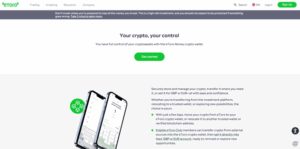
Pros
- User-friendly design for beginners
- Integrated with the eToro investment platform
- FCA-registered provider for added peace of mind
- Supports multi-asset management (crypto, stocks, ETFs)
Cons
- Limited control over private keys
- Only available to eToro account holders
- Higher fees than standalone wallets for some transactions
What Makes eToro a Good Wallet for Solana?
eToro Money Wallet offers a seamless way for UK users to buy, hold, and manage Solana within a trusted FCA-regulated platform. It combines trading convenience with wallet security, making it ideal for beginners entering the Solana ecosystem confidently and safely.
How Secure Is eToro for Holding SOL?
eToro uses advanced encryption, two-factor authentication, and cold storage segregation to protect user funds. As an FCA-regulated provider, it follows strict compliance standards, giving UK investors strong confidence that their Solana assets are held securely and monitored against potential breaches.
Can You Buy and Store Solana Directly in eToro?
Yes, UK investors can purchase Solana directly through eToro using pounds sterling. Once purchased, SOL is automatically stored in the eToro Money Wallet, allowing easy transfer, long-term holding, or movement to external Solana-compatible wallets if users prefer self-custody.
How Easy Is It to Send or Withdraw Solana?
The eToro app and web platform simplify Solana transactions with clear steps and low withdrawal minimums. Users can easily send SOL to other wallets, stake, or transfer holdings to external wallets, with eToro providing real-time tracking and instant balance updates.
What Fees Apply When Using eToro for Solana?
eToro charges a small spread when buying or selling Solana, typically around one percent. There are no wallet setup costs, but network transaction fees may apply when transferring SOL. The transparent pricing structure ensures users understand their costs upfront before trading.
Phantom Wallet — Best Native Solana Wallet
Phantom is purpose-built for Solana, offering seamless access to SOL, NFTs, and DeFi apps. Its speed, simplicity, and native integration with the Solana blockchain make it the go-to wallet for everyday users and developers who want quick, reliable Solana transactions.
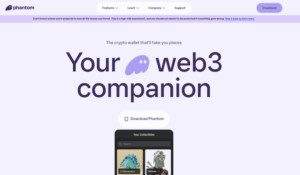
Pros
- Native Solana integration with built-in staking
- Easy connection to Solana dApps and NFT platforms
- Free to download and simple to use
- Strong community and regular updates
Cons
- Hot wallet exposure to online risks
- Limited support for non-Solana assets
- Requires self-custody and careful key management
Why Is Phantom the Most Popular Solana Wallet?
Phantom is purpose-built for Solana, offering seamless access to SOL, NFTs, and DeFi apps. Its speed, simplicity, and native integration with the Solana blockchain make it the go-to wallet for everyday users and developers who want quick, reliable Solana transactions.
How Does Phantom Keep Your SOL and SPL Tokens Safe?
Phantom uses local encryption for private keys and never stores them on external servers. Users control their keys entirely, supported by biometric login and browser-level security. This self-custodial model ensures full ownership and protection of SOL and SPL assets.
Can You Stake Solana Directly in Phantom?
Yes, Phantom allows in-wallet staking, letting users delegate SOL to validators directly from their interface. It offers clear validator choices, real-time yield tracking, and simple un-staking options, making staking accessible even to beginners new to the Solana network.
How Easy Is It to Connect Phantom to Solana dApps?
Phantom integrates natively with Solana dApps, allowing one-click connections to platforms like Magic Eden, Jupiter, and Orca. Browser extension and mobile compatibility ensure UK users can access NFTs, staking, and DeFi protocols smoothly without leaving the wallet environment.
What Are the Main Pros and Cons for UK Users?
Phantom's strengths include speed, simplicity, and native Solana support. It's free, lightweight, and ideal for DeFi and NFT use. However, as a non-custodial hot wallet, users must secure their recovery phrase and remain cautious of phishing or fake wallet copies.
Ledger Nano X — Best Cold Wallet for Solana Security
The Ledger Nano X keeps Solana private keys entirely offline, stored within a secure hardware chip isolated from internet access. This cold storage model prevents remote hacks, offering unmatched protection against malware, phishing, and unauthorised access to your SOL holdings.
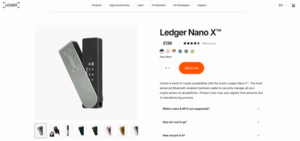
Pros
- Industry-leading offline security for Solana storage
- Bluetooth connectivity for mobile management
- Supports thousands of cryptocurrencies and NFTs
- Integrates with Phantom and Solflare for staking
Cons
- Higher upfront cost (£119)
- Requires manual transaction confirmation
- Learning curve for first-time hardware wallet users
How Does the Ledger Nano X Store Solana Offline?
The Ledger Nano X keeps Solana private keys entirely offline, stored within a secure hardware chip isolated from internet access. This cold storage model prevents remote hacks, offering unmatched protection against malware, phishing, and unauthorised access to your SOL holdings.
Which Solana Apps Work with Ledger Nano X?
Ledger Nano X integrates with trusted Solana apps like Phantom and Solflare, allowing secure management of SOL and SPL tokens. Users can view balances, sign transactions, and stake directly through these interfaces while maintaining Ledger's offline key protection.
How Easy Is It to Send or Stake Solana Using Ledger?
Sending or staking Solana with Ledger Nano X is straightforward. Users connect through Phantom or Solflare, confirm transactions on the device's screen, and approve them manually. This two-step verification ensures safety while keeping staking and transfers efficient and simple.
What Are the Security Advantages for Solana Holders?
Ledger's offline key storage, certified secure element chip, and PIN protection make it virtually immune to online attacks. It prevents exposure of private keys, ensuring Solana funds remain protected even if a computer or mobile device becomes compromised.
Is the Ledger Nano X Worth It for UK Solana Investors?
For UK investors holding significant amounts of Solana, the Ledger Nano X is highly worthwhile. Its hardware security, Bluetooth convenience, and compatibility with major Solana wallets offer a premium, long-term solution for protecting assets against theft or online risks.
Coinbase Wallet — Best Solana Wallet for Web3 & DeFi Access
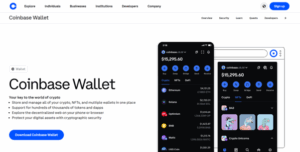
Yes, Coinbase Wallet supports Solana and its associated SPL tokens. Users can send, receive, and manage SOL assets while accessing the wider Solana ecosystem, including NFTs and DeFi projects, directly through the wallet's intuitive mobile or browser interface.
Pros
- Self-custodial wallet with strong security controls
- Connects easily to Solana DeFi and NFT apps
- Intuitive interface with mobile and browser support
- Backed by a trusted global crypto brand
Cons
- Higher network fees during peak times
- Custody and exchange wallets managed separately
- Limited advanced Solana staking options
Does Coinbase Wallet Support Solana and SPL Tokens?
Yes, Coinbase Wallet supports Solana and its associated SPL tokens. Users can send, receive, and manage SOL assets while accessing the wider Solana ecosystem, including NFTs and DeFi projects, directly through the wallet's intuitive mobile or browser interface.
How Secure Is Coinbase Wallet Compared to Exchange Storage?
Coinbase Wallet is self-custodial, meaning users hold their private keys, unlike the main Coinbase exchange. This gives full control over SOL assets while still benefiting from Coinbase's established security infrastructure, strong encryption, and optional biometric or passcode access.
Can You Connect Coinbase Wallet to Solana dApps?
Coinbase Wallet connects seamlessly to Solana dApps through its built-in Web3 browser or via WalletConnect. UK users can access Solana-based DeFi platforms, NFT marketplaces, and staking tools while maintaining direct custody and control of their tokens during interactions.
What Are the Benefits for UK Solana Traders?
UK Solana traders benefit from Coinbase Wallet's strong security reputation, familiar interface, and multi-chain support. It's ideal for managing SOL alongside other cryptocurrencies, enabling smooth portfolio diversification, direct access to Solana dApps, and straightforward asset transfers without exchange dependency.
Are There Any Fees When Using Coinbase Wallet for SOL?
Coinbase Wallet itself doesn't charge transaction fees, but Solana network fees apply when sending or interacting on-chain. Exchange conversion fees may also apply when buying SOL. All costs are transparently displayed before confirmation, helping users manage expenses easily.
Bitpanda Wallet — Best for Solana and Multi-Asset Management
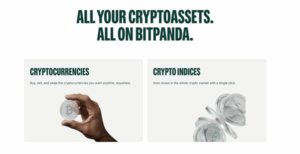
Bitpanda offers full support for Solana alongside hundreds of cryptocurrencies and digital assets. UK users can buy, hold, and trade SOL within the platform, benefiting from its regulated environment, intuitive dashboard, and seamless integration with Bitpanda's investment ecosystem.
Pros
- Regulated European platform supporting Solana
- Allows instant buying, selling, and staking of SOL
- Supports multiple assets, including crypto indices
- Clear interface suitable for both new and advanced users
Cons
- Limited DeFi and dApp integration for Solana
- Trading spreads slightly higher than on exchanges
- Verification required before full wallet access
How Does Bitpanda Support Solana and Other Tokens?
Bitpanda offers full support for Solana alongside hundreds of cryptocurrencies and digital assets. UK users can buy, hold, and trade SOL within the platform, benefiting from its regulated environment, intuitive dashboard, and seamless integration with Bitpanda's investment ecosystem.
Is Bitpanda Secure Enough for UK Solana Investors?
Yes, Bitpanda applies strict European security standards, including cold storage, multi-signature technology, and account verification. It's fully compliant with EU and UK financial regulations, giving Solana investors a secure, transparent platform for managing both crypto and fiat balances.
Can You Buy and Stake Solana Within Bitpanda?
Users can buy Solana directly with GBP or euros and stake SOL within Bitpanda's platform for passive rewards. The process is simple, with clear yield projections and flexible un-staking options, making it a convenient choice for earning while holding Solana.
How User-Friendly Is the Bitpanda Wallet Interface?
Bitpanda's interface is designed for accessibility, offering clean visuals, quick navigation, and easy wallet management across desktop and mobile. Its integrated exchange and portfolio tracking tools make it ideal for UK investors managing Solana alongside other cryptocurrencies or assets.
What Fees Should UK Users Expect When Using Bitpanda?
Bitpanda includes trading fees within displayed prices, ensuring transparent transactions. Network fees apply for Solana transfers, while staking involves no hidden charges. UK users appreciate the all-inclusive pricing model, which makes understanding and managing costs straightforward for all experience levels.
What Is a Solana Wallet and How Does It Work?
A Solana wallet stores SOL and SPL tokens, giving users secure access to DeFi platforms, staking options, and NFT marketplaces. It manages public and private keys to authorise transactions. Hot wallets stay online for convenience, while cold wallets provide offline, long-term protection.
How Can You Choose the Right Solana Wallet in the UK?
Security should match investment size and frequency of use. Hardware wallets like Ledger offer offline protection for large holdings, while hot wallets such as Phantom or Coinbase Wallet provide secure convenience for everyday Solana transactions and dApp interactions.
How Easy Is It to Use the Wallet Daily?
Choose a wallet with an intuitive interface, fast transaction processing, and reliable mobile or browser access. Phantom and eToro Money Wallet are ideal for beginners, offering simple navigation, automatic updates, and clear prompts for sending, receiving, and staking Solana.
Which Wallets Support Solana Staking and DeFi?
Phantom, Solflare, Ledger Nano X, and Bitpanda all support Solana staking. Phantom and Coinbase Wallet additionally connect users to DeFi platforms for lending, trading, and liquidity. These integrations help UK investors grow SOL holdings while maintaining self-custody.
Are There Fees or Limitations for UK Users?
Most Solana wallets are free, but transaction fees apply when sending or staking SOL. Hardware wallets involve upfront purchase costs, while custodial platforms like eToro or Bitpanda may include small trading spreads. Always review fee policies before transferring funds.
How Can You Keep Your Crypto Wallet Secure?
- Choose a Trusted Solana Wallet — Select a reputable option such as Phantom, eToro Money Wallet, or Ledger Nano X. Look for a wallet that supports Solana and fits your goals — whether you prefer mobile convenience or offline hardware protection.
- Install and Create Your Wallet — Download the app or browser extension from the official website or app store. Follow the setup instructions to create your wallet and generate a recovery phrase.
- Securely Store Your Recovery Phrase — Write down your seed phrase and keep it offline in a safe location. It's the only way to recover your Solana wallet if your device is lost or compromised. Never share it online or with anyone.
- Add SOL to Your Wallet — Deposit Solana (SOL) by purchasing directly through your wallet, such as eToro, or transferring it from an exchange. Once funded, your wallet is ready for transactions, staking, or NFTs.
- Connect to Solana dApps and Staking Platforms — Link your wallet to trusted Solana dApps, DeFi platforms, or staking services. Always double-check website URLs to avoid phishing or fake connections.
- Consider a Hardware Wallet for Extra Protection — For large or long-term holdings, use a hardware wallet like the Ledger Nano X. It stores private keys offline, offering maximum protection from online threats.
- Keep Your Wallet Software Updated — Regularly update your wallet app or firmware to patch vulnerabilities and maintain compatibility with Solana's latest features. Enable automatic updates where possible for added safety.
Final Verdict — What's the Best Solana Wallet for UK Users in 2026?
The eToro Money Wallet remains the best overall Solana wallet for UK investors, combining simplicity, regulation, and secure storage. Phantom excels as the best native Solana wallet, while Ledger Nano X provides unmatched cold storage security. Choose based on your needs — security, staking, or convenience. For broader comparisons, see our Best Crypto Wallets in the UK 2026 and Best XRP Wallet UK guides.
FAQs
References
- Official Solana Docs — Comprehensive technical and user documentation for the Solana blockchain and ecosystem.
- eToro Money Wallet — Official page detailing features, security standards, and supported assets for eToro's digital wallet.
- Phantom.app — Official Solana-native wallet site offering downloads, product updates, and staking guidance.