

- expertise:
- CFD Trading, Forex, Derivatives, Risk Management
- credentials:
- Chartered ACII (2018) · Trading since 2012
- tested:
- 40+ forex & CFD platforms with live accounts

- expertise:
- Broker Comparison, ISA Strategy, Portfolio Management
- credentials:
- Active investor since 2013 · 11+ years experience
- tested:
- 40+ brokers with funded accounts
How We Test
Real accounts. Real money. Real trades. No demo accounts or press releases.
What we measure:
- Spreads vs advertised rates
- Execution speed and slippage
- Hidden fees (overnight, withdrawal, conversion)
- Actual withdrawal times
Scoring:
Fees (25%) · Platform (20%) · Assets (15%) · Mobile (15%) · Tools (10%) · Support (10%) · Regulation (5%)
Regulatory checks:
FCA Register verification · FSCS protection
Testing team:
Adam Woodhead (investing since 2013), Thomas Drury (Chartered ACII, 2018), Dom Farnell (investing since 2013) — 50+ platforms with funded accounts
Quarterly reviews · Corrections: in**@*******************co.uk
Disclaimer
Not financial advice. Educational content only. We're not FCA authorised. Consult a qualified advisor before investing.
Capital at risk. Investments can fall. Past performance doesn't guarantee future results.
CFD warning. 67-84% of retail accounts lose money trading CFDs. High risk due to leverage.
Contact: in**@*******************co.uk
Can you actually trade properly on just the Pepperstone app?
Yes, for a week I did exactly that, and the app held up better than I expected in every area except one. Placing and managing trades was never the problem: the ticket carries full stops and limits, the watchlist syncs with my desktop layout, and the price alerts turned out to be the week's quiet hero. The real cost of phone-only trading is analysis, not execution. Multi-timeframe charting on a six-inch screen is a compromise no app has solved, and one of my trades paid for that compromise, as I set out honestly below. My verdict after five days: the phone is a fully capable trade-management tool and a mediocre research desk, which is exactly the division of labour I now use it for.

72.9% of retail investor accounts lose money when trading spread bets and CFDs with this provider.
How did the phone-only week work?
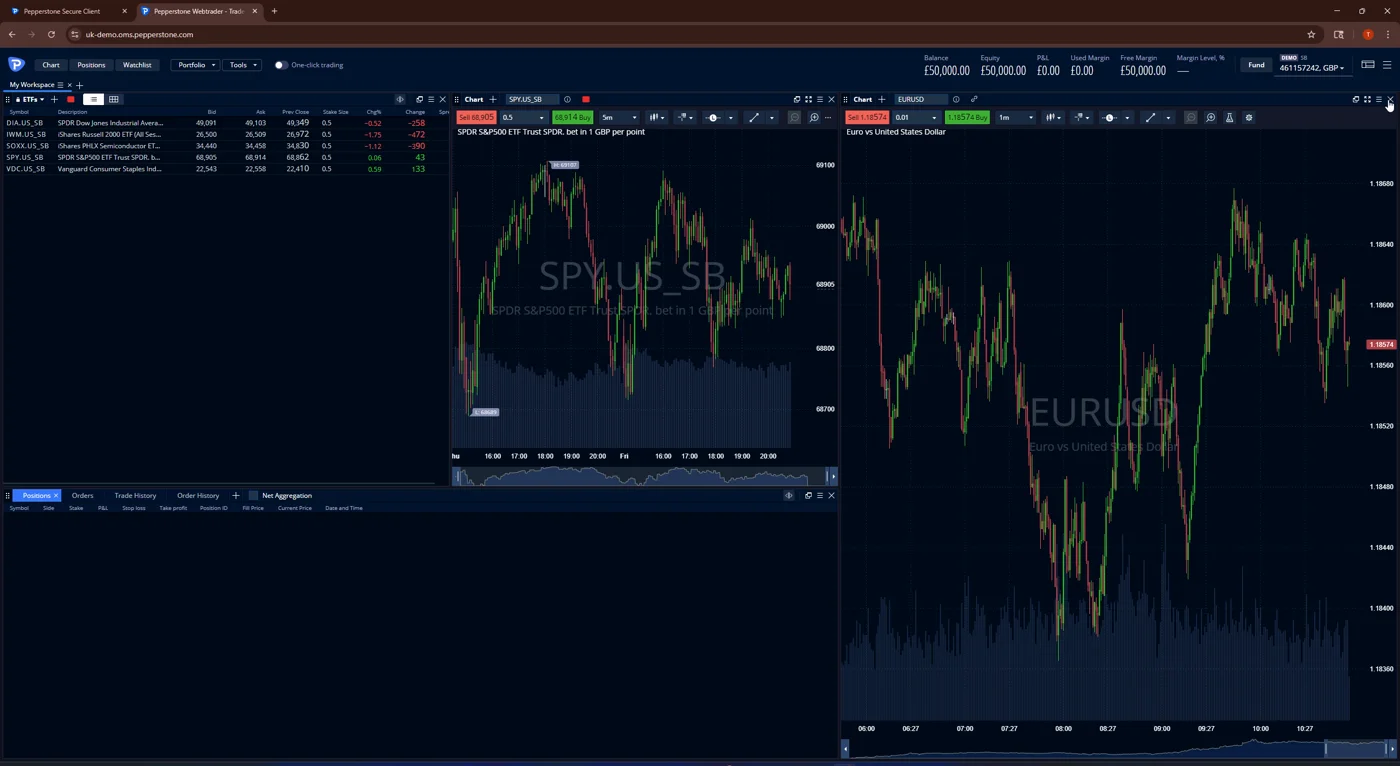
One rule, no exceptions: for five trading days every chart I read, every order I placed and every position I managed went through the phone. The desktop stayed shut, including the WebTrader workspace I normally live in. This was the same funded account behind my six-month Pepperstone forex review, trading my normal size, not a demo experiment with nothing at stake.
Why test it this way
Because nobody trades a broker's app the way an app store reviewer does. The mobile app is where you are when the trade goes wrong at your kid's football practice, and a review that only pokes at it on the sofa next to a desktop misses the point. Forcing a whole week through the small screen finds the edges: the workflows that are genuinely fast, and the ones that quietly push you into laziness because the proper version is three taps too deep.
What is the app genuinely good at?
Execution, alerts and account admin, in that order. Pepperstone's own app, on iOS and Android, is built around the trade lifecycle rather than the chart, and once I accepted that framing the week got much easier.
Order tickets that are actually complete
The ticket is the full desktop ticket, shrunk honestly: market and pending orders, stop loss and take profit attached at entry, and position editing after the fill. Nothing in my week required a desktop to place or fix, and modifying a stop from a phone in a moving market worked without the lag or misfires that make some broker apps genuinely dangerous. That is the bar a mobile ticket has to clear, and this one does.
The alerts that ran the week
Per-symbol price alerts with push notifications became my substitute for screen time, and by Wednesday I had a lattice of them doing the watching for me. The save of the week came when one of them fired on a level I was watching while I was nowhere near a screen: I was in the ticket within a minute and dealt with a move I would otherwise have seen an hour later. That single notification justified the feature, and it is a workflow I have kept now the desktop is back.
Admin without a laptop
Funding, statements and the account housekeeping I needed during the week were all reachable from the phone, which matters more than it sounds: most methods fund the account from £10, and the deposit I made mid-week to test the flow cleared without ever opening a browser tab. Confirm the current in-app scope yourself, as brokers shuffle features between app and client area more often than they announce it.
Where did the small screen cost me?
Once in a way that cost real money, and every day a little. The costly one first, because it is the paragraph most app reviews will not write.
The trade the phone got wrong
It came off a single-timeframe read: the phone chart supported the entry, and the view a second chart would have kept in my peripheral vision on the desktop argued against it. At the desk I would have skipped the trade, or at least placed the stop with the second picture in mind, and the position paid for the difference. The app did nothing wrong; the format did. A phone chart shows you one truth at a time, and trading decisions are usually about two truths disagreeing.
Charting depth: fine for managing, thin for finding
The app's charts cover the mainstream indicator set and drawing basics, and for managing an open position they are entirely adequate. For building a view they are not where I would start: no multi-chart layouts, fiddly drawing on glass, and none of the deep study library a desktop TradingView or MT5 window gives you. There is also no ProRealTime equivalent anywhere at Pepperstone, on any screen, so traders coming from that ecosystem should know the ceiling before switching.
The laziness tax
The subtler cost was behavioural. When checking a second timeframe means pinching and swapping rather than glancing left, you check it less, and by Thursday I could feel my process eroding at the margins. The app is not to blame for human nature, but a week inside it convinced me that phone-only trading quietly lowers your evidence standards, one skipped chart at a time.
Do the other Pepperstone platforms have better mobile apps?
Different rather than better, and you have five to pick from: Pepperstone's own app plus mobile versions of MT4, MT5, cTrader and TradingView, all usable on the same account. The TradingView app has the strongest charts of the five and suits anyone whose analysis already lives there. The cTrader app carries the most complete order-type set for execution-focused traders. MT4 and MT5 mobile are dated to look at but bulletproof, and they are the only route if your trading depends on positions an EA manages from a VPS. Pepperstone's own app is the most polished for the account-plus-alerts workflow that dominated my week. My advice after testing is unglamorous: match the phone app to whichever desktop platform you already trust, because a mixed setup means two chart packages disagreeing with each other in your pocket. The full desktop comparison behind that advice is in my breakdown of every Pepperstone platform.
Would I trade phone-only again?
By choice, no; by necessity, without hesitation, and that is a compliment. The week proved the Pepperstone app can carry a real account through real trading: complete tickets, dependable alerts, admin that funds from £10 on most methods, all on an FCA-regulated broker (FRN 684312) with negative balance protection for retail clients and more than 2,700 spread bets and CFDs behind the search bar. It also proved the phone should be the junior partner: manager of trades the desktop found, watcher of levels via alerts, and emergency cockpit when life happens away from the desk. If something does go wrong mid-trade with only a phone in hand, it is worth knowing how fast a human answers, which is exactly what my six-month support ticket log measured, and the account this week ran on is documented trade by trade in the full forex review.
FAQs
References
- FCA Register: Pepperstone Ltd. FRN: 684312
- Pepperstone: trading platforms, including the Pepperstone mobile app
- The Investors Centre: how we test brokers