

- expertise:
- CFD Trading, Forex, Derivatives, Risk Management
- credentials:
- Chartered ACII (2018) · Trading since 2012
- tested:
- 40+ forex & CFD platforms with live accounts

- expertise:
- Broker Comparison, ISA Strategy, Portfolio Management
- credentials:
- Active investor since 2013 · 11+ years experience
- tested:
- 40+ brokers with funded accounts
How We Test
Real accounts. Real money. Real trades. No demo accounts or press releases.
What we measure:
- Spreads vs advertised rates
- Execution speed and slippage
- Hidden fees (overnight, withdrawal, conversion)
- Actual withdrawal times
Scoring:
Fees (25%) · Platform (20%) · Assets (15%) · Mobile (15%) · Tools (10%) · Support (10%) · Regulation (5%)
Regulatory checks:
FCA Register verification · FSCS protection
Testing team:
Adam Woodhead (investing since 2013), Thomas Drury (Chartered ACII, 2018), Dom Farnell (investing since 2013) — 50+ platforms with funded accounts
Quarterly reviews · Corrections: info@theinvestorscentre.co.uk
Disclaimer
Not financial advice. Educational content only. We're not FCA authorised. Consult a qualified advisor before investing.
Capital at risk. Investments can fall. Past performance doesn't guarantee future results.
CFD warning. 67-84% of retail accounts lose money trading CFDs. High risk due to leverage.
Contact: info@theinvestorscentre.co.uk
Quick Answer – Which UK Brokers Have Python-Compatible APIs?
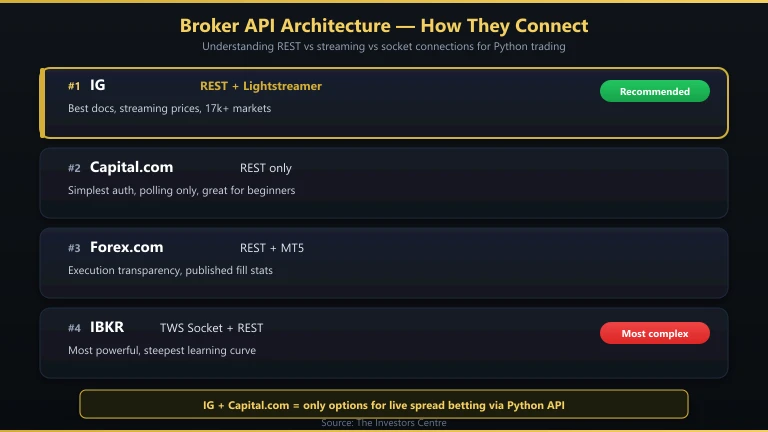
Four FCA-regulated brokers offer APIs that work with Python: IG (REST + Lightstreamer streaming), Capital.com (REST, simplest to learn), Forex.com (REST + MT5 gateway), and Interactive Brokers (TWS API + Client Portal REST). IG is the best starting point — its REST API is well-documented, the Python community has built solid wrapper libraries, and you can use spread betting for tax-free automated trading.
- IG — REST API + Lightstreamer streaming, best documentation, spread betting
- Capital.com — REST API, simplest to learn, spread betting available
- Forex.com — REST API + MT5 connection, published execution stats
- Interactive Brokers — TWS API + Client Portal, most powerful but complex

68% of retail CFD accounts lose money.

62% of Retail CFD Accounts Lose Money

76% of retail CFD accounts lose money.

62.5% of Retail CFD Accounts Lose Money
How Did We Test These APIs?
I built a Python script for each broker that does the same thing: authenticates, pulls a live price for GBP/USD, and places a demo order. This gave me a consistent baseline to compare documentation quality, authentication complexity, response times, and error handling across all four APIs.
I also evaluated each API on: rate limits (how many requests per second), streaming capabilities (can you receive real-time price updates without polling?), and the availability of community-built Python libraries that simplify the raw API calls.
How Do These APIs Compare?
| Broker | API Type | Streaming? | Python Library | Rate Limit | Spread Betting? | Auth Method |
|---|---|---|---|---|---|---|
| IG | REST + Lightstreamer | Yes (Lightstreamer) | trading_ig (community) | ~60 req/min (non-trading), 15 req/min (trading) | Yes | API key + OAuth |
| Capital.com | REST | No (polling only) | None (raw requests) | ~10 req/sec | Yes | API key + password |
| Forex.com | REST + MT5 | Via MT5 only | None official (raw requests) | ~30 req/min | No | Username + password |
| Interactive Brokers | TWS API + Client Portal REST | Yes (TWS socket) | ib_insync (community) | 50 msg/sec (TWS) | No | TWS running locally / OAuth (Client Portal) |
IG — Best Python API for Most Traders
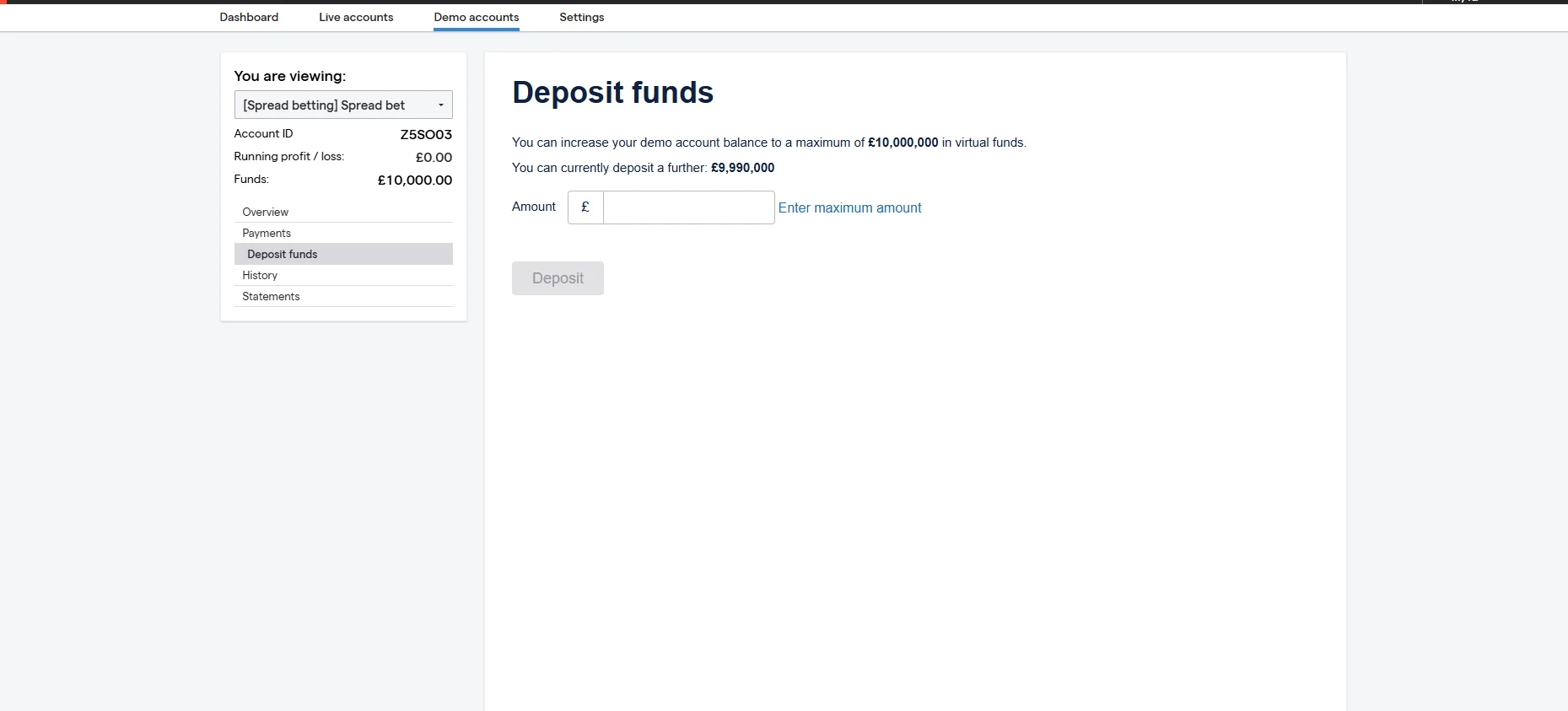
IG’s REST API is the best-documented broker API I’ve worked with. The Swagger/OpenAPI documentation covers every endpoint with examples, and the community-maintained trading_ig Python library wraps the raw API calls into clean, Pythonic methods. Lightstreamer provides real-time price streaming without constant polling — essential for any strategy that needs live price data.
Pros
- Best API documentation of any UK broker
- Lightstreamer for real-time price streaming
- Community
trading_iglibrary simplifies development - Spread betting via API (tax-free automated trading)
- 17,000+ instruments accessible via API
- FCA regulated (FRN 195355), £0 minimum deposit
Cons
- Trading rate limit of 15 requests/minute limits high-frequency strategies
- Lightstreamer setup is more complex than simple REST polling
What Does IG API Access Cost?
API access is free with any IG account. No additional fees, no premium tier required. Your trading costs are the same as manual trading: spread-only for spread bets (EUR/USD from 0.6 pips), commission-based for share CFDs. There are no per-API-call charges.
What’s Development Like?
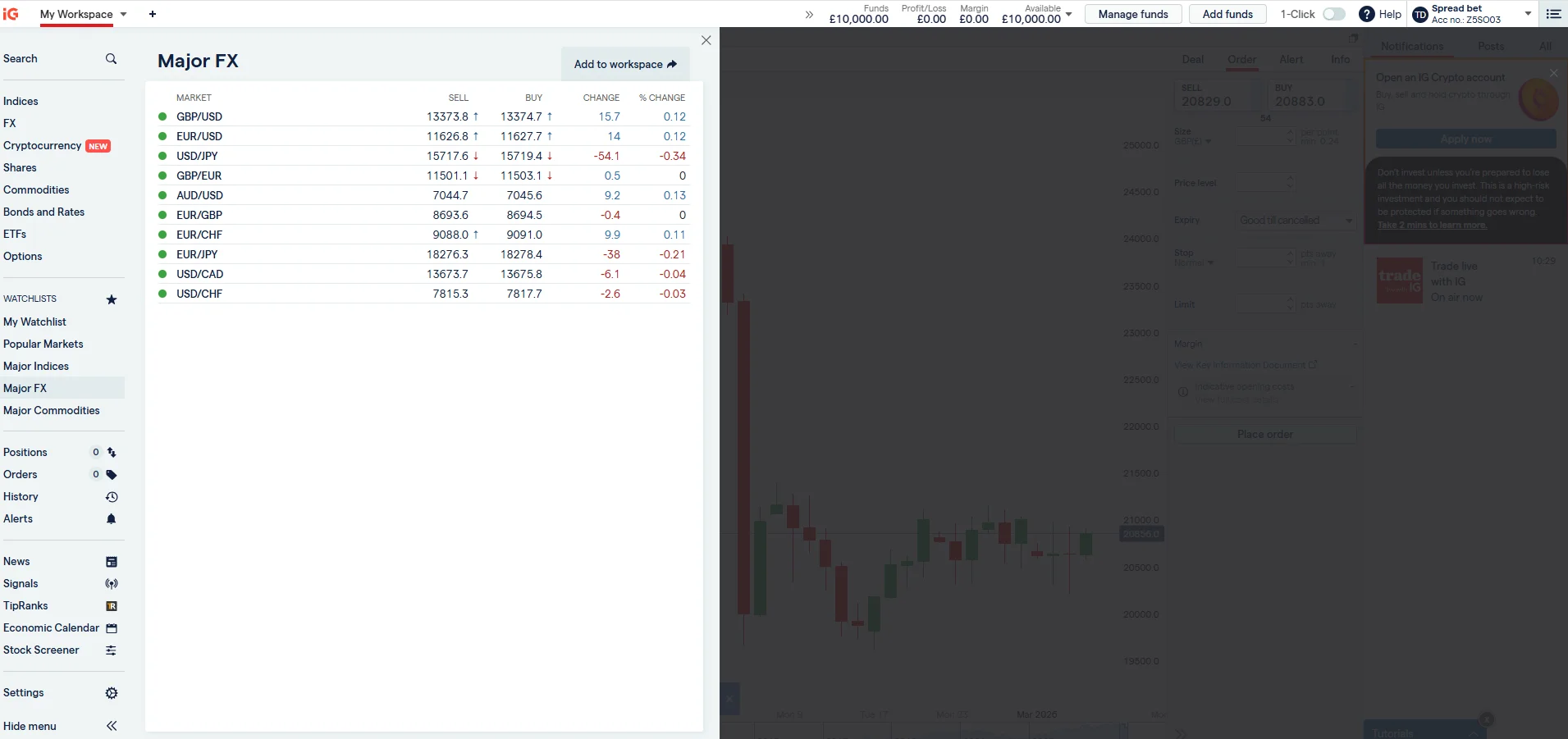
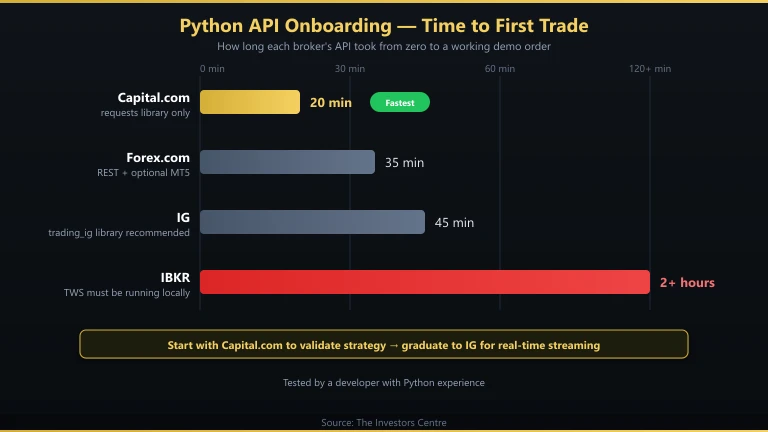
I had a working script that authenticated, pulled live GBP/USD prices, and placed a demo order within 45 minutes. The trading_ig library handles session management, token refresh, and Lightstreamer connection. The demo account mirrors the live API exactly, so you can test extensively before risking capital. See our full IG review for broader platform details.
Who Should Use IG’s API?
Python developers who want to automate spread betting or CFD trading with a well-documented, community-supported API. The 15-request/minute trading limit rules out true high-frequency strategies, but it’s ample for strategies that check prices every few seconds and trade a handful of times per day.
Capital.com — Simplest API for Python Beginners
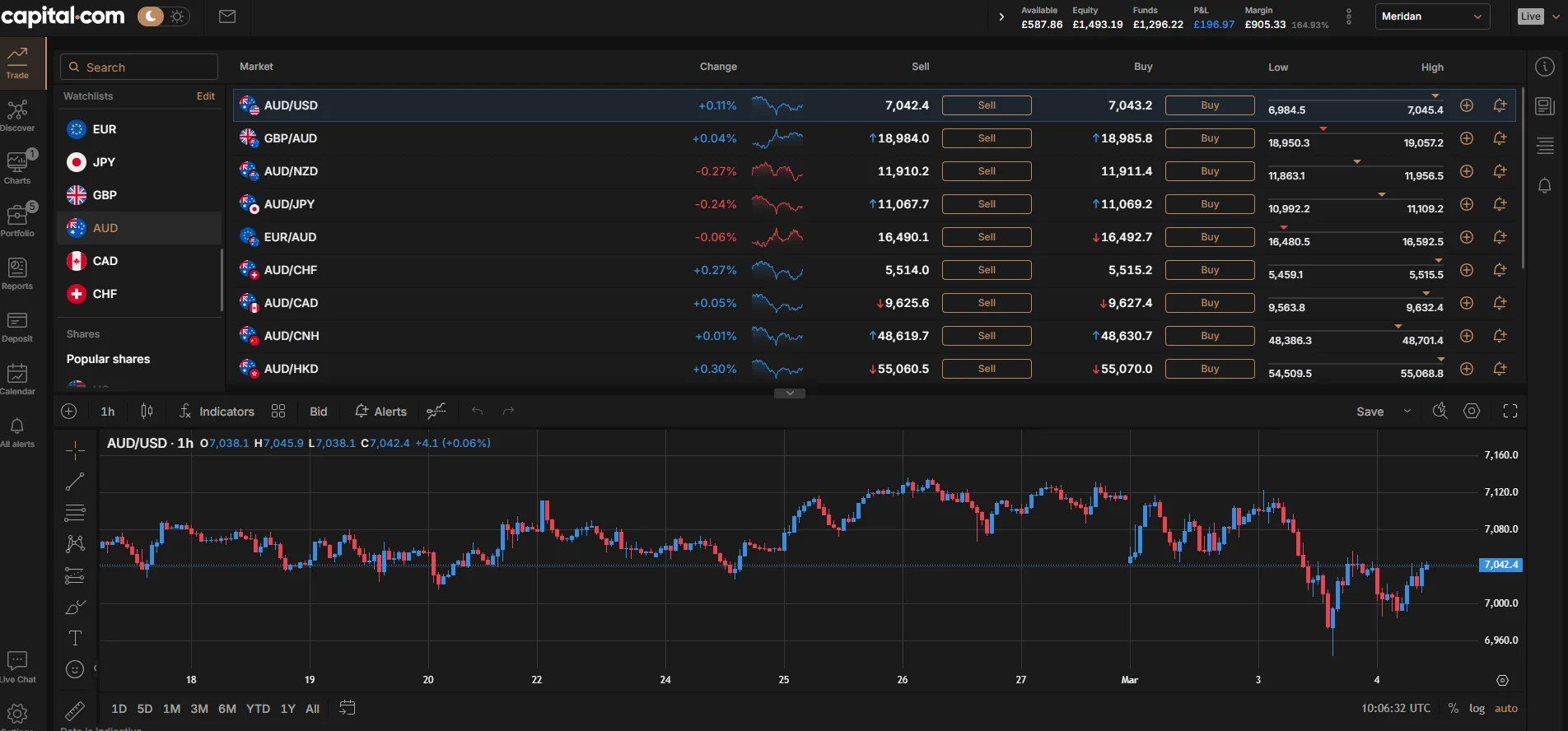
Capital.com’s REST API is the simplest to get started with. Authentication uses an API key and password — no OAuth flow, no token management. The trade-off is no real-time streaming: you must poll for price updates, which introduces latency and counts against your rate limit. For strategies that check prices every 5–10 seconds rather than tick-by-tick, this is adequate.
Pros
- Simplest authentication of any broker API
- Clean JSON responses, easy to parse
- Spread betting available via API
- £20 minimum deposit
- FCA regulated (FRN 793714)
Cons
- No real-time streaming — polling only
- No official Python library
- No MT5 support
- Documentation is less detailed than IG’s
What Does Capital.com API Access Cost?
Free with any account. All trading costs are built into the spread (EUR/USD from 0.6 pips). No commission, no API fees. The £20 minimum deposit is the lowest barrier to entry for API trading among UK brokers.
What’s Development Like?
I had a working authentication and price-pull script in 20 minutes using only the requests library. No third-party wrapper needed. The simplicity is the selling point. For a first API project, Capital.com’s API removes friction and lets you focus on learning REST concepts rather than fighting authentication flows.
Who Should Use Capital.com’s API?
Python beginners building their first trading bot. The API is straightforward enough to learn REST concepts without getting bogged down in OAuth tokens or streaming protocols. Once you outgrow it, graduate to IG’s API for streaming data and a larger market range.
Forex.com — Best for REST API with Execution Transparency
Forex.com offers a REST API similar in structure to IG’s, plus the option to connect Python to MT5 for streaming data. The broker publishes quarterly execution statistics, so you can verify that API orders receive the same fill quality as manual orders. Note: Forex.com does not offer spread betting in the UK — all trades are CFDs, making profits subject to Capital Gains Tax.
Pros
- REST API with clear documentation
- MT5 connection available for streaming via Python
- Published execution quality statistics
- ~50 ms execution speed
- FCA regulated (FRN 446717)
Cons
- No spread betting — CFDs only (taxable)
- No official Python library
- Smaller community than IG’s API
What Does Forex.com API Access Cost?
Free with any account. Standard account: zero commission, spreads from 1.0 pip. Commission account: from £5 round-turn with spreads from 0.2 pips. For algo trading, the commission account gives you tighter raw spreads, which matters when your strategy is running dozens of trades per day.
What’s Development Like?
The REST API is clean and follows standard patterns. Authentication uses a simple username/password flow. I had a working script in about 35 minutes. For real-time streaming, you’d connect to MT5 using the MetaTrader5 Python package, which adds complexity but gives you tick-level data.
Who Should Use Forex.com’s API?
Developers who value execution transparency and want published proof of fill quality. The lack of spread betting is a significant downside for UK tax purposes. If tax efficiency matters, IG or Capital.com are better choices. For further reading on automation approaches, see our MT4 automation guide.
Interactive Brokers — Most Powerful API (Steepest Learning Curve)
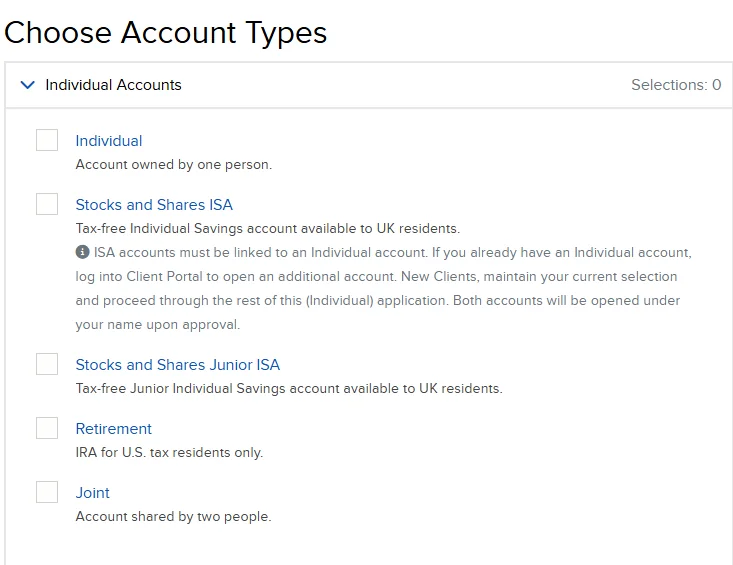
IBKR offers two API paths: the TWS API (socket-based, requires TWS running locally) and the newer Client Portal REST API (web-based, lighter). The TWS API via the ib_insync Python library is the most capable broker API available — you can do things no other retail API supports, like algorithmic order types, real-time portfolio Greeks, and multi-leg options orders. The cost is genuine complexity.
Pros
- Most powerful retail broker API available
ib_insynclibrary is excellent and well-maintained- Real-time streaming via TWS socket
- DMA with Smart Order Routing
- Access to 150+ exchanges globally
- FCA regulated (FRN 208159)
Cons
- TWS must be running locally (or IB Gateway)
- Complex setup — took me 2+ hours for first working script
- No spread betting
- Market data subscriptions cost extra
What Does IBKR API Access Cost?
API access is free. Trading commissions start from 0.05% with a £1 minimum on UK shares. You pay separately for market data subscriptions. The Client Portal API is free but limited in functionality compared to the TWS API. For serious development, you’ll use the TWS API, which requires TWS or IB Gateway running continuously.
What’s Development Like?
It took me over two hours to get my first working script — significantly longer than any other broker. The ib_insync library transforms the callback-heavy TWS API into async/await Python, which helps enormously. Once set up, the capabilities are unmatched: live streaming, historical data, complex order types, portfolio management, and options analytics all from Python.
Who Should Use IBKR’s API?
Experienced developers building sophisticated multi-asset trading systems. If your strategy involves options, futures, or cross-exchange arbitrage, IBKR is the only realistic choice. For straightforward forex or index CFD automation, IG is faster to implement and offers spread betting tax advantages.
Which API Should a Python Beginner Start With?
Capital.com if you want the absolute simplest start. IG if you want something you won’t outgrow in six months.
Capital.com’s API requires only the requests library and basic HTTP knowledge. You can authenticate and pull prices in 10 lines of code. It’s ideal for learning REST concepts and building confidence before tackling streaming data or complex authentication.
IG’s API is a better long-term investment. The trading_ig library handles authentication and streaming for you, the documentation is thorough, and you have access to 17,000+ markets. The learning curve is steeper than Capital.com but shallower than IBKR. Most Python trading developers I know started with IG and never needed to switch.
For broader context on automated trading approaches, see our guides on building a trading bot and AI trading robots. For MT4-specific automation, read our Expert Advisors guide.
Working Python Code Example – IG API Authentication & Price Pull
This script authenticates with IG’s REST API, pulls the current GBP/USD price, and prints it. It runs on Python 3.8+ with only the requests library (no trading_ig required). Replace the placeholder credentials with your IG demo account details.
import requests

# IG Demo API credentials (replace with your own)
API_KEY = "your-api-key-here"
USERNAME = "your-username"
PASSWORD = "your-password"

# Authentication
session = requests.Session()
session.headers.update({
    "X-IG-API-KEY": API_KEY,
    "Content-Type": "application/json; charset=UTF-8",
    "Accept": "application/json; charset=UTF-8",
    "Version": "2"
})

auth_payload = {
    "identifier": USERNAME,
    "password": PASSWORD
}

auth_url = "https://demo-api.ig.com/gateway/deal/session"
auth_response = session.post(auth_url, json=auth_payload)

if auth_response.status_code != 200:
    print(f"Auth failed: {auth_response.status_code}")
    exit()

# Extract tokens from response headers
cst = auth_response.headers.get("CST")
x_security_token = auth_response.headers.get("X-SECURITY-TOKEN")

session.headers.update({
    "CST": cst,
    "X-SECURITY-TOKEN": x_security_token
})

print("Authenticated successfully.")

# Pull GBP/USD price
market_url = "https://demo-api.ig.com/gateway/deal/markets/CS.D.GBPUSD.TODAY.IP"
market_response = session.get(market_url)
market_data = market_response.json()

bid = market_data["snapshot"]["bid"]
offer = market_data["snapshot"]["offer"]
spread = round(offer - bid, 4)

print(f"GBP/USD - Bid: {bid}, Offer: {offer}, Spread: {spread}")

# Clean up session
session.delete(auth_url)
print("Session closed.")
This is a starting point, not a production system. For live trading, you would add error handling, rate-limit management, and the Lightstreamer connection for real-time price streaming. The trading_ig library handles all of this automatically if you prefer a higher-level interface.
Frequently Asked Questions
References
- IG REST API Documentation – labs.ig.com/rest-trading-api-reference
- Capital.com API Documentation – open-api.capital.com
- Interactive Brokers API Guide – interactivebrokers.github.io/tws-api
- FCA Financial Services Register – register.fca.org.uk
- trading_ig Python Library – github.com/ig-python/trading-ig
68% of retail investor accounts lose money when trading spread bets and CFDs with this provider.