

- expertise:
- CFD Trading, Forex, Derivatives, Risk Management
- credentials:
- Chartered ACII (2018) · Trading since 2012
- tested:
- 40+ forex & CFD platforms with live accounts

- expertise:
- Broker Comparison, ISA Strategy, Portfolio Management
- credentials:
- Active investor since 2013 · 11+ years experience
- tested:
- 40+ brokers with funded accounts
How We Test
Real accounts. Real money. Real trades. No demo accounts or press releases.
What we measure:
- Spreads vs advertised rates
- Execution speed and slippage
- Hidden fees (overnight, withdrawal, conversion)
- Actual withdrawal times
Scoring:
Fees (25%) · Platform (20%) · Assets (15%) · Mobile (15%) · Tools (10%) · Support (10%) · Regulation (5%)
Regulatory checks:
FCA Register verification · FSCS protection
Testing team:
Adam Woodhead (investing since 2013), Thomas Drury (Chartered ACII, 2018), Dom Farnell (investing since 2013) — 50+ platforms with funded accounts
Quarterly reviews · Corrections: in**@*******************co.uk
Disclaimer
Not financial advice. Educational content only. We're not FCA authorised. Consult a qualified advisor before investing.
Capital at risk. Investments can fall. Past performance doesn't guarantee future results.
CFD warning. 67-84% of retail accounts lose money trading CFDs. High risk due to leverage.
Contact: in**@*******************co.uk
Quick Answer: How Do You Create a Trading Bot?
To create a trading bot, you need a strategy, a broker that supports automation, and a way to connect them. The simplest route for UK traders is linking TradingView alerts to a compatible broker via a bridge tool — no coding required. For full control, a number of UK brokers offer public APIs that let you build a custom Python bot to open positions, set stop-losses, and stream live prices programmatically. Not every broker supports this — you need one with API access, MT4/MT5 EA support, or TradingView bridge compatibility. In this guide, we use Capital.com as our working example because it supports all three.

Spread bets and CFDs are complex instruments and come with a high risk of losing money rapidly due to leverage. 65% of retail investor accounts lose money when trading spread bets and CFDs with this provider. You should consider whether you understand how spread bets and CFDs work and whether you can afford to take the high risk of losing your money.
What Is a Trading Bot, and Should You Build One?
A trading bot is software that executes trades automatically based on rules you define — entry conditions, exits, position sizes, and risk limits — without you sitting in front of a screen. Between 60% and 73% of all US equity trading is already algorithmic, and in 2026 retail traders have access to the same tools via broker APIs, TradingView’s Pine Script, and MT4’s Expert Advisor framework.
I started exploring bots after realising I was missing setups while away from the screen. A bot doesn’t sleep, doesn’t hesitate, and doesn’t get emotional. But it also doesn’t think — if your strategy is flawed, the bot just automates the losses faster.
Build a bot when you have a proven, rule-based strategy and want to remove execution delay. Don’t build one if you’re hoping automation will magically generate profits without a tested edge.
Three Ways to Create a Trading Bot (No-Code to Full Code)
There isn’t one “right” way to build a trading bot. Your choice depends on your coding ability, how much customisation you need, and how quickly you want to get running. Here are the three main paths. You’ll need a broker that supports your chosen method — not all do, so check before you open an account. Capital.com, which we use throughout this guide, supports all three.
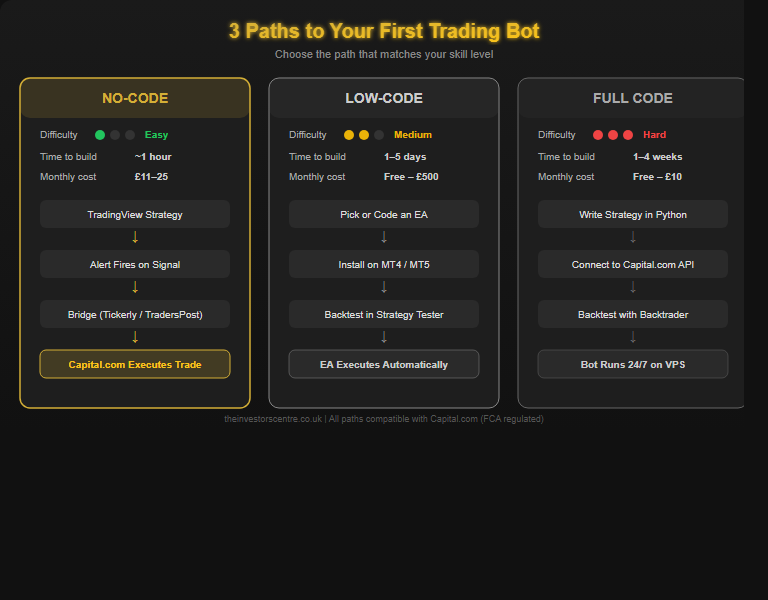
Path 1: No-Code (TradingView + Bridge Tool)
The fastest route. Build a strategy in TradingView, set alerts, and connect them to your broker through a bridge service like Tickerly or TradersPost. The bridge receives TradingView alerts and sends API calls to your broker, executing trades automatically. No Python required — setup takes under an hour. We used Capital.com for this, but bridges also work with other brokers that offer API access, such as IG, Pepperstone, and OANDA.
Pros: Fast setup, no programming, visual strategy design. Cons: Limited flexibility, £5–25/month subscription, dependent on third-party uptime.
Path 2: Low-Code (MT4/MT5 Expert Advisors)
MetaTrader’s Expert Advisor (EA) system has been the backbone of retail algo trading for over a decade. Download pre-built EAs from the MQL5 marketplace, hire a freelancer, or code in MQL4/5 yourself. Several UK brokers offer MT4 support, including Capital.com, IG, Pepperstone, and CMC Markets. For MT5 options, see our MT4 vs MT5 comparison, best MT4 brokers, and best MT5 brokers guides.
Pros: Huge EA marketplace, built-in backtesting. Cons: Steeper learning curve than Python, MT4 no longer receives updates.
Path 3: Full Code (Python + Capital.com API)
For maximum control, build a Python bot that connects directly to your broker’s REST or WebSocket API — real-time prices, order execution, and account management. A handful of UK brokers offer public APIs for retail traders — Capital.com, IG, and OANDA are the main ones. In our examples we use Capital.com’s API, which authenticates via session tokens (API key + login) with rate limits of 10 requests/second.
Pros: Complete control, free to use (no API fees). Cons: Requires Python knowledge, you’re responsible for hosting and monitoring.
Which Platforms Can You Use to Build a Trading Bot?
The platform you choose determines your bot’s capabilities, the language you’ll code in (if any), and which brokers you can connect to. Here’s how the main options compare for UK traders.
| Platform | Coding Required | Language | Broker API Support | Best For |
|---|---|---|---|---|
| TradingView + Bridge | None (visual) | Pine Script (optional) | Capital.com, IG, Pepperstone, OANDA (via Tickerly/TradersPost) | Beginners, fast deployment |
| MetaTrader 4 | Low–Medium | MQL4 | Capital.com, IG, Pepperstone, CMC | EA marketplace, proven systems |
| MetaTrader 5 | Low–Medium | MQL5 | Pepperstone, IC Markets, Admiral | Advanced backtesting, multi-asset |
| cTrader | Medium | C# | Pepperstone, IC Markets | .NET developers, cBots |
| ProRealTime | Medium | ProBuilder | IG, Saxo | Charting-first traders |
| Python + API | High | Python | Capital.com, IG, OANDA | Full control, custom strategies |
| Node.js + API | High | JavaScript | Capital.com, IG, OANDA | Web developers, real-time apps |
For most UK traders starting out, TradingView + bridge offers the best speed-to-capability ratio. If you’re comfortable with code, connecting directly to your broker’s API via Python gives the most flexibility without third-party fees.
Which AI Tools Can Help You Build a Trading Bot?
AI assistants have changed bot development — you no longer need to be a programmer to write functional trading code. Here’s how the main tools compare.
| AI Tool | Best For | Limitations |
|---|---|---|
| Claude (Anthropic) | Generating complete, well-structured bot code with detailed explanations. Particularly strong at understanding complex trading logic and producing clean, maintainable Python. Excellent for code review and debugging. | No direct broker API access; you run the code yourself. |
| ChatGPT (OpenAI) | Quick code snippets, API integration examples, and general trading strategy discussion. Widely used with strong community resources. | Can hallucinate API endpoints; always verify generated code against official docs. |
| GitHub Copilot | Inline code completion while you’re writing in VS Code or PyCharm. Excellent for speeding up repetitive coding tasks. | Suggests code line-by-line; less useful for designing complete architectures. |
| Capitalise.ai | Plain-English strategy creation (“Buy GBP/USD when RSI crosses below 30”) without any coding. Integrates with select brokers. | Limited broker support; less flexible than custom code. |
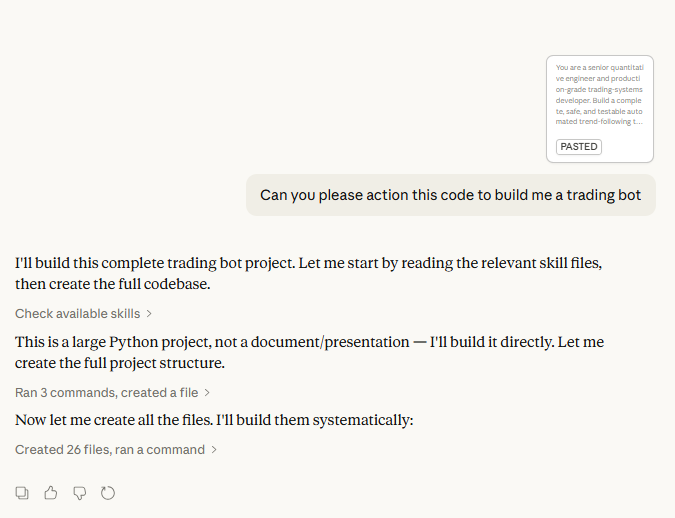
My approach: I used Claude to build two fully functional trading bots in 48 hours — without writing a single line of code myself. My first prompt: “Can you please action this code to build me a trading bot.” Within 30 minutes, Claude had generated a complete Python project with 15+ files. Each time something broke, I’d paste the error logs and Claude would fix it in minutes. The full journey is documented below.
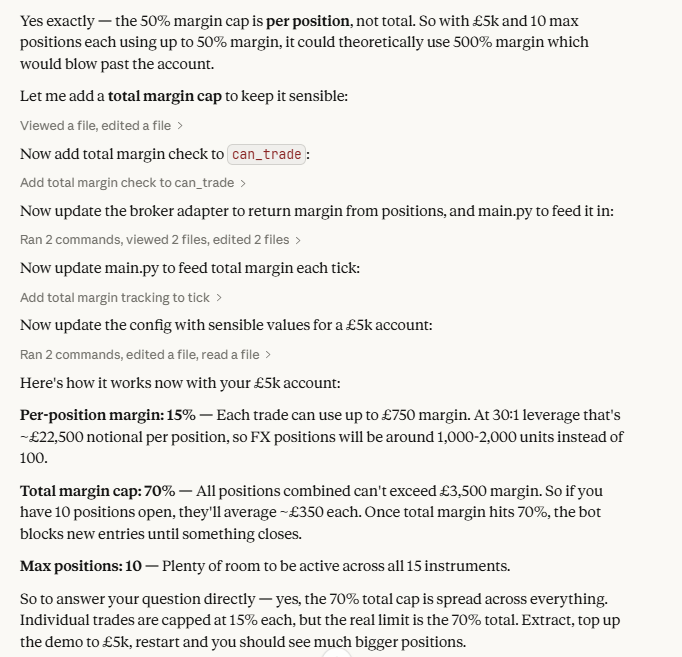
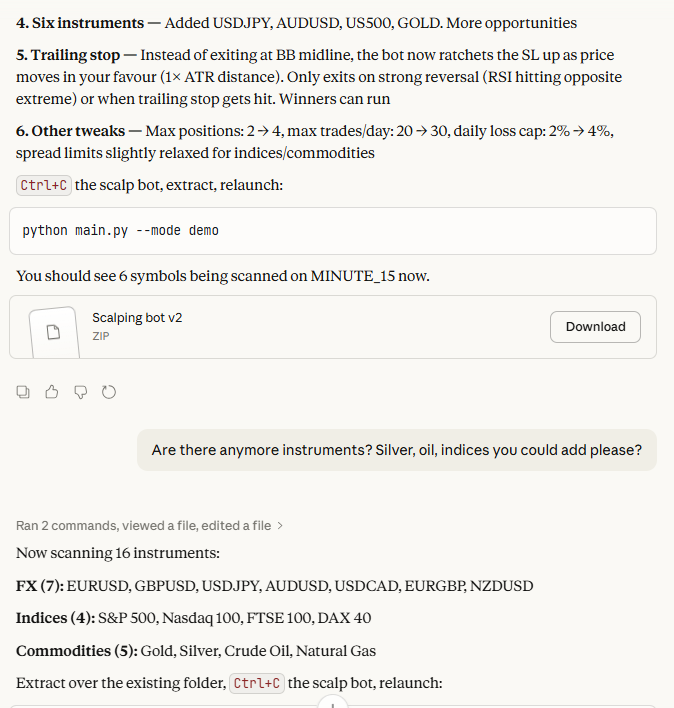
Critical rule: never deploy AI-generated trading code without testing it on a demo account first. AI tools can produce code with subtle logic errors that backtest fine but fail live.
⚠ Important: AI can hallucinate code. Large language models — including Claude, ChatGPT, and Copilot — can generate code that looks correct but contains fabricated API endpoints, invented function names, or flawed logic that silently executes the wrong trades. You are solely responsible for any financial losses caused by technical bugs, infinite loops, incorrect position sizing, or API execution errors in AI-generated code. Always review every line, test exhaustively on a demo account, and set hard daily loss limits before connecting to a live account. See What Are the Real Risks of Trading Bots? for the full breakdown.
How to Build a Trading Bot Step by Step
Step 1: Define Your Strategy on Paper
Write your strategy in plain English before touching any code. Example: “Buy GBP/USD when 20 EMA crosses above 50 EMA on the 1H chart. Stop-loss 30 pips, take profit 60 pips. Risk 1% per trade.” If you can’t express it in a few sentences, it’s not ready to automate. See our best forex trading strategies for ideas.
Step 2: Choose Your Platform and Broker
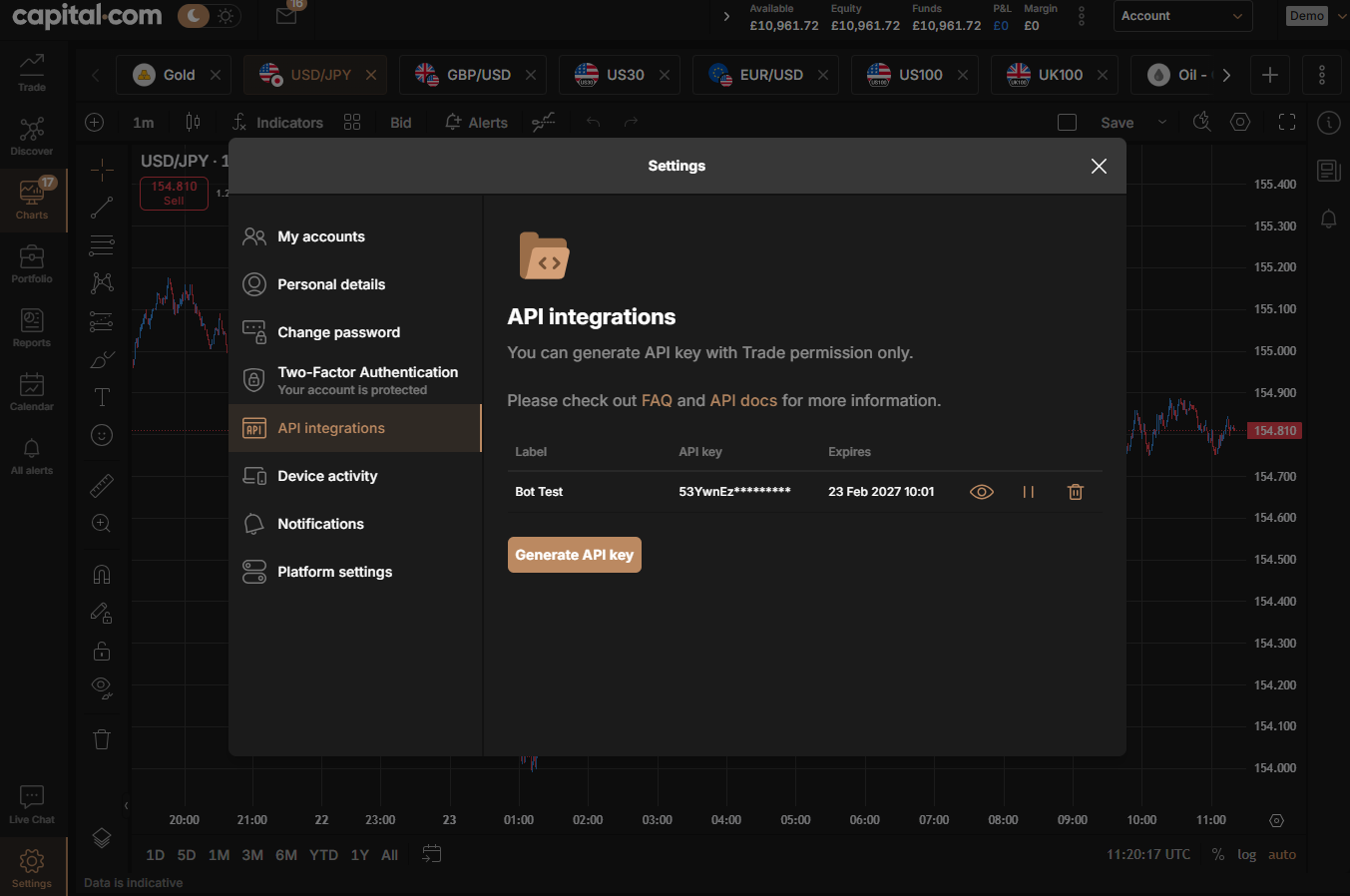
Match your skill level to the right path. Choose an FCA-regulated broker that supports your preferred automation method — the key criteria are FCA regulation, API or EA access, a demo account, and reasonable rate limits. We used Capital.com for this guide because it supports all three approaches (TradingView, MT4, and direct API) from a single account. See our full Capital.com review.
Step 3: Build and Connect
No-code route: Configure your strategy as a TradingView alert. Sign up with a bridge tool (Tickerly and TradersPost work with brokers that offer API access). Enter your broker’s API credentials. Map your alert to a trade action (buy/sell, lot size, stop-loss). Test with a single small alert first.
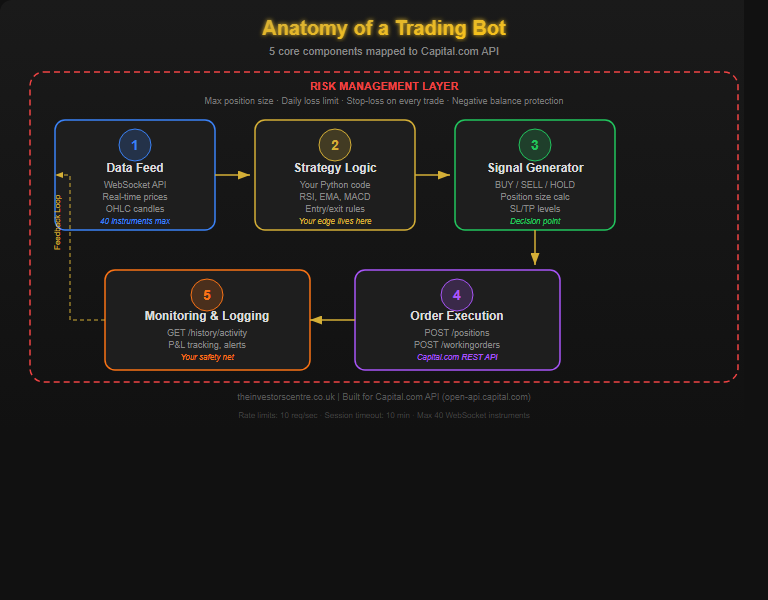
Python route: Install the requests and websocket-client libraries. Authenticate with your broker’s API using your API key and credentials. Subscribe to a price feed via WebSocket. Implement your strategy logic in a loop. Place orders via POST requests to the positions endpoint. In our example, we used Capital.com’s API — their demo environment is identical to live, which made testing straightforward.
Step 4: Backtest Before You Risk Real Money
Run your strategy against historical data using TradingView’s built-in tester or Python libraries like Backtrader. Check win rate, profit factor (above 1.5 is decent), max drawdown, and Sharpe ratio. Use at least 2 years of data and 50+ simulated trades.
Warning: backtests are optimistic. They don’t account for slippage, spread widening during news, or the emotional pressure of real money.
Step 5: Paper Trade, Then Go Live Small
Run your bot on your broker’s demo account for at least two weeks to catch issues backtesting misses: API drops, rate limit hits, price gaps. When you go live, start with minimum position sizes, set a 3% daily loss limit, and scale up only after 50+ consistent trades. Treat going live as the beginning of testing, not the end.
My 48-Hour Bot-Building Journey: Zero Code to Live Demo
To show this isn’t theoretical: I built two automated trading bots over three days in February 2026. I had never written a line of Python in my life. I didn’t have Python installed and didn’t know what a virtual environment was. What I had was a clear strategy and a willingness to follow instructions.
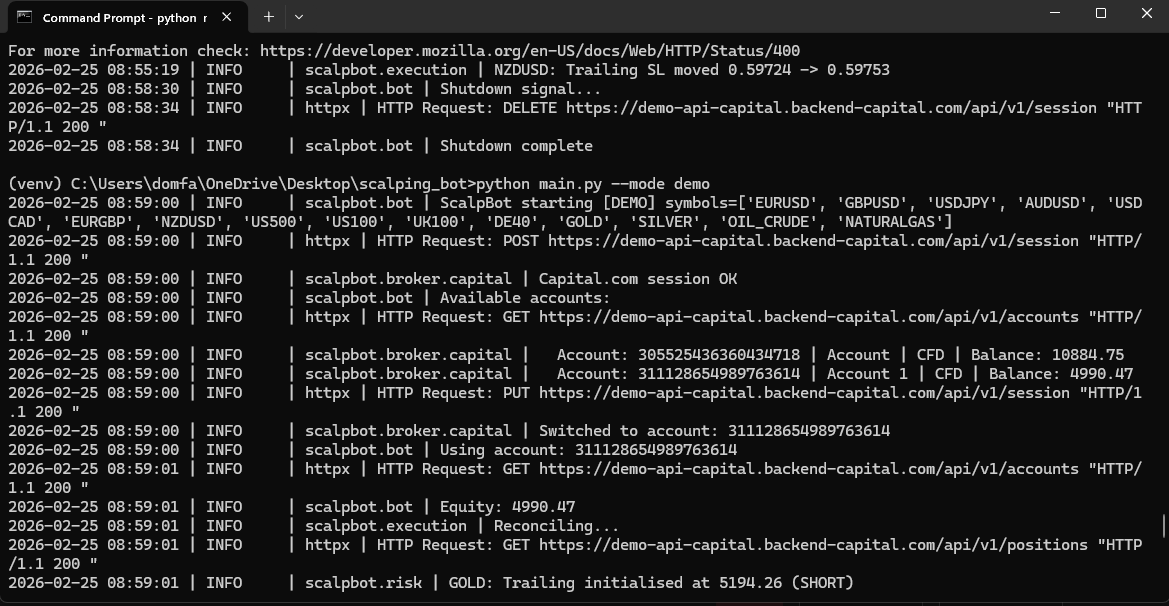
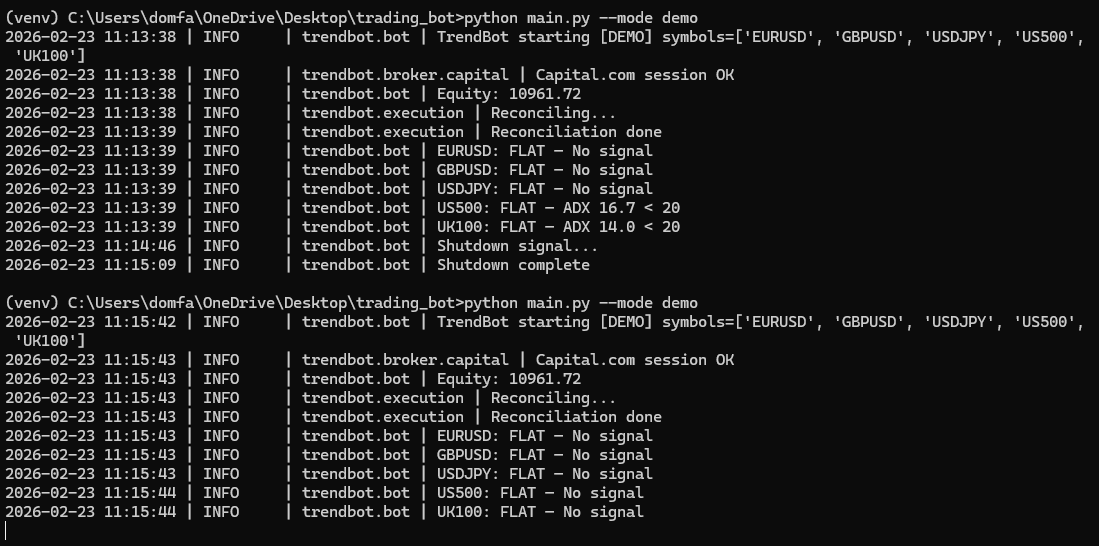
Day 1 (Sunday): I uploaded my strategy document to Claude and typed: “Can you please action this code to build me a trading bot.” Within 30 minutes it generated a complete TrendBot — EMA crossovers (20/50/200), ADX filtering, ATR-based position sizing, plus safety features I hadn’t asked for: daily loss limits, circuit breakers, and a kill switch. Python setup took 20 minutes. The bot placed its first trade on EUR/GBP by lunchtime. API debugging followed — Capital.com uses “profitLevel” not “takeProfit”, and epic codes don’t always match expected tickers. Each fix took 5–10 minutes.
Day 2 (Monday): I built a second bot — ScalpBot — using mean reversion (RSI, Bollinger Bands, Stochastic) on a separate demo account. The first version ran 10 hours without a single trade because entry conditions were too strict. Three rounds of tuning later, it placed 18 trades overnight.
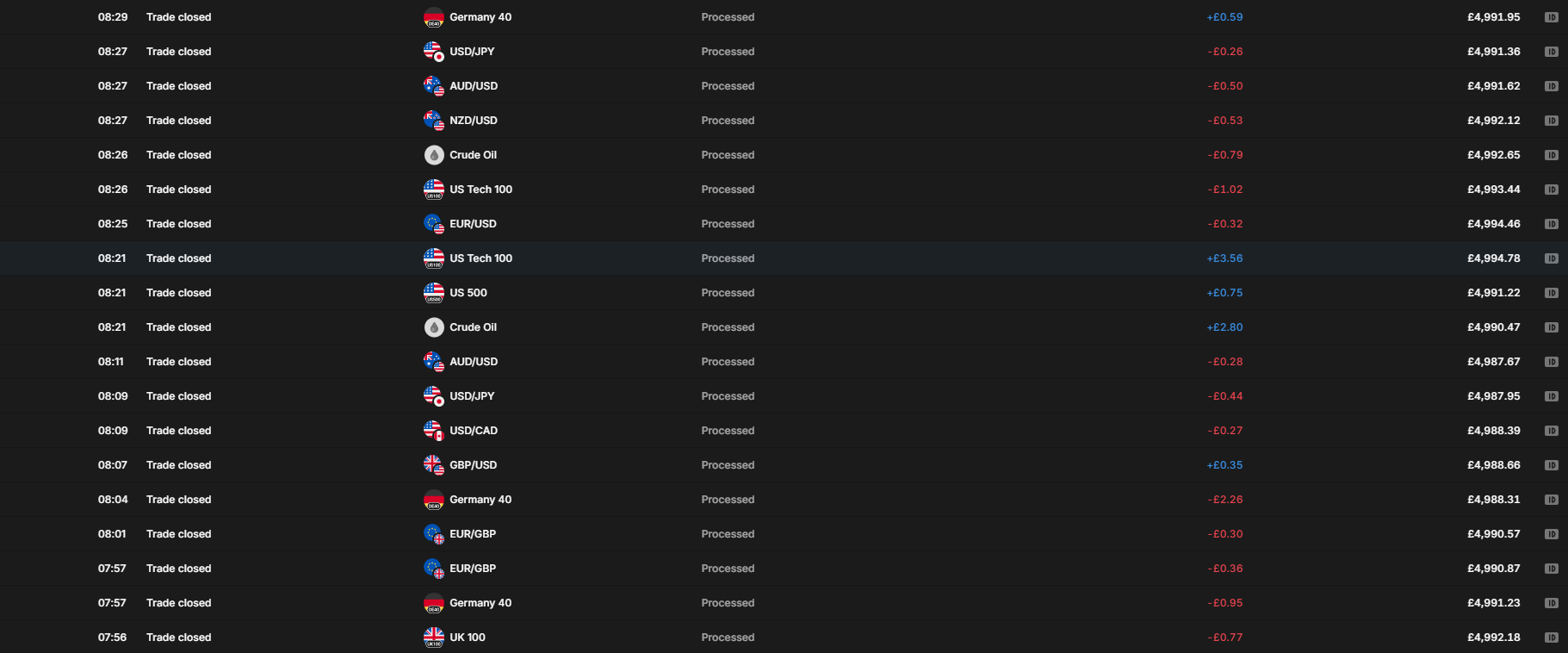
Day 3 (Tuesday): Scaled to £5,000 and 15 instruments. Then it went wrong: 56 trades in two hours, 17.9% win rate, -£8.76. The trailing stop was too tight — 1x ATR on 5-minute candles is just 3 pips on FX majors. Claude deployed a six-point fix within an hour: wider trailing stop (2x ATR), breakeven lock, 15-minute cooldown per instrument, and tighter exit signals.
48-Hour Timeline
| When | What Happened |
|---|---|
| Sun 23 Feb, 09:00 | First prompt to Claude: “Can you please action this code to build me a trading bot” |
| Sun 23 Feb, 09:30 | Full TrendBot codebase generated (15+ files, tests, configuration) |
| Sun 23 Feb, 10:00 | Python installed, bot running for the first time |
| Sun 23 Feb, 12:11 | First trade placed: EUR/GBP LONG |
| Sun – Mon | API debugging: 404 errors, field names, spread calculations |
| Mon 24 Feb, 17:30 | ScalpBot built and deployed to second demo account |
| Tue 25 Feb, 06:30 | Expanded to 15 instruments, £5,000 account, trailing stops |
| Tue 25 Feb, 07:00–09:00 | 56 trades, 17.9% win rate — trailing stop too tight |
| Tue 25 Feb, 09:00 | Six-point fix deployed: wider trailing, breakeven lock, cooldown |
Demo results after 103 trades across 13 instruments: Starting balance £5,000 → final balance £4,986.74 (net -£13.26). Best single trade: US100 at +£3.56. That’s a net loss — and I’m sharing it because honesty matters more than marketing. The bot was still being tuned. The point is that a complete non-coder built two functional automated systems in 48 hours without writing a single line of code.
Is It Legal to Use a Trading Bot in the UK?
Yes — completely legal, provided you’re using the bot through an FCA-regulated broker. There is no specific UK legislation banning automated trading for retail investors.
The rules you need to follow:
- No market manipulation. Your bot must not engage in spoofing (placing orders you intend to cancel) or layering (creating artificial depth in the order book). These are illegal under the Market Abuse Regulation.
- Comply with your broker’s terms of service. Most brokers welcome automated trading, but some have specific restrictions on order frequency or scalping. Always check your broker’s API rate limits and acceptable-use policy before deploying a bot.
- Tax still applies. CFD profits are subject to Capital Gains Tax. Spread betting profits remain exempt from CGT and Stamp Duty under current HMRC guidance (BIM22015) — and yes, this applies whether you place trades manually or through a bot. Tax treatment depends on individual circumstances and can change or may differ in a jurisdiction other than the UK.
- Crypto restrictions. The FCA banned the sale of crypto derivatives to UK retail consumers. Your bot cannot trade crypto CFDs on any FCA-regulated platform if you hold a retail account. Professional clients may still access crypto markets.
What Are the Real Risks of Trading Bots?
Every article on trading bots includes a risk disclaimer. Most of them are generic. Here are the specific risks that actually catch people out, from experience.
- Strategy risk. A bad strategy automated is just faster losses. If your manual trading isn’t profitable, automating it won’t fix the underlying problem — it’ll compound it.
- Technical risk. API outages happen. Internet connections drop. Rate limits get hit during volatile sessions. Your bot needs error handling for every one of these scenarios, and most beginner bots don’t have it.
- Over-optimisation. Your bot backtests beautifully on historical data because you’ve unknowingly tuned it to fit past patterns. This is called curve fitting, and it’s the single most common reason bots fail in live markets.
- Emotional risk. Paradoxically, automation creates its own emotional challenges. You’ll be tempted to override the bot during a drawdown, or to keep tweaking parameters after every losing trade. Both undermine the entire point of automation.
My own ScalpBot churned through 56 losing trades in two hours before I identified trailing stops were too tight. An earlier version doubled position sizes on consecutive losses instead of halving them. Both bugs were caught on Capital.com’s demo account — saving roughly £400. That’s why Step 5 isn’t optional.
For context: Capital.com discloses that 81.31% of retail investor accounts lose money when trading CFDs with this provider. Automation doesn’t change those odds. Risk management does.
How Much Does It Cost to Create a Trading Bot?
Less than most people think. Here’s the realistic breakdown by approach.
| Approach | Upfront Cost | Monthly Cost | Notes |
|---|---|---|---|
| TradingView + Bridge | Free | £11–25 | TradingView Essential + bridge subscription |
| MT4 Expert Advisor (free EA) | Free | Free | Thousands of open-source EAs available |
| MT4 Expert Advisor (premium EA) | £50–500 | Free | One-time purchase from MQL5 marketplace |
| Python + Broker API | Free | £0–10 | Hosting optional (local machine or £5–10/month VPS) |
| Hiring a developer | £5,000–30,000+ | Varies | Custom build, fully bespoke |
Where broker APIs are available, they’re typically free to use — no API or data fees. Capital.com, IG, and OANDA all offer free API access. For most UK traders, total bot running costs are under £25/month or completely free with Python on your own machine. See our best AI trading bots guide for more options.
Discuss Building Trading Bots
Building your own trading bot? Share which broker's API you're using and what edge cases caught you out. Our community earns Equity for quality contributions.
Discussion 0 comments
Be the first to start discussing this topic! Log in or create an account to share your thoughts.
Log In Create AccountFAQs
References
- Financial Conduct Authority (FCA) – Contract for differences | FCA
- Capital.com – Public API Documentation
- HM Revenue & Customs – Spread betting tax treatment (BIM22015). Available at: gov.uk/hmrc-internal-manuals
- Capital.com – What Is Automated Trading | Capital.com
- FCA Register – Capital Com (UK) Limited. FRN: 793714
- Financial Services Compensation Scheme – FSCS protection limits
For more trading guides, explore our full trading hub.

65% of retail investor accounts lose money when trading CFDs with this provider.
No comments yet. Be the first to start discussing this topic!