

- expertise:
- CFD Trading, Forex, Derivatives, Risk Management
- credentials:
- Chartered ACII (2018) · Trading since 2012
- tested:
- 40+ forex & CFD platforms with live accounts

- expertise:
- Broker Comparison, ISA Strategy, Portfolio Management
- credentials:
- Active investor since 2013 · 11+ years experience
- tested:
- 40+ brokers with funded accounts
How We Test
Real accounts. Real money. Real trades. No demo accounts or press releases.
What we measure:
- Spreads vs advertised rates
- Execution speed and slippage
- Hidden fees (overnight, withdrawal, conversion)
- Actual withdrawal times
Scoring:
Fees (25%) · Platform (20%) · Assets (15%) · Mobile (15%) · Tools (10%) · Support (10%) · Regulation (5%)
Regulatory checks:
FCA Register verification · FSCS protection
Testing team:
Adam Woodhead (investing since 2013), Thomas Drury (Chartered ACII, 2018), Dom Farnell (investing since 2013) — 50+ platforms with funded accounts
Quarterly reviews · Corrections: info@theinvestorscentre.co.uk
Disclaimer
Not financial advice. Educational content only. We're not FCA authorised. Consult a qualified advisor before investing.
Capital at risk. Investments can fall. Past performance doesn't guarantee future results.
CFD warning. 67-84% of retail accounts lose money trading CFDs. High risk due to leverage.
Contact: info@theinvestorscentre.co.uk
Quick Answer: Which is the Best Broker for MetaTrader 4 in the UK?
IG is a top choice for traders seeking a well-rounded platform with access to thousands of global markets. Known for its powerful tools, MetaTrader 4 integration, and strong regulatory backing, IG is suitable for both beginners and experienced traders looking for depth, flexibility, and reliability.
| If You Want | Choose | MT4 Broker Rating |
|---|---|---|
| Best Comprehensive Trading Tools | IG | 4.9/5 |
| Best for Intuitive, Low-Cost Trading | Capital.com | 4.8/5 |
| Best for Low-Cost, High-Speed Forex | Pepperstone | 4.7/5 |
| Best for Advanced Charting & Broad Market Access | CMC Markets | 4.4/5 |
| Best Fixed-Spread Broker | Trade Nation | 4.3/5 |

68% of retail CFD accounts lose money.

62% of Retail CFD Accounts Lose Money

72% of retail CFD accounts lose money.

68% of retail CFD accounts lose money.

68% of retail investor accounts lose money when trading CFDs with this provider.
How do These MT4 Brokers Compare?
| Rank | Broker | FX Pairs | Other Assets | EUR/USD Spread | Account Types |
|---|---|---|---|---|---|
| 1 | IG | 82 | Stocks, Crypto, Indices, Options | Variable | Standard, Premium |
| 2 | Capital.com | 125+ | CFDs on Stocks, Indices, Commodities, Crypto | From 0.6 pips | Standard, Professional |
| 3 | Pepperstone | 61+ | CFDs on Indices, Commodities, Crypto | Raw (0.0 pips + commission) | Standard, Razor (ECN) |
| 4 | CMC Markets | 30+ | Stocks, Bonds, Indices | 0.9 pips (Standard) | Standard, Premium |
| 5 | Trade Nation | Multiple | Stocks, Bonds, Indices, Crypto, Commodities | From 0.0 pips | Standard (0% commission) / Raw ($3.50 per lot) |
Here are the Top 5 MT4 Brokers Reviewed
1. IG -- Best Comprehensive Trading Tools with MetaTrader Integration
2. Capital.com -- Best for Intuitive, Low-Cost Trading with Tight Spreads
3. Pepperstone -- Best for Low-Cost, High-Speed Forex Trading on MT4/MT5
4. CMC Markets -- Best for Advanced Charting and Broad Market Access
5. Trade Nation -- Best Fixed-Spread Broker with Zero Hidden Fees
IG -- Excellent for broad market access with advanced charting
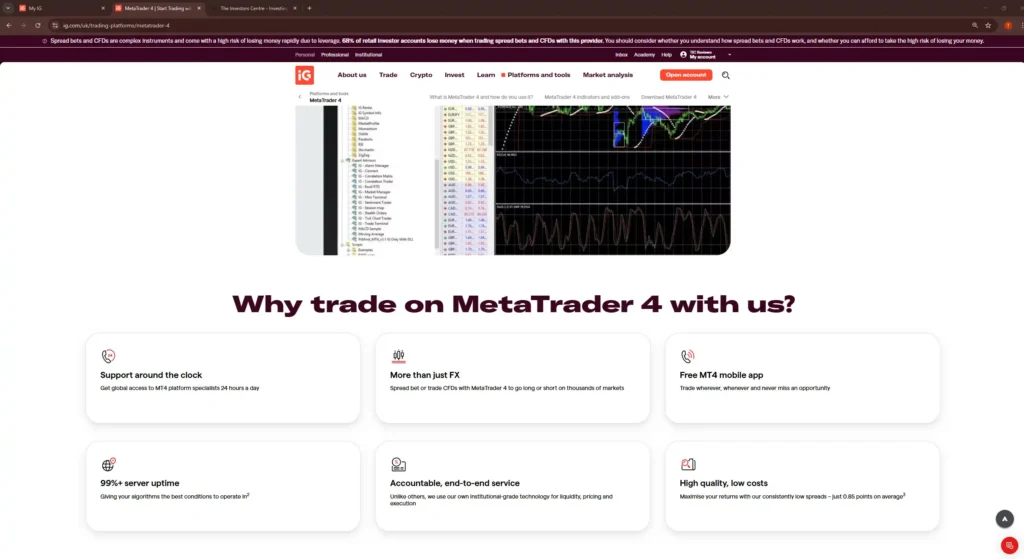
IG is a world-leading online trading and investments provider offering access to over 17,000 markets. With its MT4 platform, IG provides traders with customisable charts, a suite of free indicators, and the ability to trade directly from charts.
Pros
- Access to IG's deep liquidity and tight spreads through a familiar MT4 interface
- Full EA and automated trading support with no restrictions
- Free VPS available for qualifying accounts, ideal for running strategies 24/5
Cons
- Limited to 80+ markets on MT4 versus 17,000+ on IG's proprietary platform
- No access to IG's advanced charting tools or ProRealTime integration
Capital.com -- Best for Intuitive, Low-Cost Trading with Tight Spreads
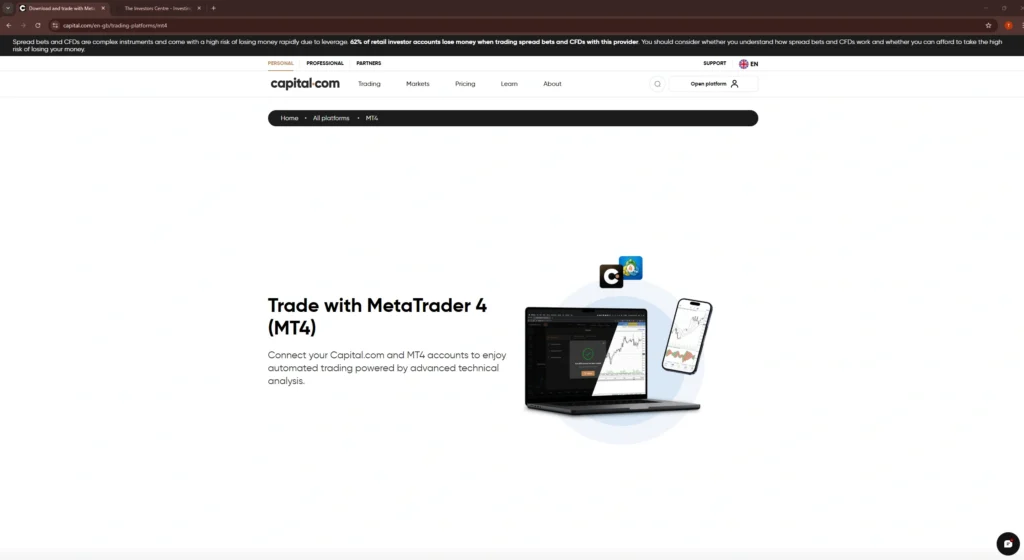
Capital.com is a modern CFD broker that stands out for its intuitive platform design and commission-free structure. Their proprietary app analyses trading behaviour to help users identify biases and improve decision-making. With tight spreads, no commission fees, and strong educational resources, it's a compelling choice for beginner to intermediate forex traders.
Pros
- Intuitive platform design helps traders spot patterns and improve strategies
- Competitive pricing from 0.6 pips on major forex pairs
- Zero commission, no inactivity fees, no withdrawal charges
- Extensive learning resources and market analysis tools
Cons
- No real asset ownership -- all trades are contracts for difference
- Limited to proprietary platform and MT4 (no MT5)
- Spreads are variable and may widen during volatility
- Fewer account type options compared to some competitors
Pepperstone -- Best for low spreads and ultra-fast execution
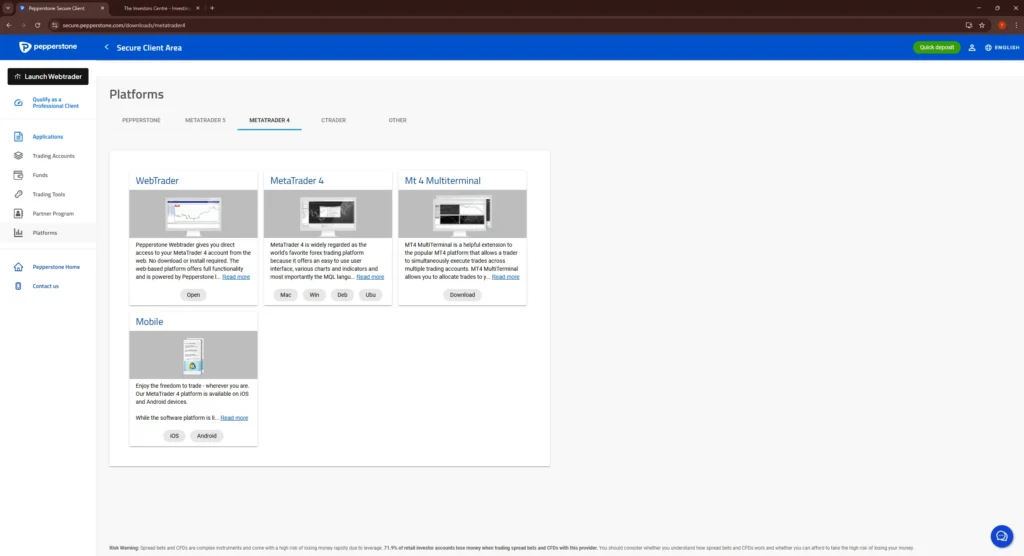
Pepperstone is a globally recognised forex and CFD broker known for its low spreads and fast execution speeds. Their MT4 platform offering is enhanced with Smart Trader Tools, providing traders with advanced management and analytical tools to enhance their trading strategies.
Pros
- Ultra-fast trade execution, minimising slippage and delays
- Some of the lowest spreads in the market
- Award-winning customer service with 24/5 availability
- Heavily regulated with a high level of client fund security
Cons
- Other asset classes beyond forex may have limited options
- Some tools and features may be more enhanced on MT5
- High leverage which might not be suitable for all traders
- Different account types may have varying fee structures
CMC Markets -- Top choice for wide instrument range and competitive spreads
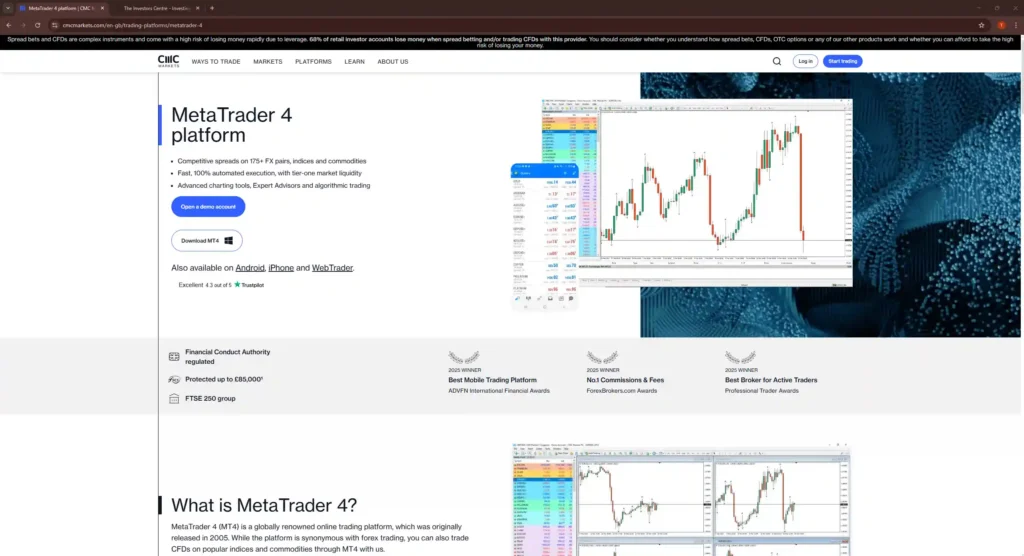
CMC Markets is a well-established UK-based broker that offers a vast selection of over 10,000 trading instruments. Their MT4 platform integration allows traders to access global markets with advanced charting tools, automated trading capabilities, and competitive spreads.
Pros
- Access to a wide range of markets and instruments
- MT4 platform comes with advanced charting and analysis tools
- Some of the most competitive spreads in the industry
- Heavily regulated by top financial authorities
Cons
- Wide range of features can be daunting for new users
- Higher minimum deposit requirements for certain account types
- Quality of customer support can vary by region and time
Trade Nation -- Perfect for transparent pricing with a simple platform
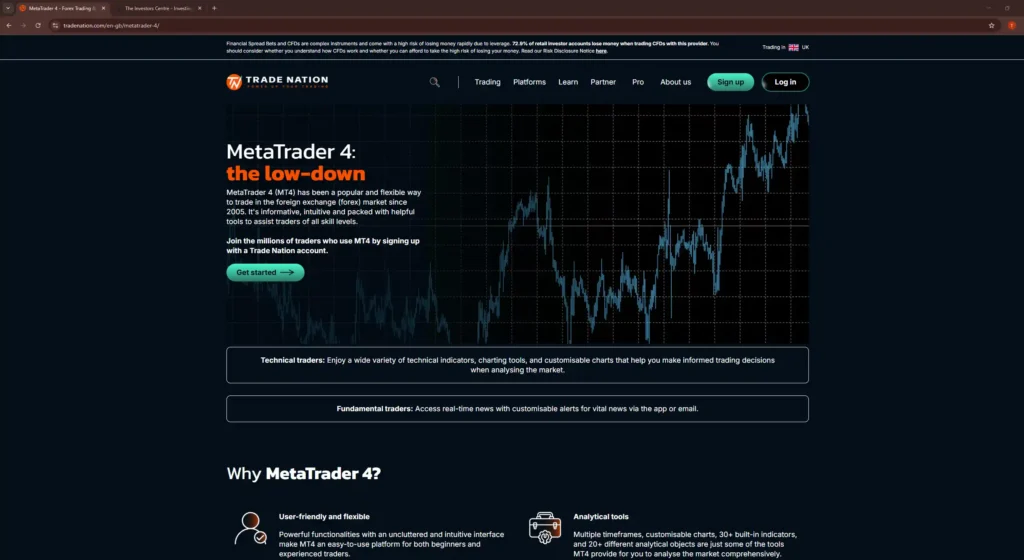
Trade Nation is a relatively new player in the online brokerage space, known for its transparent pricing model and straightforward trading platform. Their integration with MT4 provides traders with access to Trade Nation's competitive spreads and reliable execution speeds on a familiar and widely used platform.
Pros
- Offers fixed spreads with no hidden fees
- User-friendly experience without compromising essential features
- Exceptional customer service with a personal touch
- Complies with multiple regulatory standards
Cons
- Range of markets and instruments more limited than larger brokers
- Some unique offerings may not be fully available on MT4
- Limited market depth compared to some competitors
- More conservative leverage options
What is MetaTrader 4 (MT4)
MetaTrader 4 (MT4), developed by MetaQuotes Software, has established itself as the premier platform for trading Forex, offering an array of analytical opportunities for traders. It combines a user-friendly interface with powerful features, making it a favourite among beginners and experienced traders alike.
Overview of MetaTrader 4
MetaTrader 4 (MT4), developed by MetaQuotes Software, has established itself as the premier platform for trading Forex, offering an array of analytical opportunities for traders. It combines a user-friendly interface with powerful features, making it a favourite among beginners and experienced traders alike.
History and Development
Launched in 2005, MT4 quickly rose to prominence by addressing the needs of traders in a rapidly expanding online forex market. Its developers focused on creating a platform that was both efficient and adaptable, allowing for extensive customisation and automated trading through the use of Expert Advisors (EAs).
Core Features of MT4
- Expert Advisors (EAs): Automated trading scripts that execute trades based on predefined criteria.
- Advanced Charting Tools: Real-time access to charts and indicators for in-depth market analysis.
- Technical Indicators: Over 50 built-in indicators to help predict future market movements.
- Customisability: Allows for the creation of custom indicators and tools through its proprietary MQL4 programming language.
User Interface and Experience
MT4 is renowned for its simplicity and ease of navigation. The interface is designed to provide traders with quick access to the most critical features, including market quotes, charts, and their live trading account and history, without overwhelming them with information. This focus on user experience makes MT4 an enduring choice for traders around the world.
In conclusion, MetaTrader 4's enduring popularity lies in its combination of sophisticated trading tools, customisability, and user-friendly interface. Whether you're new to forex trading or an experienced trader looking for a reliable platform to begin trading on, MT4 offers a solid foundation for achieving your trading goals.
Understanding the Security of MetaTrader 4
While MetaTrader 4 (MT4) is a secure trading platform, its safety ultimately depends on the broker offering it. Traders should evaluate the security measures of brokers to ensure their data and funds remain protected. A reliable broker implements advanced security protocols, including data encryption, fund segregation, and compliance with regulatory standards.
Key Security Measures by MT4 Brokers
- Regulatory Compliance: The best MT4 brokers are regulated by top-tier financial authorities such as the FCA (UK), ASIC (Australia), and CySEC (Cyprus). Regulatory oversight ensures brokers follow strict financial standards and client protection rules.
- Data Encryption: Secure brokers implement SSL encryption to protect traders' personal and financial data from cyber threats.
- Segregated Client Funds: Trusted brokers keep client funds separate from their own operational funds in tier-1 banks, ensuring that traders' money is safe even in the case of insolvency.
- Two-Factor Authentication (2FA): Many brokers integrate 2FA for additional login security, reducing the risk of unauthorised account access.
- Negative Balance Protection: This feature ensures that traders cannot lose more than their initial deposit, safeguarding them against extreme market volatility.
- Regular Security Audits: Top brokers conduct periodic security assessments and penetration testing to identify vulnerabilities and enhance their trading infrastructure.
The Role of Brokers in Ensuring Trading Safety
Although MT4 is inherently secure as a trading platform, the broker plays a crucial role in maintaining a safe trading environment. Choosing a trustworthy broker ensures:
- Protection against fraudulent activities.
- Transparent pricing and fair execution of trades.
- Safe storage of client funds and seamless withdrawals.
Traders should conduct due diligence on brokers before committing to ensure they operate with integrity and meet necessary safety standards.
What are the Pros and Cons of MT4
MetaTrader 4 (MT4) stands as a titan in the world of online trading platforms, celebrated for its accessibility, versatility, and comprehensive technical analysis tools. Developed by MetaQuotes Software in 2005, MT4 quickly ascended to become the platform of choice for retail forex traders. Its enduring popularity is a testament to its reliability, depth of features, and the continuous support and updates it has received over the years.
Advantages of Using MetaTrader 4
The platform's user-friendly interface caters to both novice and seasoned traders, making complex trading operations seem straightforward. Among the myriad of features that set MT4 apart are:
- Accessibility and Ease of Use: With support for multiple languages and a customisable interface, MT4 ensures that barriers to entry are minimal.
- Customisation and Expert Advisors (EAs): MT4's programmable nature allows traders to automate their strategies through Expert Advisors, providing a significant edge in the fast-paced trading environment.
- Technical Analysis Tools: MT4 is equipped with an impressive array of analytical tools and indicators for technical analysis, allowing traders to thoroughly analyse market trends and movements.
Disadvantages of Using MetaTrader 4
Despite its strengths, MT4 is not without its limitations. Some areas where the platform could improve include:
- Limitations Compared to MT5: Its successor, MetaTrader 5 (MT5), offers advanced features such as more timeframes, economic calendars, and enhanced order types that MT4 lacks.
- Lack of Native Support for Certain Instruments: MT4 primarily caters to forex traders, and those looking to trade a broader range of instruments might find the platform's offerings limited.
In conclusion, MetaTrader 4's robust framework, enriched with powerful analytical tools and the ability to automate trading strategies, establishes it as a leading platform in the trading community. However, traders seeking advanced features or broader instrument support might consider exploring newer platforms, including its own successor, MT5.
MT4 vs MT5 -- What is the Difference?
In the dynamic world of online trading, MetaTrader 4 (MT4) and MetaTrader 5 (MT5) are titans, each offering unique capabilities tailored to different trading needs. Understanding the nuances between MT4 and MT5 is crucial for traders aiming to leverage these platforms' full potential.
Interface and Usability
Both platforms boast user-friendly interfaces, yet MT5 offers a more modern look with additional features. MT5's interface is designed to facilitate access to more advanced trading and analysis tools, reflecting its more recent development.
Available Financial Instruments
- MT4 is predominantly forex-focused, offering an extensive range of currency pairs.
- MT5 broadens the horizon with additional financial instruments, including stocks, futures, and commodities, making it a more versatile platform for traders looking to diversify their portfolios.
Technical and Fundamental Analysis Tools
MT5 outshines MT4 in the realm of analysis tools:
- MT4 offers an impressive set of 30 built-in indicators and 24 analytical objects.
- MT5 takes it further with 38 indicators, 44 analytical objects, and an integrated economic calendar, enhancing both technical and fundamental analysis capabilities.
Timeframes and Order Types
- MT4 provides 9 timeframes, which is sufficient for many traders but can be limiting for those seeking more granularity.
- MT5 offers 21 timeframes, along with more order types and execution modes, allowing for a more flexible and precise trading strategy development.
Compatibility and Community Support
- MT4 enjoys widespread adoption, with a vast community and plethora of custom indicators and Expert Advisors (EAs) developed over the years.
- MT5, while newer, is steadily growing its user base and support community, with increased compatibility with newer trading instruments and technologies.
In essence, MT4 remains the go-to for forex traders who value simplicity and the wealth of community-generated tools and resources. In contrast, MT5 caters to traders seeking more sophisticated analysis tools, a wider range of tradable assets, and greater flexibility in trading operations. For a more detailed breakdown of every difference, see my full MT4 vs MT5 comparison. The choice between MT4 and MT5 ultimately hinges on the trader's specific needs, preferences, and trading style.
How to Choose the Best MT4 Broker for Your Needs
Selecting the ideal MT4 broker is crucial for optimising your trading experience. The choice involves more than just comparing spreads; it requires a comprehensive evaluation of the broker's offerings, ensuring they align with your trading strategy and goals. Here's a succinct guide to making an informed decision:
- Regulation and Security: Foremost, ensure the broker is regulated by a reputable authority. This not only affirms the legitimacy of the broker but also provides a level of security for your investment.
- Account Types and Spreads: Different brokers offer various account types, each with unique features, such as commission-based or spread-only accounts. Assess these options to find one that suits your trading style and cost preferences.
- Leverage and Margin Requirements: Leverage can amplify your profits but also your losses. Evaluate the leverage options and margin requirements to ensure they match your risk tolerance and trading strategy.
- Broker Fees and Commission Structures: Beyond spreads, consider other potential fees, including withdrawal fees, inactivity fees, and commissions. These can significantly impact your net trading costs.
- Customer Support and Educational Resources: A broker that offers robust customer support and comprehensive educational resources can be invaluable, especially for novice traders.
By meticulously assessing these criteria, you can identify a broker that not only offers a superior MT4 trading environment but also aligns with your individual trading needs and objectives.
Importance of Execution Speed and Reliability
Security in trading goes beyond data protection; it also involves execution speed and reliability. High-speed trade execution minimises slippage, ensuring traders can open and close positions at the expected prices.
- Prevention of Market Manipulation: A broker with reliable execution ensures that traders receive the best possible prices without artificial price manipulation.
- Reduced Slippage and Requotes: Fast execution minimises order delays, reducing the likelihood of price changes that can impact profitability.
- Protection Against System Downtime: Secure brokers have robust infrastructure to ensure platform stability, preventing order execution failures during high market volatility.
By evaluating a broker's execution quality alongside security measures, traders can create a safer and more efficient trading experience on MetaTrader 4.
How Does MT4 Work?
MetaTrader 4 (MT4), a behemoth in the trading software arena, remains the gold standard for retail forex traders around the globe. Its intuitive design coupled with powerful trading capabilities makes it an indispensable tool for those looking to navigate the complex forex markets.
Installation and Setup
Setting up MT4 is a straightforward process, designed to be accessible to traders of all levels. Once downloaded from a broker's website, installation takes mere minutes, leading users to a world of trading possibilities.
Opening and Managing Trades
At its core, MT4 facilitates the smooth opening and managing of trades. With just a few clicks, traders can enter and exit the market, adjust positions, and set stop-loss and take-profit orders to manage risk.
Using Indicators and Analytical Tools
MT4 shines in its offering of indicators and analytical tools. The platform provides:
- A vast library of indicators for technical analysis
- The ability to overlay analytical objects on charts
These tools are vital for traders aiming to make informed decisions based on historical data and current market trends.
Automating Trades with Expert Advisors
One of MT4's standout features is its support for Expert Advisors (EAs), allowing for the automation of trading strategies. EAs can monitor the market and execute trades based on predefined conditions, offering traders a hands-off approach to manage their portfolios. For a complete walkthrough of building and deploying an EA, see our guide on how to create a trading bot.
Customising the MT4 Platform
The true power of MT4 lies in its customisation capabilities. Traders can tailor the platform to their needs by:
- Adding custom indicators
- Modifying the interface
- Utilising scripts for enhanced functionality
In essence, MetaTrader 4's blend of user-friendly design, advanced automated trading tools, and customisation options cements its status as the preferred platform for traders worldwide.
What are the Fees and Costs of Using MT4?
Navigating the financial landscape of MetaTrader 4 (MT4) involves understanding the various fees and costs associated with its use. While MT4 itself does not charge users, the brokers offering the platform often have a range of fees that can impact your trading strategy and overall profitability.
Brokerage Fees and Spreads
The primary cost for most traders using MT4 comes from brokerage fees and spreads:
- Spreads are the difference between the buy and sell price of a currency pair or other instrument, with tighter spreads generally preferred.
- Brokerage fees can vary widely between brokers, making it crucial to select a broker that offers competitive rates.
Commission Charges
Some brokers also charge a commission on trades, which is usually a fixed fee per lot traded. These commission charges are in addition to spreads and can vary depending on the account type and the financial instruments being traded.
Swap Fees and Overnight Charges
Traders holding positions overnight need to be aware of swap fees or overnight charges. These are interest fees charged or credited to your account, depending on the direction of your trade and the interest rate differential between the two currencies involved.
Account Maintenance Fees
While not universal, some brokers may charge account maintenance fees for the upkeep of your trading account. These fees can often be avoided by maintaining a minimum account balance or by executing a minimum number of trades per month.
Costs of Additional Services and Tools
Brokers may offer additional services and tools to enhance the trading experience on MT4, such as:
- Advanced analytical tools
- Access to expert advisors
- Premium customer support
In summary, while MetaTrader 4 itself does not impose fees, the costs associated with using the platform through a broker can vary significantly. Traders should carefully review and consider these fees when choosing a broker to ensure they align with their trading strategy and financial goals.
What Tools are Available on MT4?
MetaTrader 4 (MT4) is renowned for its comprehensive suite of tools designed to enhance trading strategies, whether you're a novice or an experienced trader. Its arsenal of features facilitates both technical and fundamental analysis, automated trading, and effective risk management.
Technical Analysis Tools
MT4 is equipped with an array of technical analysis tools that enable traders to analyse market trends and potential opportunities. These include:
- Charts and Indicators: MT4 offers multiple chart types and timeframes, along with over 30 built-in indicators for analysing market trends and patterns.
- Drawing and Analysis Tools: Traders can use lines, shapes, and annotations to draw on charts, aiding in the visualisation of technical analysis concepts.
Fundamental Analysis Resources
For those who base their trading decisions on economic indicators and news, MT4 provides:
- Economic Calendars: Integrated calendars highlight important economic events and announcements that can affect market volatility.
- News and Market Updates: Real-time news feeds and market updates are available directly within the platform.
Automated Trading Tools
MT4 is particularly valued for its automated trading capabilities, which include:
- Expert Advisors (EAs): These are programs that automate trading and analytical processes, allowing for the execution of trades based on predefined criteria without manual intervention.
- Scripts and Custom Indicators: Traders can develop their own custom indicators and scripts or download them from the vast MT4 community.
For a detailed walkthrough of installing and running Expert Advisors, see our guide on how to automate trades on MT4.
Risk Management Tools
Effective risk management is crucial in trading, and MT4 provides several tools to help manage and mitigate risk:
- Stop Loss and Take Profit Orders: These orders can be set to automatically close positions at specified levels to lock in profits or limit losses.
- Trailing Stops: This feature automatically adjusts the stop loss level as the market moves in favour of your position, helping to protect gains.
- Margin Alerts: MT4 can alert traders if their account equity falls to a level where open positions are at risk of being automatically closed due to insufficient margin.
In conclusion, MetaTrader 4's robust selection of tools caters to a wide range of trading strategies and styles. From in-depth market analysis to automation and risk management, MT4's features support informed decision-making and strategic trading execution.
Final Thoughts
IG leads for overall depth and reliability. Capital.com excels with an intuitive interface and tight spreads. Pepperstone wins on low spreads and execution speed. CMC Markets suits multi-asset traders. Trade Nation offers a simpler setup for beginners. Pick based on your trading style and cost priorities.
FAQs
References
- MetaTrader 4 -- Wikipedia
- Currency Trading Platform: Meaning, Example, Pros And Cons -- Investopedia
- MT4 vs MT5: Which is best for traders? -- ForexBrokers.com
- What is the Metatrader platform? | MT4 vs MT5 Features -- AvaTrade
- MetaTrader 4 vs MetaTrader 5 | The Ultimate Comparison Guide -- Admiral Markets