

- expertise:
- CFD Trading, Forex, Derivatives, Risk Management
- credentials:
- Chartered ACII (2018) · Trading since 2012
- tested:
- 40+ forex & CFD platforms with live accounts

- expertise:
- Broker Comparison, ISA Strategy, Portfolio Management
- credentials:
- Active investor since 2013 · 11+ years experience
- tested:
- 40+ brokers with funded accounts
How We Test
Real accounts. Real money. Real trades. No demo accounts or press releases.
What we measure:
- Spreads vs advertised rates
- Execution speed and slippage
- Hidden fees (overnight, withdrawal, conversion)
- Actual withdrawal times
Scoring:
Fees (25%) · Platform (20%) · Assets (15%) · Mobile (15%) · Tools (10%) · Support (10%) · Regulation (5%)
Regulatory checks:
FCA Register verification · FSCS protection
Testing team:
Adam Woodhead (investing since 2013), Thomas Drury (Chartered ACII, 2018), Dom Farnell (investing since 2013) — 50+ platforms with funded accounts
Quarterly reviews · Corrections: in**@*******************co.uk
Disclaimer
Not financial advice. Educational content only. We're not FCA authorised. Consult a qualified advisor before investing.
Capital at risk. Investments can fall. Past performance doesn't guarantee future results.
CFD warning. 67-84% of retail accounts lose money trading CFDs. High risk due to leverage.
Contact: in**@*******************co.uk
Is trading Pepperstone through TradingView actually good?
After a month of running my Pepperstone trading entirely inside TradingView, my answer is yes, with three asterisks. The good part is exactly what you hope: the best charting in retail trading with live Razor pricing and one-click execution in the same window, 90-plus forex pairs, indices, gold and even 24-hour US shares, plus something genuinely rare, the ability to place spread bets from TradingView. The asterisks: it only works on the Razor account, the commission is $7 round turn per lot against $6 on cTrader, and swap charges only show up after they have been applied. For analysis-led traders it is the best way to trade Pepperstone. For execution specialists, cTrader keeps its crown.

73.6% of retail investor accounts lose money when trading spread bets and CFDs with this provider.
How does the integration actually work?
You connect your Pepperstone account inside TradingView's trading panel, and from then on the chart is the platform: live Razor prices stream in, and orders go straight to Pepperstone without ever opening another window.
What you need, and what you get free
The integration requires a Razor account; the Standard CFD account is not supported, which makes the decision simple for anyone coming to Pepperstone for TradingView specifically. Sweetening it, Pepperstone runs a free TradingView subscription offer for qualifying traders, unlocking the paid-tier charting, custom timeframes and twenty active alerts without a separate TradingView bill, which for anyone already paying TradingView is a real saving hiding in a broker perk.
What you can actually trade through it
More than people assume: over 90 forex pairs on raw spreads from 0.0 pips, indices with 24-hour pricing on markets like the US30 and UK100, spot gold from 0.1 points, and shares and ETFs including Pepperstone's 24-hour US share markets. The one gap worth naming now: the newest 23-hours-a-day indices live on MT5 and cTrader only, so the very widest index hours sit outside TradingView.
The surprise of the month: spread betting from a chart
The feature I did not expect to use as much as I did: Pepperstone supports spread betting through TradingView as well as CFDs. Placing tax-efficient index bets straight from the chart I analysed them on is a genuinely rare combination in the UK, and for the way I trade indices it ended up being the main event of the month; my piece on spread betting and tax explains why that wrapper matters.
What did a month of it feel like?
My routine barely changed shape, which is the point: TradingView was already where I did my thinking, and the integration removed the walk between thinking and doing.
The analysis-to-execution gap disappears
Every trade I placed started as a drawing on the chart: a level, a trendline, an alert. Before, acting on an alert meant switching platforms and re-finding the level; this month, the alert fired and the order ticket was already on the chart that generated it. The saving per trade is seconds, but the behavioural change is real: I stopped skipping marginal setups because acting on them had become frictionless.
Underneath the clicks, the execution ran on Pepperstone's standard rails, from 50 milliseconds with a 99.32% fill rate in its latest published figures.
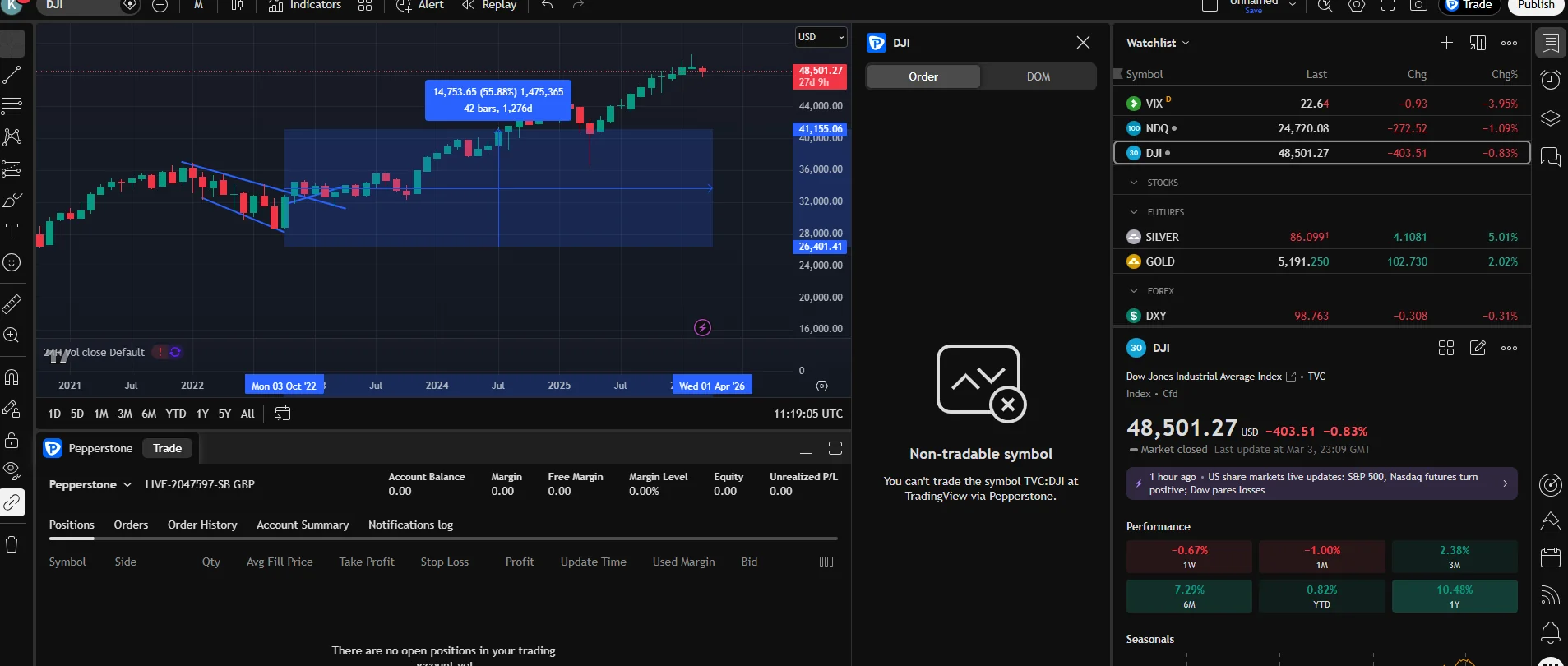
The toolkit is the moat
The indicator library, the multi-timeframe workflow and the pattern tools are simply deeper than anything a broker builds in-house. Pepperstone's own platforms are good, but TradingView's ecosystem is a decade of network effects, and a month inside it recalibrates what you expect from charting software. Everything stays synced across devices, so the watchlist I built at the desk was waiting on my phone.
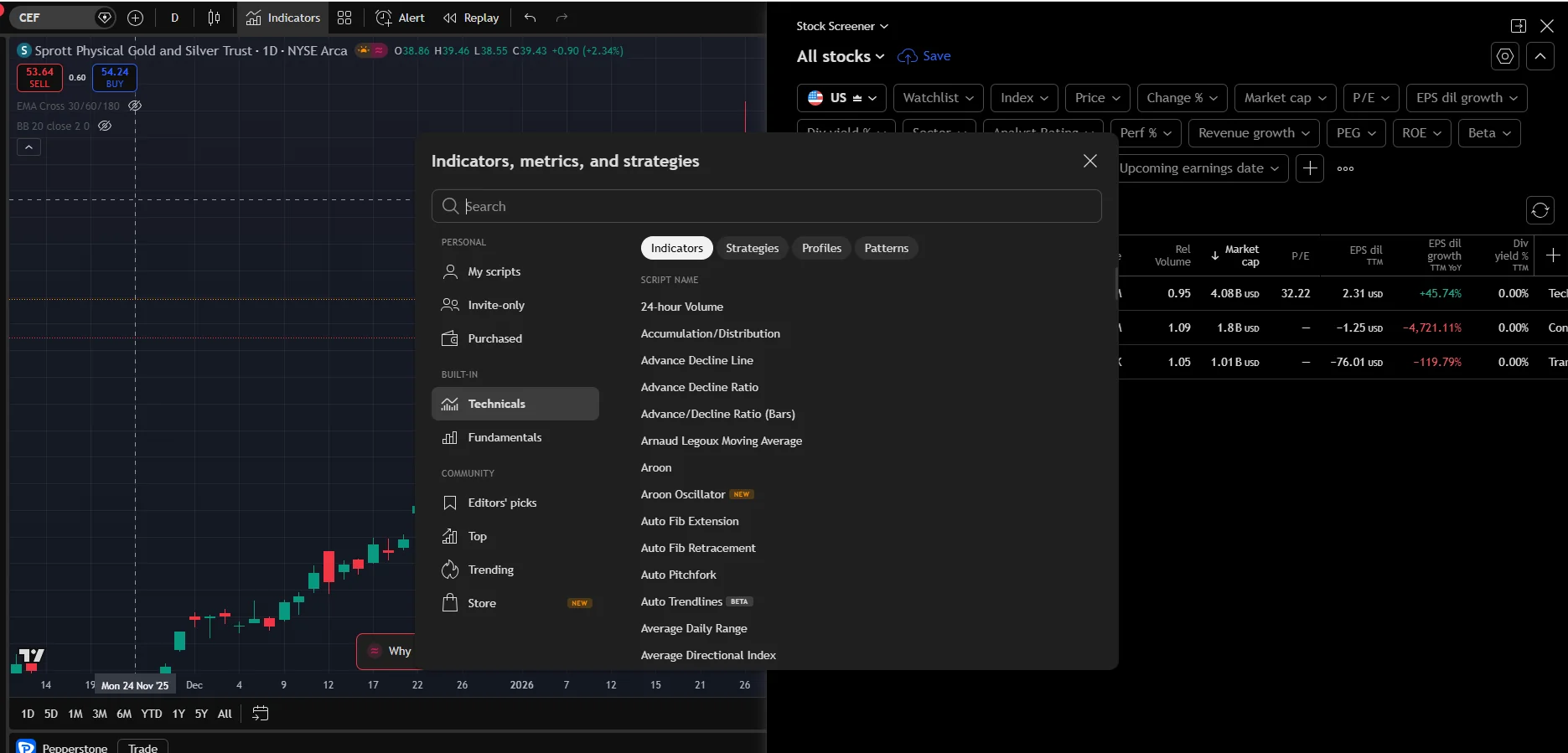
The screeners earn their place too
The under-sung half of the toolkit is discovery: TradingView's screeners let you filter whole markets by technical and fundamental criteria and then trade the results through Pepperstone without leaving the tab. During the month I used the stock screener to shortlist US names for the 24-hour share markets and the pattern recognition to flag setups on charts I was not watching. None of that is possible inside a conventional broker platform, and it changed what I looked at, not just how I executed.
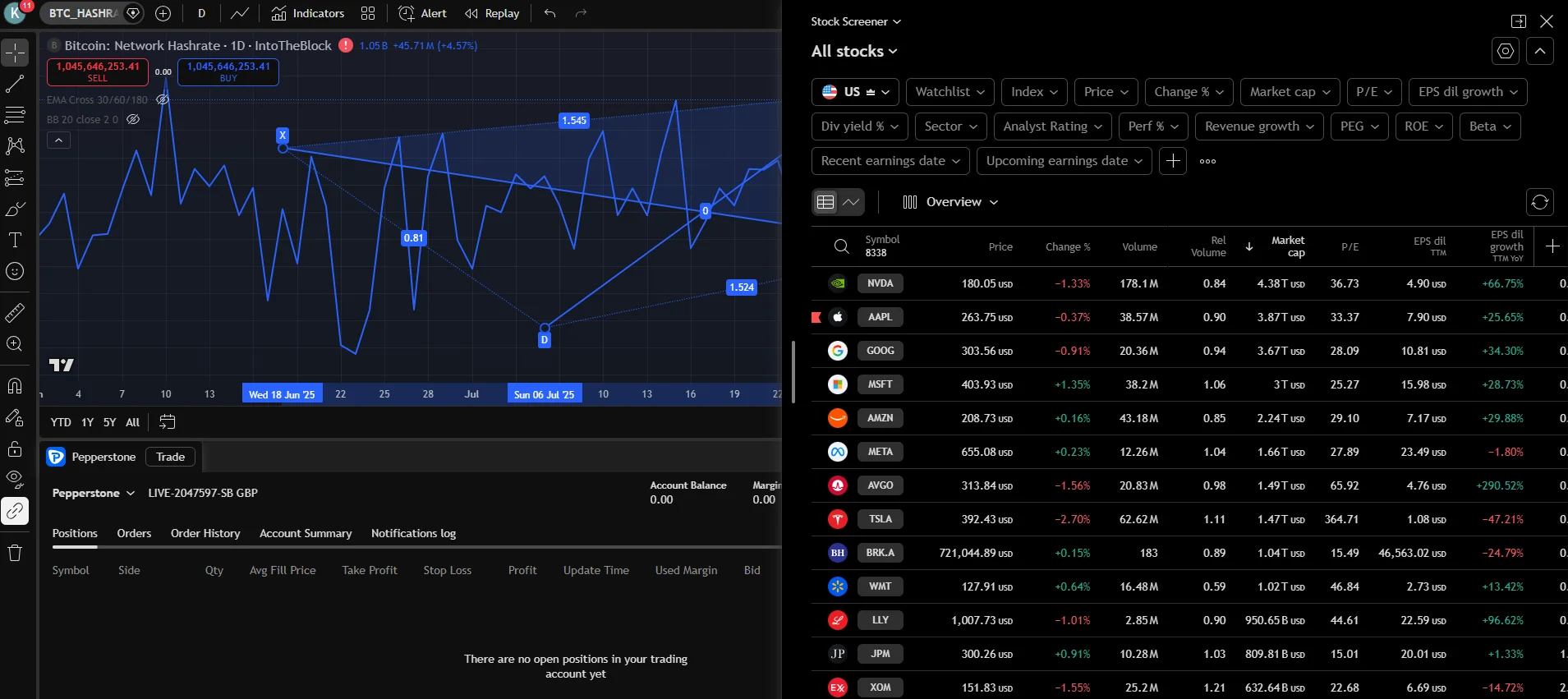
What does it cost, and where are the catches?
The pricing underneath is Razor's raw book, so the platform choice changes the commission, not the spread. Then come the specifics.
The commission premium
TradingView trades carry a $7 USD round-turn commission per standard lot, against $6 on cTrader and £4.50 on a GBP MetaTrader account, converted at spot on non-USD accounts and pro-rated below a lot. Call it roughly 80 pence a lot for the privilege of executing where you analyse. At my volumes that is a fair toll; a heavy scalper doing hundreds of lots a month is the trader for whom the gap becomes a real argument for cTrader.
The two quirks my month surfaced
Both are livable; both belong on this page rather than in the small print.
Swaps show up after the fact
TradingView only displays swap charges after they have been applied, so I check holding costs in cTrader before any position I intend to keep overnight; flying blind on swaps is how carry costs eat a swing trade, and my EUR/USD cost log shows how quickly they compound.
The widest index hours live elsewhere
Pepperstone's newest 23/5 indices run on MT5 and cTrader only, so if those specific markets matter to you, TradingView cannot be your only window. For the mainstream index, forex and gold markets, including the 24-hour US shares, it covers everything I traded all month.
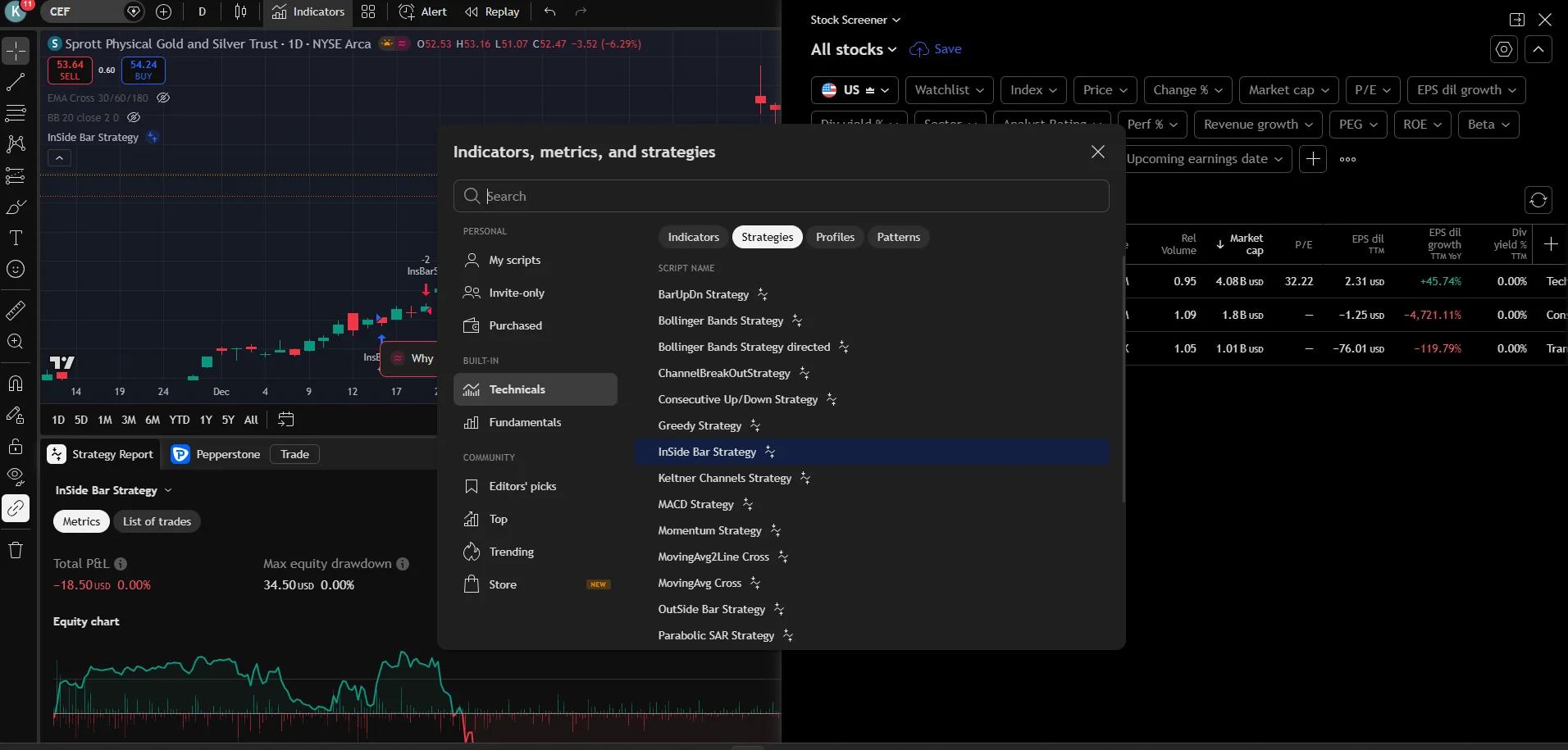
The verdict after a month
TradingView on Pepperstone is the best version of the platform for how I trade, and the month confirmed the verdict I reached in my four-platform comparison: analysis quality decides my results more than the last word in execution tooling, and this is where the analysis lives. Razor-only access, a commission premium of about 80 pence a lot, the swap-display quirk and the missing 23/5 indices are the full price of admission, and the free subscription offer claws a chunk of it back. If your edge is execution micro-structure, stay on cTrader; if your edge is reading the market, this is the setup.
The raw pricing it all runs on is documented in my Pepperstone forex review, and index traders should read it alongside my indices cost guide.
FAQs
References
- FCA Register: Pepperstone Ltd. FRN: 684312
- Pepperstone: TradingView integration (accounts, markets, spread betting)
- Pepperstone: per-platform commissions
73.6% of retail investor accounts lose money when trading spread bets and CFDs with this provider.