

- expertise:
- CFD Trading, Forex, Derivatives, Risk Management
- credentials:
- Chartered ACII (2018) · Trading since 2012
- tested:
- 40+ forex & CFD platforms with live accounts

- expertise:
- Broker Comparison, ISA Strategy, Portfolio Management
- credentials:
- Active investor since 2013 · 11+ years experience
- tested:
- 40+ brokers with funded accounts
How We Test
Real accounts. Real money. Real trades. No demo accounts or press releases.
What we measure:
- Spreads vs advertised rates
- Execution speed and slippage
- Hidden fees (overnight, withdrawal, conversion)
- Actual withdrawal times
Scoring:
Fees (25%) · Platform (20%) · Assets (15%) · Mobile (15%) · Tools (10%) · Support (10%) · Regulation (5%)
Regulatory checks:
FCA Register verification · FSCS protection
Testing team:
Adam Woodhead (investing since 2013), Thomas Drury (Chartered ACII, 2018), Dom Farnell (investing since 2013) — 50+ platforms with funded accounts
Quarterly reviews · Corrections: in**@*******************co.uk
Disclaimer
Not financial advice. Educational content only. We're not FCA authorised. Consult a qualified advisor before investing.
Capital at risk. Investments can fall. Past performance doesn't guarantee future results.
CFD warning. 67-84% of retail accounts lose money trading CFDs. High risk due to leverage.
Contact: in**@*******************co.uk
Quick Answer – Which UK Brokers Have Python-Compatible APIs?
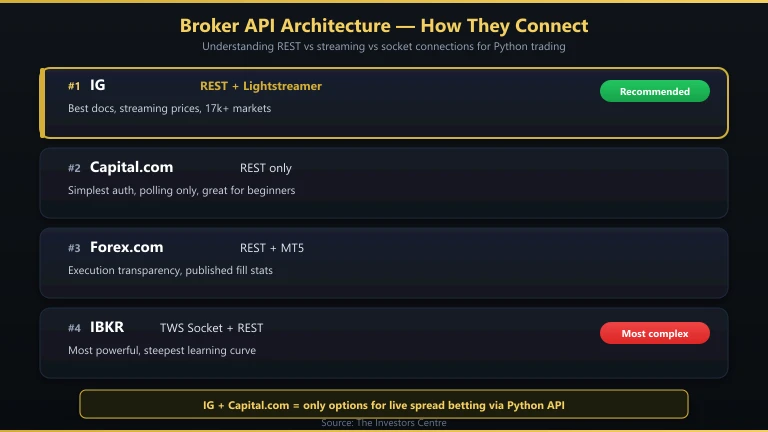
Four FCA-regulated brokers give Python traders a route into the market: IG (REST + Lightstreamer streaming), Capital.com (REST, simplest to learn), StoneX Trading (MT4 Expert Advisors, TradingView and WebTrader), and Interactive Brokers (TWS API + Client Portal REST). IG is the best starting point — its REST API is well-documented, the Python community has built solid wrapper libraries, and you can use spread betting for tax-free automated trading.
- IG — REST API + Lightstreamer streaming, best documentation, spread betting
- Capital.com — REST API, simplest to learn, spread betting available
- StoneX Trading — MT4 Expert Advisors, TradingView and WebTrader as the automation routes
- Interactive Brokers — TWS API + Client Portal, most powerful but complex
UK Brokers with Python APIs, Ranked

IG
- Best For
- Most traders
- TIC Score
- 4.8/5
- API Type
- REST + Lightstreamer
- Python Library
- trading_ig (community)
70% of retail CFD accounts lose money.

Capital.com
- Best For
- Python beginners
- TIC Score
- 4.2/5
- API Type
- REST
- Python Library
- None (raw requests)
65% of Retail CFD Accounts Lose Money

StoneX Trading
- Best For
- MT4 and TradingView automation
- TIC Score
- 4.5/5
- API Type
- MT4 (EAs), TradingView, WebTrader
- Python Library
- None published; MT4/TradingView are the documented routes
68% of retail CFD accounts lose money.

Interactive Brokers
- Best For
- Powerful multi-asset systems
- TIC Score
- 3.8/5
- API Type
- TWS API + Client Portal REST
- Python Library
- ib_insync (community)
62.5% of Retail CFD Accounts Lose Money
How Did We Test These APIs?
I built a Python script for each broker that does the same thing: authenticates, pulls a live price for GBP/USD, and places a demo order. This gave me a consistent baseline to compare documentation quality, authentication complexity, response times, and error handling across all four APIs.
I also evaluated each API on: rate limits (how many requests per second), streaming capabilities (can you receive real-time price updates without polling?), and the availability of community-built Python libraries that simplify the raw API calls.
How Do These APIs Compare?
| Broker | API Type | Streaming? | Python Library | Rate Limit | Spread Betting? | Auth Method |
|---|---|---|---|---|---|---|
| IG | REST + Lightstreamer | Yes (Lightstreamer) | trading_ig (community) | ~60 req/min (non-trading), 15 req/min (trading) | Yes | API key + OAuth |
| Capital.com | REST | No (polling only) | None (raw requests) | ~10 req/sec | Yes | API key + password |
| StoneX Trading | MT4 (EAs), TradingView, WebTrader | Via MT4/TradingView | None published; MT4/TradingView are the documented routes | Not published | Yes | MT4 terminal login |
| Interactive Brokers | TWS API + Client Portal REST | Yes (TWS socket) | ib_insync (community) | 50 msg/sec (TWS) | No | TWS running locally / OAuth (Client Portal) |
IG — Best Python API for Most Traders
- Fees & Spreads
- 4.2
- Platform & Tools
- 4.5
- Customer Service
- 3.8
- Ease of Use
- 4.1
- Mobile App
- 4.2
IG’s REST API is the best-documented broker API I’ve worked with. The Swagger/OpenAPI documentation covers every endpoint with examples, and the community-maintained trading_ig Python library wraps the raw API calls into clean, Pythonic methods. Lightstreamer provides real-time price streaming without constant polling — essential for any strategy that needs live price data.
Pros
- Best API documentation of any UK broker
- Lightstreamer for real-time price streaming
- Community
trading_iglibrary simplifies development - Spread betting via API (tax-free automated trading)
- 17,000+ instruments accessible via API
- FCA regulated (FRN 195355), £0 minimum deposit
Cons
- Trading rate limit of 15 requests/minute limits high-frequency strategies
- Lightstreamer setup is more complex than simple REST polling
What Does IG API Access Cost?
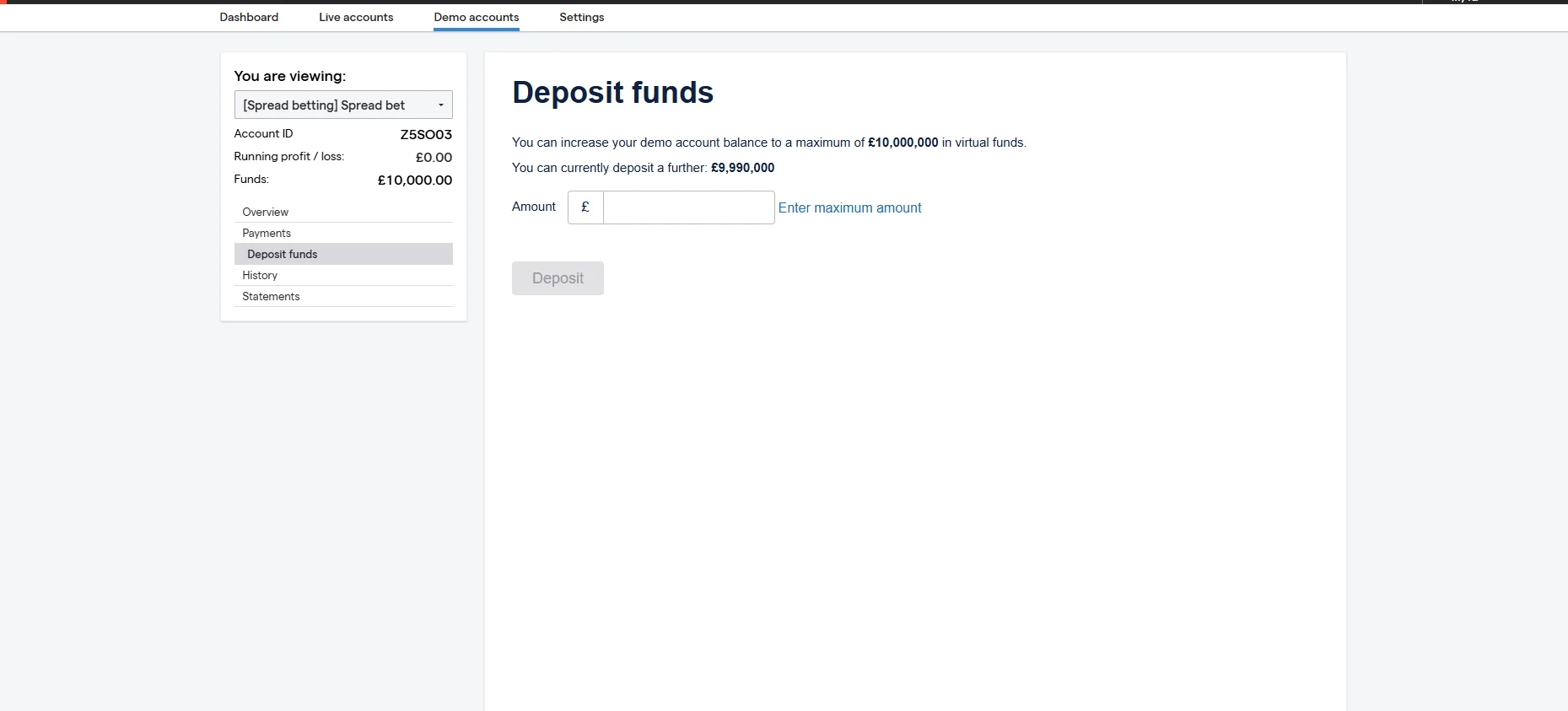
API access is free with any IG account. No additional fees, no premium tier required. Your trading costs are the same as manual trading: spread-only for spread bets (EUR/USD from 0.6 pips), commission-based for share CFDs. There are no per-API-call charges.
What’s Development Like?
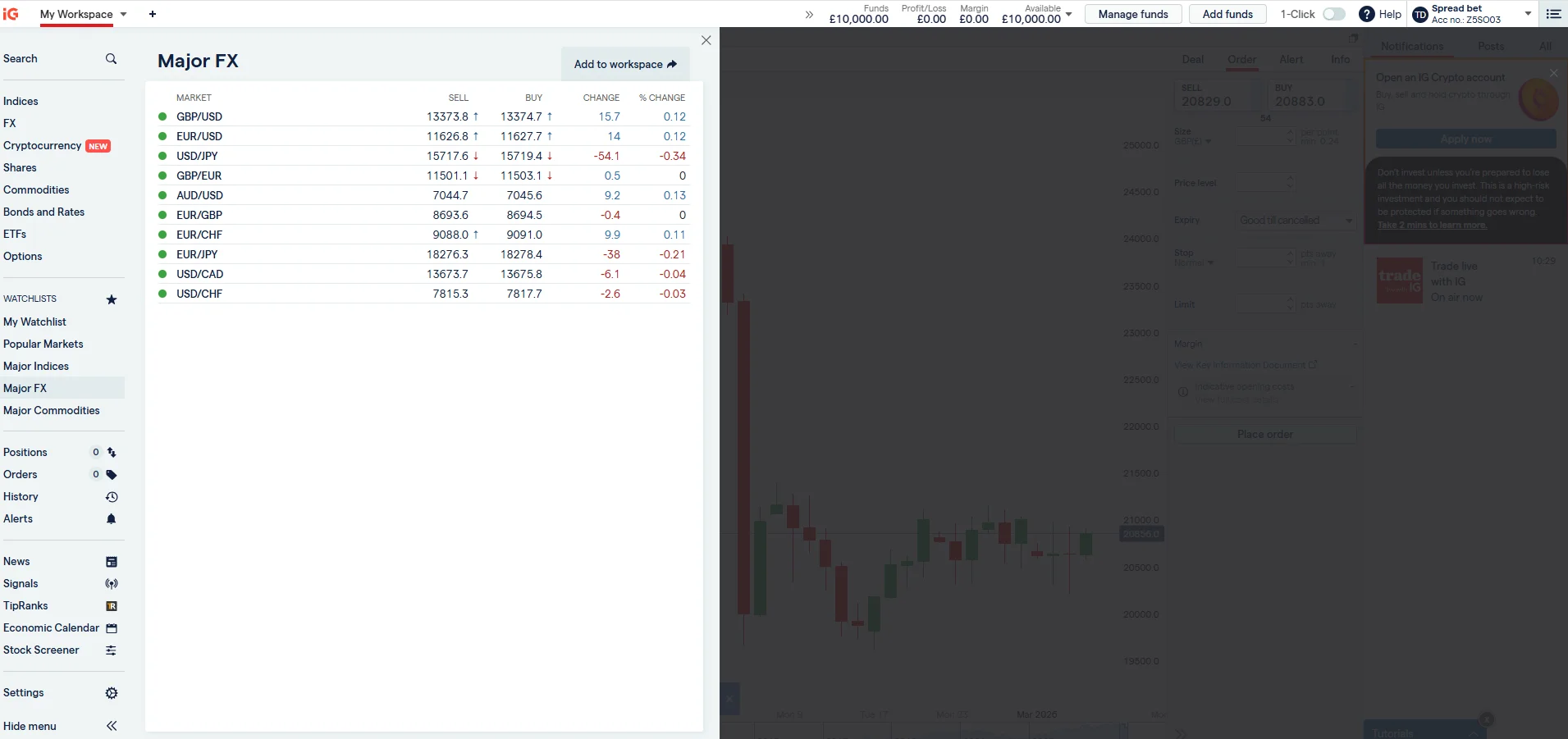
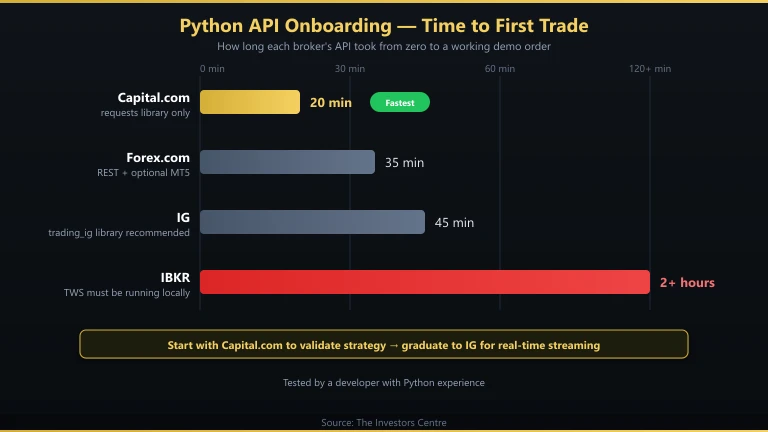
I had a working script that authenticated, pulled live GBP/USD prices, and placed a demo order within 45 minutes. The trading_ig library handles session management, token refresh, and Lightstreamer connection. The demo account mirrors the live API exactly, so you can test extensively before risking capital. See our full IG review for broader platform details.
Who Should Use IG’s API?
Python developers who want to automate spread betting or CFD trading with a well-documented, community-supported API. The 15-request/minute trading limit rules out true high-frequency strategies, but it’s ample for strategies that check prices every few seconds and trade a handful of times per day.
Capital.com — Simplest API for Python Beginners
- Fees & Spreads
- 4.4
- Platform & Tools
- 4.4
- Customer Service
- 4.5
- Ease of Use
- 4.8
- Mobile App
- 4.9
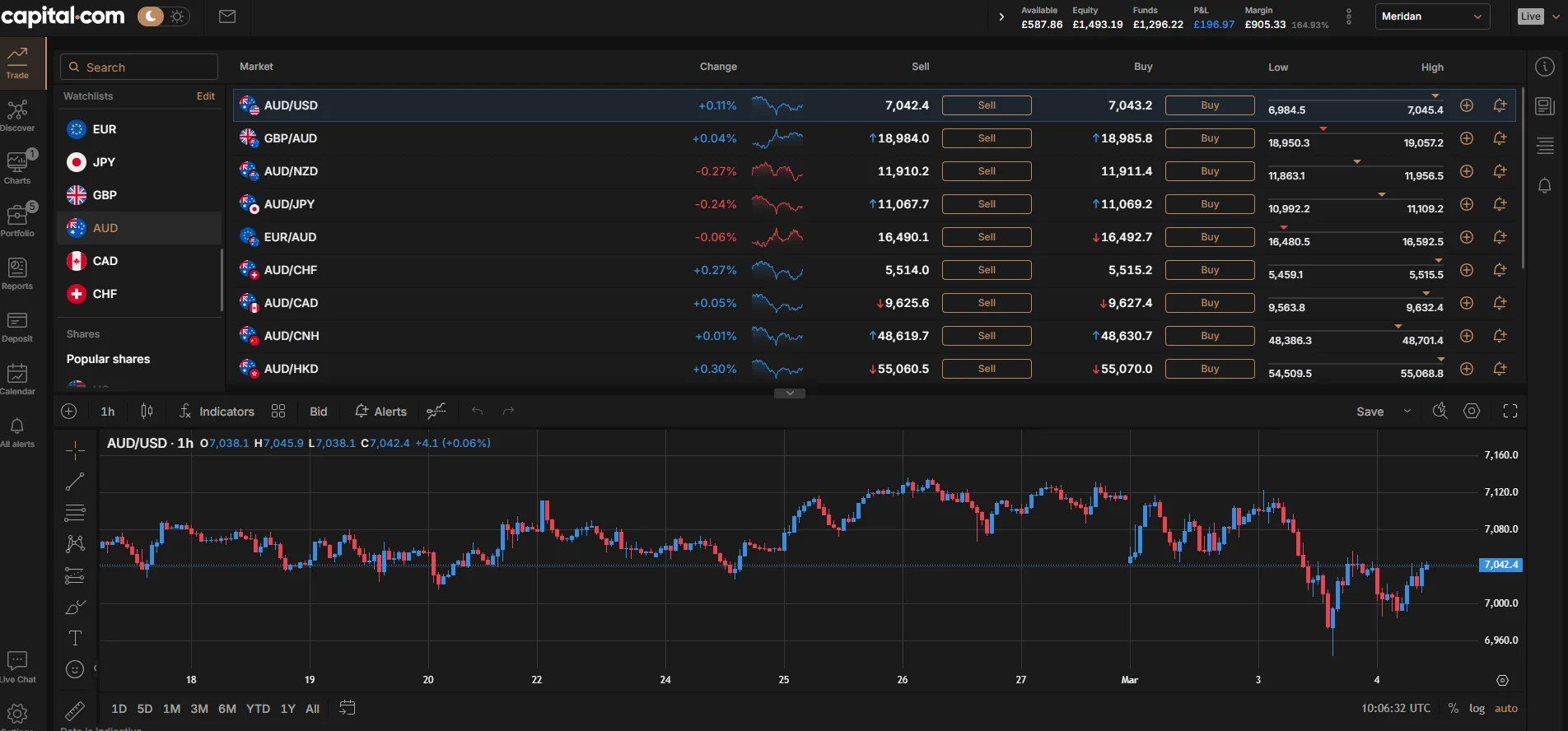
Capital.com’s REST API is the simplest to get started with. Authentication uses an API key and password — no OAuth flow, no token management. The trade-off is no real-time streaming: you must poll for price updates, which introduces latency and counts against your rate limit. For strategies that check prices every 5–10 seconds rather than tick-by-tick, this is adequate.
Pros
- Simplest authentication of any broker API
- Clean JSON responses, easy to parse
- Spread betting available via API
- £20 minimum deposit
- FCA regulated (FRN 793714)
Cons
- No real-time streaming — polling only
- No official Python library
- No MT5 support
- Documentation is less detailed than IG’s
What Does Capital.com API Access Cost?
Free with any account. All trading costs are built into the spread (EUR/USD from 0.6 pips). No commission, no API fees. The £20 minimum deposit is the lowest barrier to entry for API trading among UK brokers.
What’s Development Like?
I had a working authentication and price-pull script in 20 minutes using only the requests library. No third-party wrapper needed. The simplicity is the selling point. For a first API project, Capital.com’s API removes friction and lets you focus on learning REST concepts rather than fighting authentication flows.
Who Should Use Capital.com’s API?
Python beginners building their first trading bot. The API is straightforward enough to learn REST concepts without getting bogged down in OAuth tokens or streaming protocols. Once you outgrow it, graduate to IG’s API for streaming data and a larger market range.
StoneX Trading — MT4, TradingView and WebTrader for Automation
- Fees & Spreads
- 4
- Platform & Tools
- 3.3
- Customer Service
- 3.3
- Ease of Use
- 3.5
- Mobile App
- 3.7
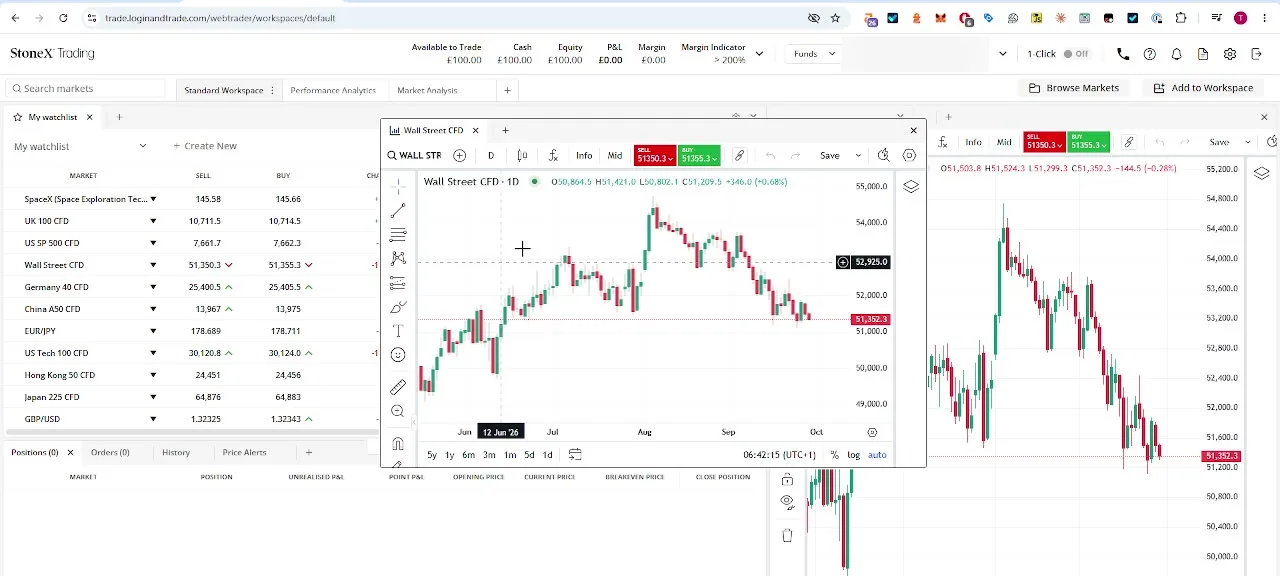
StoneX Trading, formerly City Index, doesn’t advertise a REST or Python API for retail clients. The automation routes it documents are MT4, for Expert Advisors written in MQL4, and TradingView, for charting and Pine Script alerts you can trade straight from inside WebTrader. If your Python workflow needs an EA as the execution layer, MT4 covers that; a documented broker-side REST endpoint simply isn’t part of what StoneX publishes.
Pros
- MT4 gives you a familiar Expert Advisor environment to build from
- TradingView charts and Pine Script alerts sit alongside MT4
- Spread betting available (tax-free for most UK residents)
- 85 FX pairs, 40+ indices, fixed 1-point UK 100 spread in market hours
- FCA regulated (FRN 446717)
Cons
- No published REST or Python API
- Automation runs through MT4/TradingView rather than a broker-hosted endpoint
- More setup than logging in to a documented REST API
What Does StoneX Python Access Cost?
There is no separate charge for building an MT4 bridge; you pay the same spreads as any other MT4 client, from 0.5 points on FX and a fixed 1 point on the UK 100 between 8am and 4.30pm. There is a GBP 12 monthly inactivity fee after 12 months dormant, which is worth knowing if a bot sits idle between builds.
What’s Development Like?
Expect an afternoon rather than 30 minutes. You write an EA in MQL4 that handles the execution side, with Python typically brought in for analysis or signal generation around it rather than talking to a broker API directly. It’s the standard MT4 pattern used across brokers generally, not something specific to StoneX, so support for the Python side comes from the wider MT4 community rather than StoneX itself.
Who Should Use StoneX for Python Trading?
Traders who already like MT4 and are comfortable building an EA-led setup, or who want Python for analysis (via WebTrader’s Performance Analytics and their own trade history exports) rather than live execution. If a clean, documented REST API is the priority, IG or Capital.com are the better starting point.
Interactive Brokers — Most Powerful API (Steepest Learning Curve)
- Fees & Spreads
- 3.6
- Platform & Tools
- 3.8
- Customer Service
- 2.4
- Ease of Use
- 1.6
- Mobile App
- 1.7
IBKR offers two API paths: the TWS API (socket-based, requires TWS running locally) and the newer Client Portal REST API (web-based, lighter). The TWS API via the ib_insync Python library is the most capable broker API available — you can do things no other retail API supports, like algorithmic order types, real-time portfolio Greeks, and multi-leg options orders. The cost is genuine complexity.
Pros
- Most powerful retail broker API available
ib_insynclibrary is excellent and well-maintained- Real-time streaming via TWS socket
- DMA with Smart Order Routing
- Access to 150+ exchanges globally
- FCA regulated (FRN 208159)
Cons
- TWS must be running locally (or IB Gateway)
- Complex setup — took me 2+ hours for first working script
- No spread betting
- Market data subscriptions cost extra
What Does IBKR API Access Cost?
API access is free. Trading commissions start from 0.05% with a £1 minimum on UK shares. You pay separately for market data subscriptions. The Client Portal API is free but limited in functionality compared to the TWS API. For serious development, you’ll use the TWS API, which requires TWS or IB Gateway running continuously.
What’s Development Like?
It took me over two hours to get my first working script — significantly longer than any other broker. The ib_insync library transforms the callback-heavy TWS API into async/await Python, which helps enormously. Once set up, the capabilities are unmatched: live streaming, historical data, complex order types, portfolio management, and options analytics all from Python.
Who Should Use IBKR’s API?
Experienced developers building sophisticated multi-asset trading systems. If your strategy involves options, futures, or cross-exchange arbitrage, IBKR is the only realistic choice. For straightforward forex or index CFD automation, IG is faster to implement and offers spread betting tax advantages.
Which API Should a Python Beginner Start With?
Capital.com if you want the absolute simplest start. IG if you want something you won’t outgrow in six months.
Capital.com’s API requires only the requests library and basic HTTP knowledge. You can authenticate and pull prices in 10 lines of code. It’s ideal for learning REST concepts and building confidence before tackling streaming data or complex authentication.
IG’s API is a better long-term investment. The trading_ig library handles authentication and streaming for you, the documentation is thorough, and you have access to 17,000+ markets. The learning curve is steeper than Capital.com but shallower than IBKR. Most Python trading developers I know started with IG and never needed to switch.
For broader context on automated trading approaches, see our guides on building a trading bot and AI trading robots. For MT4-specific automation, read our Expert Advisors guide.
Working Python Code Example – IG API Authentication & Price Pull
This script authenticates with IG’s REST API, pulls the current GBP/USD price, and prints it. It runs on Python 3.8+ with only the requests library (no trading_ig required). Replace the placeholder credentials with your IG demo account details.
import requests

# IG Demo API credentials (replace with your own)
API_KEY = "your-api-key-here"
USERNAME = "your-username"
PASSWORD = "your-password"

# Authentication
session = requests.Session()
session.headers.update({
    "X-IG-API-KEY": API_KEY,
    "Content-Type": "application/json; charset=UTF-8",
    "Accept": "application/json; charset=UTF-8",
    "Version": "2"
})

auth_payload = {
    "identifier": USERNAME,
    "password": PASSWORD
}

auth_url = "https://demo-api.ig.com/gateway/deal/session"
auth_response = session.post(auth_url, json=auth_payload)

if auth_response.status_code != 200:
    print(f"Auth failed: {auth_response.status_code}")
    exit()

# Extract tokens from response headers
cst = auth_response.headers.get("CST")
x_security_token = auth_response.headers.get("X-SECURITY-TOKEN")

session.headers.update({
    "CST": cst,
    "X-SECURITY-TOKEN": x_security_token
})

print("Authenticated successfully.")

# Pull GBP/USD price
market_url = "https://demo-api.ig.com/gateway/deal/markets/CS.D.GBPUSD.TODAY.IP"
market_response = session.get(market_url)
market_data = market_response.json()

bid = market_data["snapshot"]["bid"]
offer = market_data["snapshot"]["offer"]
spread = round(offer - bid, 4)

print(f"GBP/USD - Bid: {bid}, Offer: {offer}, Spread: {spread}")

# Clean up session
session.delete(auth_url)
print("Session closed.")
This is a starting point, not a production system. For live trading, you would add error handling, rate-limit management, and the Lightstreamer connection for real-time price streaming. The trading_ig library handles all of this automatically if you prefer a higher-level interface.
Discuss Brokers with Python APIs
Built a trading bot against one of these broker APIs? Share which Python library and broker combination worked best for you — and any authentication or rate-limit gotchas worth knowing. Our community earns Equity for helpful contributions.
Discussion 0 comments
Be the first to start discussing this topic! Log in or create an account to share your thoughts.
Log In Create AccountFrequently Asked Questions
References
- IG REST API Documentation – labs.ig.com/rest-trading-api-reference
- Capital.com API Documentation – open-api.capital.com
- Interactive Brokers API Guide – interactivebrokers.github.io/tws-api
- FCA Financial Services Register – register.fca.org.uk
- trading_ig Python Library – github.com/ig-python/trading-ig
70% of retail investor accounts lose money when trading spread bets and CFDs with this provider.
No comments yet. Be the first to start discussing this topic!