

- expertise:
- CFD Trading, Forex, Derivatives, Risk Management
- credentials:
- Chartered ACII (2018) · Trading since 2012
- tested:
- 40+ forex & CFD platforms with live accounts

- expertise:
- Platform Testing, Cryptocurrency, Retail Investing
- credentials:
- Active investor since 2013 · 11+ years experience
- tested:
- 50+ platforms · 200+ guides authored
How We Test
Real accounts. Real money. Real trades. No demo accounts or press releases.
What we measure:
- Spreads vs advertised rates
- Execution speed and slippage
- Hidden fees (overnight, withdrawal, conversion)
- Actual withdrawal times
Scoring:
Fees (25%) · Platform (20%) · Assets (15%) · Mobile (15%) · Tools (10%) · Support (10%) · Regulation (5%)
Regulatory checks:
FCA Register verification · FSCS protection
Testing team:
Adam Woodhead (investing since 2013), Thomas Drury (Chartered ACII, 2018), Dom Farnell (investing since 2013) — 50+ platforms with funded accounts
Quarterly reviews · Corrections: in**@*******************co.uk
Disclaimer
Not financial advice. Educational content only. We're not FCA authorised. Consult a qualified advisor before investing.
Capital at risk. Investments can fall. Past performance doesn't guarantee future results.
CFD warning. 67-84% of retail accounts lose money trading CFDs. High risk due to leverage.
Contact: in**@*******************co.uk
Quick Answer — Is Trading.com Good for Beginners?
Yes, with one caveat: start with the Investment Account, not CFDs. Trading.com is deliberately simpler than IG or CMC, with a £10,000 demo that never expires, a clean UI, a £50 Welcome Credit and 3.05% AER interest on uninvested cash. It loses marks for no ISA and a finance-jargon screener default. CFDs are complex, leveraged products and most retail traders lose money on them.

Is Trading.com Good for Beginners? My Honest Take After Opening an Account
I opened a Trading.com account, funded it, and placed my first trades. The headline thing I want you to take away — and it's not what most "best broker for beginners" lists will tell you — is that Trading.com is a deliberately simpler platform than the IGs and CMCs of this world. For a true beginner, I think that's actually a strength, not a weakness. But there are two or three places where the platform stumbles for absolute newcomers, and I'm going to be honest about those.
If you'd rather read my full broker write-up first, here's my full Trading.com review.
Why Is Trading.com a Beginner-Friendly Broker?
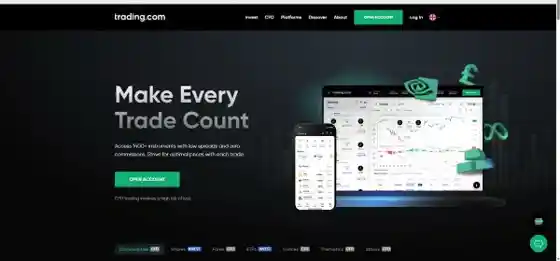
When I logged in for the first time, the thing I noticed immediately was how little was on the screen. Coming from a platform like IG, where you can be looking at dozens of orderbook tools, advanced charts and a wall of market data inside thirty seconds, Trading.com's web platform feels almost stripped back. That's intentional.
"The platform, assets available is quite basic compared to IG, CMC, but this means it's less overwhelming for beginners. It's definitely targeted for retail traders, but for people that move onto a more advanced platform, they do have an MT5 platform for people looking for more features and an industry-known platform." (my own first impression, after a week of use)
Is It Actually Simpler than IG or CMC?
Yes, and the difference is genuine. There's a single main dashboard, a single chart panel, a single markets sidebar, and a single order ticket. The new platform (which the Invest account opens in by default) is even cleaner: a horizontal screener strip at the top, the chart taking up the bulk of the screen, and the order ticket pinned to the right. There's nothing extra to wade through if you're just trying to look up an ETF or place a market order.
The trade-off is that you can outgrow it. The good news is that Trading.com has covered that too — they offer MetaTrader 5 connectivity, so when you're ready for advanced charting, custom indicators, automated strategies or a more powerful order book, you can plug straight into MT5 without changing broker. That escape valve matters, because it means the simpler interface isn't a dead end.
How Does the £10,000 Demo Account Help Me Learn?
The first thing that happens when you open a Trading.com account is that you get a practice account with £10,000 of virtual money, automatically, with no expiry date. I used mine for several days before placing any real-money trades. The demo runs in the exact same interface as the live platform, so anything I figured out on the demo translated one-for-one when I switched across.
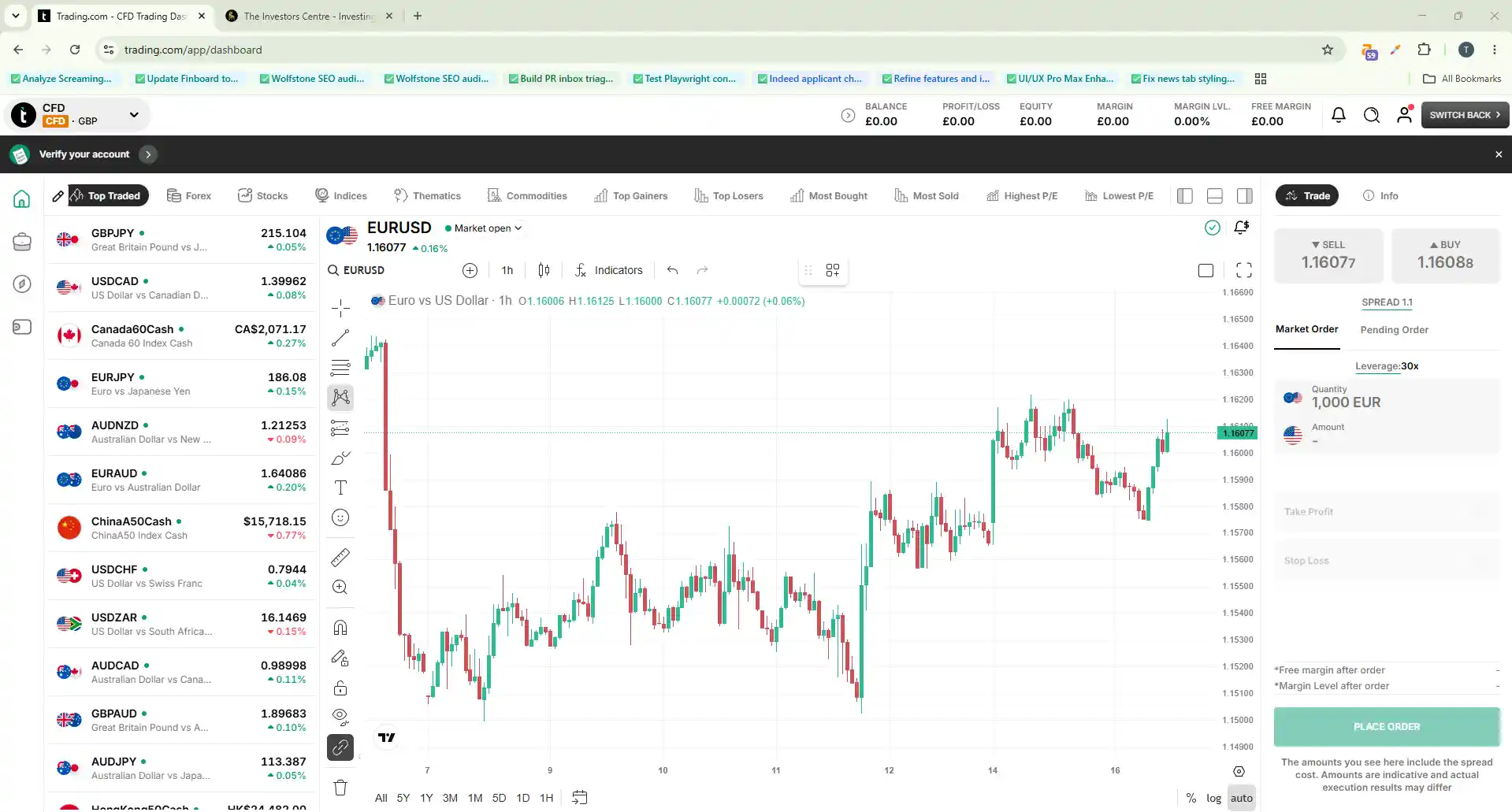
That "no expiry" point is more useful than it sounds. Some demo accounts time-bomb after 30 days, which means just as you're starting to understand a strategy, the demo locks you out. Trading.com lets you treat it as a permanent sandbox.
If you want to dig deeper into the regulatory side, I cover it in Is Trading.com Safe?
Should a Beginner Pick the CFD or Invest Account First?
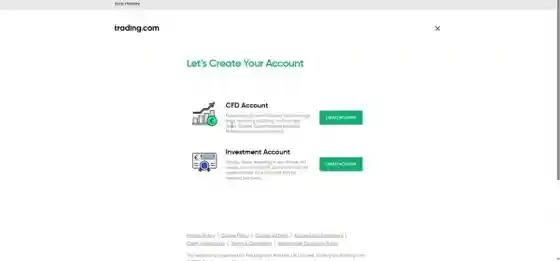
This is the single most important fork in the road for a new Trading.com user, and the answer isn't obvious from the signup flow.
Why I'd Open the Invest Account First
The Investment Account is real-share ownership. You buy a share, you own that share, you get the dividend, you can sell it whenever you want. There's no leverage, no overnight financing, no questionnaire to clear.
The CFD Account is a leveraged derivatives product. You don't own anything, you're contracting on price movement, and gains or losses are multiplied. You also have to pass an appropriateness questionnaire before they let you open one. CFDs are a complex product, and the majority of retail traders lose money on them. For a beginner, the Invest route is genuinely safer to start with.
How Can I Use the Demo to Test CFDs Safely?
The demo I mentioned earlier is set up as a CFD demo, not an Invest demo. That works in your favour: it means you can use the same £10,000 paper-money pot to learn how leverage and margin and stop-losses actually behave, without risking real capital. I'd suggest paper-trading CFDs for at least 30 days on the demo before deciding whether to fund the real CFD account.
Where Does Trading.com Stumble for Beginners?
I want to be fair to the platform here, because most reviews skip this part. There are three things I think Trading.com gets wrong for a true newcomer.
Why Does the Markets Screener Default to "Lowest P/E"?
When I opened the Invest platform's markets screener, the default tabs across the top included US Large, EU Large, UK Large, ETFs, Top Traded, Top Gainers, Top Losers — fine so far — but also Lowest P/E. Price-to-earnings ratio is a perfectly useful valuation metric, but a complete beginner has no idea what it means or why they'd filter by it. That's the kind of UX choice that suggests the platform isn't quite as beginner-tuned as it claims.
Can My £50 Welcome Credit Buy Any Share?
When I opened my Invest account, I received a £50 Welcome Credit — really nice touch. And because Trading.com now offers fractional shares, the credit goes wherever you want it: you can put your £50 toward a slice of a high-priced ETF like CSPX (the iShares S&P 500 accumulation ETF, roughly $800 a full share) or Nasdaq 100 (around £536), rather than hunting through the alphabetical list for a low-priced ticker just to deploy the gift.
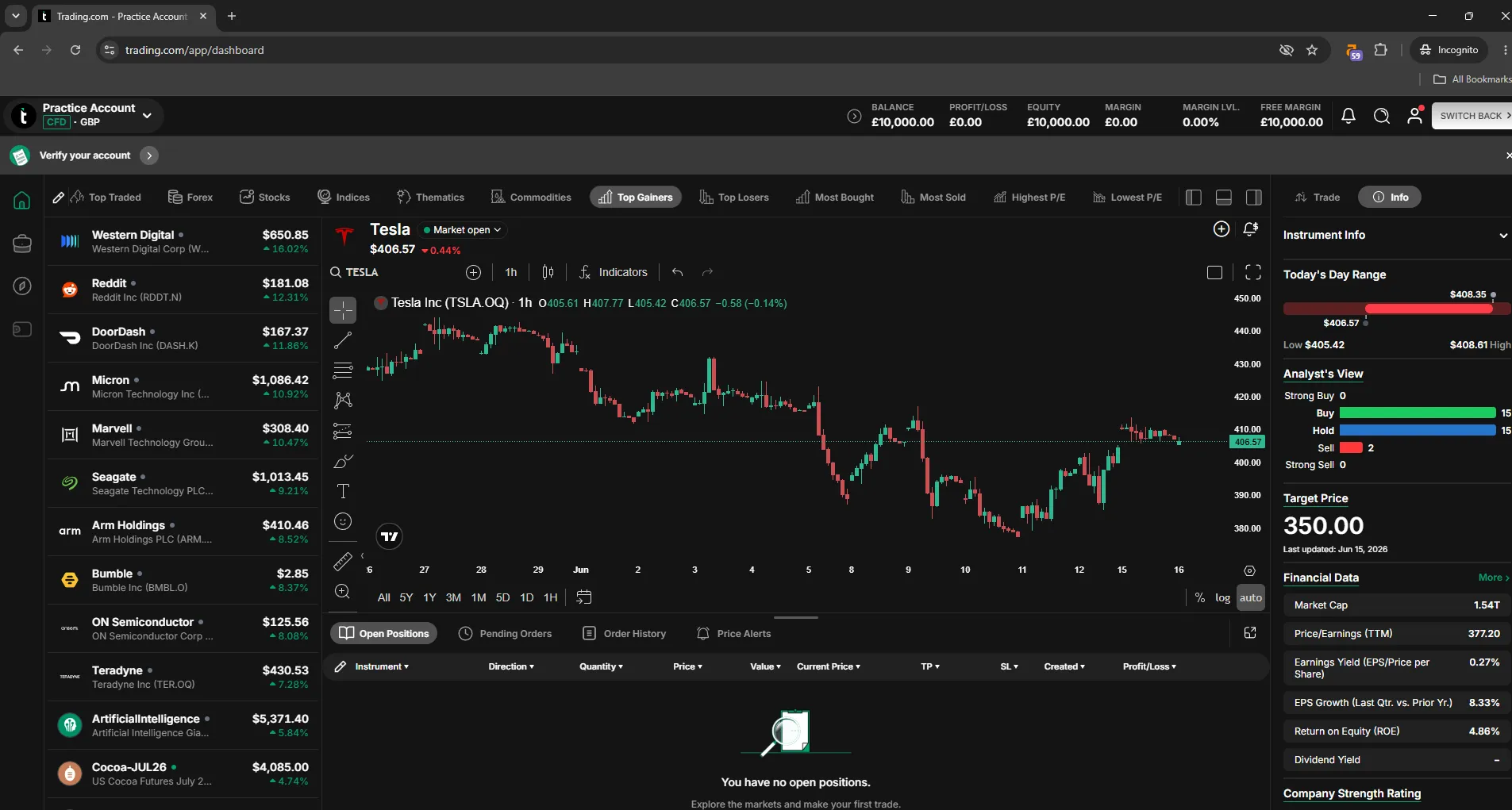
For a first trade, pick whichever market you actually want exposure to — an S&P 500 tracker like CSPX, or UK Gilts via IGLT — and put a fractional slice of your £50 into it to feel the order-placement workflow. (The Welcome Credit isn't withdrawable as cash.)
Are There Copy or Social Trading Features?
No. If you've been recommended Trading.com after using eToro, this is the obvious gap. There's no CopyTrader, no community feed, no "follow another investor". For some beginners that's a feature loss, for others it's a relief.
What's a Sensible First-90-Days Plan with Trading.com?
Here's the framework I'd use as a brand-new Trading.com client.
Days 1–7: Open both, fund neither
Open the Invest Account and the CFD demo. Don't put real money in yet. Spend the week getting used to the platform, searching for instruments, reading the in-platform tutorials in the Discover hub, drawing a trend line on a chart you understand.
Days 8–30: Deploy your £50 in Invest
Fund the Invest Account with a small amount (£50–£200 is plenty). Use your £50 Welcome Credit to buy a share or a fractional slice of any ETF you like, purely to feel the order-placement workflow. Opt in to the 3.05% AER interest on any uninvested cash from the Discover hub. Don't touch the CFD side yet.
Days 31–90: Paper-trade the CFD demo before risking a penny
If your Invest experience is positive and you want to explore CFD trading, paper-trade your strategy on the demo for at least 30 days. Only if your demo P&L is consistently positive, and you've sat through a losing day without panic-selling, should you fund a real CFD account.
My Verdict: Who Is Trading.com Good for as a Beginner?
Trading.com gets the big things right for beginners. It's deliberately simpler than the heavyweight platforms, the £10,000 demo is generous and indefinite, the £50 Welcome Credit funds a low-cost first trade using free credit (on invest account only), and 3.05% AER interest on uninvested cash is a sensible default. The MT5 connectivity means you can grow into more advanced features without switching broker.
Where it falls short — the alphabetical ETF list and the Lowest-P/E filter as a screener default — would push it from a 4.0/5 on beginner-friendliness up toward 4.5 if they were fixed. The overall 3.9/5 rating reflects the wider gaps: no ISA wrapper for tax-efficient investing, no spread-betting account, and a narrower asset universe than the IGs and CMCs.
For someone genuinely new to investing or trading, my honest recommendation is: yes, Trading.com is a sensible place to start, provided you start with the Invest Account, not CFDs. If you want my full take, read my Trading.com review, or if you're worried about safety read Is Trading.com Safe? first.
Discuss Trading.com for Beginners
Just starting out with Trading.com? Share how you found the signup, the demo or your first trade, or ask other new UK investors for tips. Our community earns Equity for quality contributions.
Discussion 0 comments
Be the first to start discussing this topic! Log in or create an account to share your thoughts.
Log In Create AccountFAQs
References
- Financial Conduct Authority (FCA) – Financial Conduct Authority | FCA
- FCA Register – Trading.com Markets UK Limited – FRN 705428
- FSCS – What We Cover | FSCS
No comments yet. Be the first to start discussing this topic!